Is Salesforce Right for You?
If you're a 200-person company with complex sales processes, multiple territories, and a dedicated admin, you can build virtually any workflow on Salesforce's platform. But if you're a 15-person team without implementation budget or technical resources, you'll spend more time configuring the CRM than actually selling.
What it is: Salesforce is the world's largest CRM platform, serving 150,000+ companies across virtually every industry.
It's organized into "Clouds" — Sales, Service, Marketing, Commerce, and more — all built on a shared platform with deep customization, powerful automation, advanced analytics, and the largest app ecosystem in CRM (7,000+ apps on AppExchange). Salesforce isn't just a CRM — it's a platform you build your business processes on top of.
⚠ Main limitation: Complexity and cost. Salesforce requires significant investment beyond the license — implementation typically starts around $25,000, the learning curve is steep, and most organizations need a dedicated admin or consultant to maintain the system. The pricing structure layers per-user fees, add-ons, AI credits, support tiers, and storage limits in ways that make true cost difficult to predict before you're deep into the platform.
✔ Get it if: You need enterprise-grade CRM customization, reporting depth, and a platform that scales from 25 to 25,000 users with proper governance — and you're prepared to invest in implementation and ongoing administration.
Why Salesforce?
Marc Benioff founded Salesforce in 1999 with the radical idea of delivering enterprise software through the cloud — no servers, no installations, just a web browser.
That vision created the SaaS model we know today and built a company that now generates over $35 billion in annual revenue. Salesforce didn't just enter the CRM market — it defined how modern CRM works and continues to set the pace for the entire industry.
The Platform Advantage
Salesforce isn't a fixed CRM you configure — it's a platform you build on. Custom objects, fields, relationships, page layouts, automation rules, approval processes, and validation rules give you granular control over every aspect of your data model and business processes. Need a CRM that mirrors your exact sales methodology?
Salesforce can model it. Need to track custom entities that don't exist in standard CRM templates? Create them without code. This flexibility is why Fortune 500 companies and complex organizations choose Salesforce over everything else — no other CRM matches its depth of customization.
Reporting That Actually Scales
Salesforce's reporting is the benchmark other CRMs are measured against. Custom reports with cross-object data, dynamic dashboards, forecasting models, and historical trend analysis give leadership the visibility they need to make data-driven decisions.
Add Tableau (which Salesforce owns) for advanced analytics, and you have a reporting stack that handles everything from basic pipeline views to complex revenue intelligence across global sales organizations.
Agentforce and AI
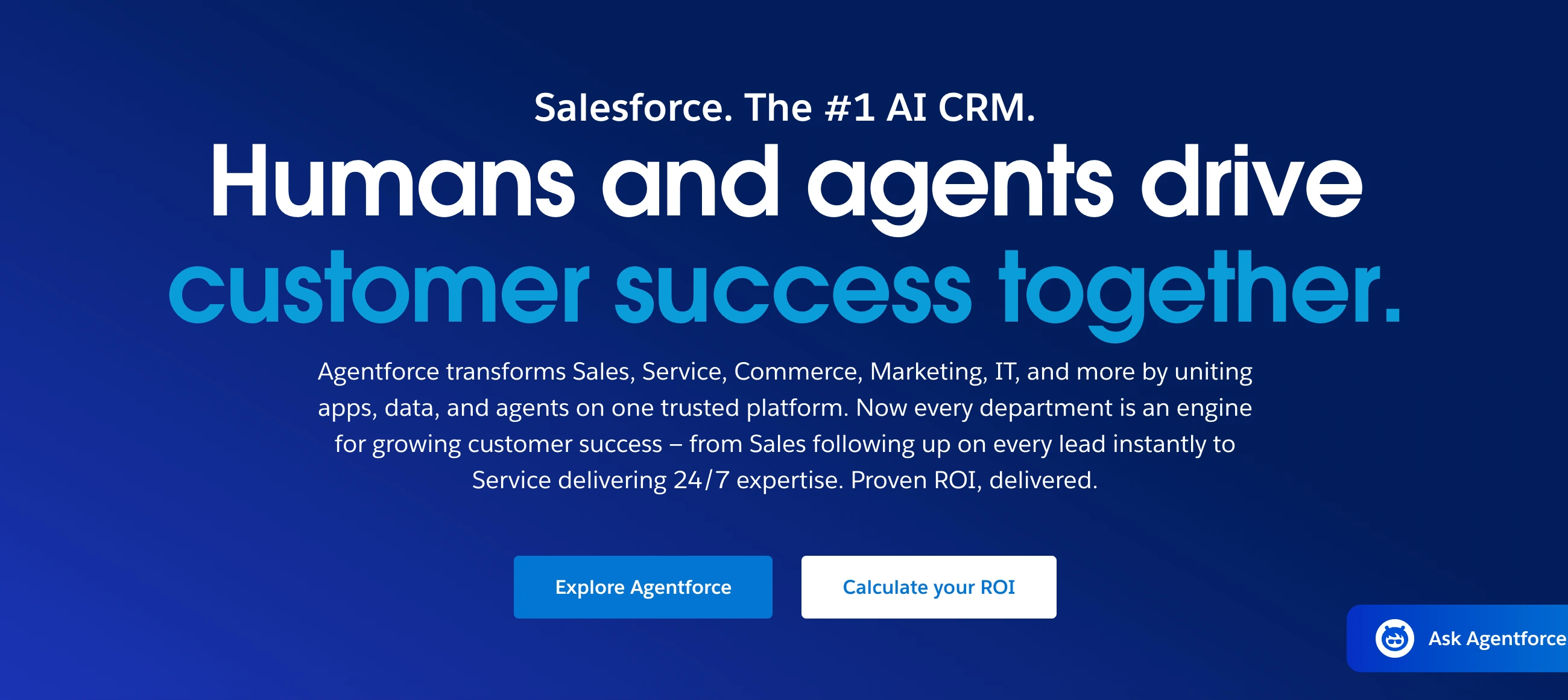
Salesforce is investing heavily in AI through Agentforce — their suite of AI agents that automate tasks like lead qualification, meeting booking, email drafting, and data enrichment. Built on the Einstein AI foundation, Agentforce represents Salesforce's vision of AI deeply embedded in CRM workflows rather than bolted on as an afterthought.
The AI capabilities are powerful but come with additional costs — either through Flex Credits ($500 per 100,000 credits), per-conversation pricing, or premium edition add-ons starting at $125/user/month.
The Verdict: Our Assessment
8.0/10 — Salesforce is the most powerful and customizable CRM on the market, period. No competitor matches its depth of configuration, reporting sophistication, ecosystem breadth, or enterprise scalability.
The trade-off is equally clear: it's the most complex, most expensive, and most resource-intensive CRM to implement and maintain. The rating reflects that Salesforce is exceptional for its target audience (mid-market to enterprise) but not the right tool for small businesses, solo operators, or teams that value simplicity over power.
Criteria | Score | Verdict |
|---|---|---|
Customization Depth | 10/10 | Custom objects, fields, relationships, page layouts, record types, validation rules — build any data model without code |
Reporting & Analytics | 10/10 | Cross-object reports, dynamic dashboards, forecasting, Revenue Intelligence, Tableau integration — unmatched |
Enterprise Scalability | 10/10 | Scales from 25 to 25,000+ users with governance, territories, role hierarchies, and permission controls |
Ecosystem | 10/10 | 7,000+ AppExchange apps, MuleSoft integration, Slack, Tableau — largest CRM ecosystem by far |
Automation | 9/10 | Salesforce Flow is the most powerful CRM automation engine; complexity requires expertise |
AI Features | 8/10 | Agentforce and Einstein are capable; pricing (credits, add-ons, premium editions) adds real cost |
Industry Solutions | 9/10 | Purpose-built clouds for finance, healthcare, manufacturing, nonprofit, and more — not just templates |
Pipeline Management | 8/10 | Highly configurable with historical tracking; not as immediately intuitive as Pipedrive or HubSpot |
Ease of Use | 5/10 | Steep learning curve; Lightning Experience improved usability but platform complexity remains a barrier |
Value for Money | 5/10 | Powerful but expensive; license + add-ons + implementation + admin + AI costs compound fast |
Small Team Suitability | 4/10 | Starter Suite exists but Salesforce is overbuilt for teams under 10; HubSpot or Pipedrive serve small teams better |
Support Quality | 7/10 | Trailhead is world-class free training; Premier support is good; billing and contract disputes surface on Trustpilot |
⚠ Trade-offs: August 2025 brought a 6% price increase on Enterprise and Unlimited editions. The total cost of ownership extends far beyond licenses — implementation ($25,000-$60,000+), ongoing admin (dedicated hire or consultant), AI add-ons (Flex Credits, Agentforce editions), storage overage fees, and Premier support surcharges all compound. Most organizations end up paying significantly more than the per-user list price suggests. The learning curve is real — G2 reviewers cite it as the #1 negative alongside cost. Annual contracts are standard and difficult to exit. Trustpilot reviews paint a harsher picture than G2, revealing frustrations with sales tactics, post-sale service, and contract inflexibility.
Fit by Business Type
Strong Fit
✔ Enterprise 200+ (10/10) — Built for this: governance, territories, complex data models, compliance, multi-department workflows, and global scalability.
✔ Mid-Sized 50-200 (9/10) — Enterprise tier provides serious customization and reporting at a manageable scale; worth the investment if you're growing fast.
✔ B2B Services (8/10) — Complex B2B relationships, long sales cycles, and multi-stakeholder deals play to Salesforce's strengths.
✔ SaaS/Tech (8/10) — Product-led growth tracking, subscription management, and revenue intelligence fit SaaS motions naturally.
Moderate Fit
◑ Nonprofit (7/10) — Salesforce offers 10 free licenses to qualifying nonprofits through the Power of Us program; strong ecosystem for donor management.
◑ Agency (6/10) — Customizable but overkill for most agencies; HubSpot or Monday CRM better suited.
◑ Growing SMB 10-50 (6/10) — Pro Suite is capable but implementation costs disproportionate to team size; HubSpot Professional is often a better fit.
Poor Fit
✗ Small Business 2-10 (4/10) — Starter Suite works but is overbuilt; simpler CRMs deliver more value at this scale.
✗ eCommerce (4/10) — Commerce Cloud exists but Shopify and dedicated ecommerce platforms serve online stores better and cheaper.
✗ Budget-Conscious (3/10) — Even at $25/user, the real cost includes implementation and administration that budget teams can't absorb.
✗ Solo/Freelancer (2/10) — Far too complex and expensive for individual use.
✗ Content Creator (2/10) — No use case for creators; this is enterprise business software.
What Users Say: Reviews & Verified Experiences
User ratings: 4.4/5 on G2 (25,400+ reviews for Sales Cloud; 92,100+ across all Salesforce products), 4.4/5 on Capterra (18,400+ reviews), ~1.5/5 on Trustpilot (600+ reviews). Like HubSpot, the G2-to-Trustpilot gap is dramatic — G2 captures satisfied daily users, Trustpilot captures contract and billing frustrations.
What Users Love
✩ Complete Visibility: "Sales Cloud is what runs our GTM team, our central source of truth, and the backbone of our revenue engine. With deep customization options and a robust ecosystem of integrations, it suits businesses ranging from startups to global enterprises," writes a Gartner Peer Insights reviewer.
✩ Customization Power: "All of the functionality it has. I really enjoy the flexibility of being able to make the experience our own for our users," reports a verified G2 reviewer. The ability to build exactly the CRM you need — not settle for a template — is the #1 cited advantage.
✩ Pipeline Management: "From automating lead workflows to detailed pipeline tracking, it enables full control and visibility over the sales cycle," notes a verified Capterra Executive Sales Manager at a medical devices company using Salesforce for 2+ years.
✩ Historical Data: "Historical data capture on fields that change over time is a massive advantage over other CRMs," writes a Gartner reviewer. Tracking how deal values, stages, and custom fields evolve — not just their current state — is a feature most competitors lack.
Common Complaints
✗ Complexity: "Using Salesforce Sales Cloud feels like having a really powerful toolset that occasionally forgets that normal humans have to use it," writes a G2 reviewer. The steep learning curve is the #1 negative theme across 1,783 G2 mentions.
✗ Cost: "Licenses and add-ons adding up quickly" is cited in 1,026 G2 mentions. A Trustpilot reviewer writes, "They would charge you for air if they could," while another warns that the platform requires "an expensive expert to get it right."
✗ Admin Dependency: "Admin-level customization often requires technical expertise or certified support, which adds cost and dependency," reports a verified Capterra reviewer. Without dedicated Salesforce expertise, organizations struggle to maintain and evolve their instance.
✗ Post-Sale Service: "Their post-sales service and experience leaves much to be desired even if you are a large billed customer. They will constantly market to you without actually looking at what you're doing," writes a Gartner reviewer. Multiple Trustpilot users describe aggressive upselling and unresponsive support after signing contracts.
✗ Performance: "I can probably count on two hands the amount of days spent looking at a Salesforce loading screen," writes a Capterra Sales Representative noting that platform speed remains a pain point, particularly with large datasets or complex page layouts.
What Salesforce Users Typically Achieve
Your CRM Finally Matches Your Actual Sales Process
If you've been forcing your team into a CRM template that doesn't reflect how you actually sell, Salesforce lets you build the exact stages, fields, validation rules, and automation that mirror your real workflow.
Your custom sales methodology gets encoded into the system rather than living in training documents no one reads. Every rep follows the same process because the CRM enforces it — not because someone remembered to check a spreadsheet.
Your Forecasting Goes From Estimates to Intelligence
If you've been forecasting from pipeline snapshots and manager intuition, Salesforce's forecasting tools give you layered visibility: rep-level commits, manager adjustments, AI-predicted outcomes, and historical trend analysis.
You see not just where deals stand today, but how they've progressed over time and where patterns suggest they're heading. Your quarterly forecast becomes a data-driven conversation rather than a guessing exercise.
Your Data Becomes an Asset Instead of a Mess
If you've been running a CRM where data quality depends on rep discipline, Salesforce's validation rules, required fields, duplicate management, and automation enforce clean data at the point of entry.
Over time, your CRM transforms from a contact database into a strategic asset — reliable enough for board-level reporting, accurate enough for AI to deliver meaningful predictions, and structured enough to survive employee turnover without losing institutional knowledge.
Your Teams Work From One System
If you've had sales in one tool, support in another, and marketing somewhere else, Salesforce gives every customer-facing team the same unified record. Your support team sees the full sales history before answering a ticket.
Your account managers see open service cases before their next call. The connected data doesn't just reduce tool sprawl — it gives every team member the complete context they need to do their job without asking someone else.
3 Critical Mistakes to Avoid
Mistake #1: Underestimating Total Cost of Ownership
You budget for Enterprise licenses at $165/user/month and assume that's your Salesforce cost. Then implementation runs $40,000. You hire a part-time admin at $50,000/year. AI add-ons are another $125/user/month.
Premier support adds a percentage of your net license fees. Storage overages trigger additional charges. Suddenly your $165/user CRM costs three to five times the license price when you account for everything it takes to actually run the platform.
⚠ Fix it: Calculate total cost of ownership for the first three years before committing. Include licenses, implementation, ongoing admin (internal hire or consultant), training, add-ons, AI credits, support tier, storage, and AppExchange apps. Compare this total against alternatives like HubSpot Professional or Zoho Enterprise. Salesforce often wins on capability but the cost comparison must include everything — not just list price per seat.
Mistake #2: Over-Building Before You Understand Your Needs
You hire an implementation partner who builds an elaborate system with dozens of custom objects, complex automation flows, and intricate approval processes. It looks impressive in the demo.
Six months later, your sales team works around half the features because they're too complex, your admin spends most of their time maintaining flows that break when processes change, and you realize you built for theoretical needs rather than actual daily workflows.
⚠ Fix it: Start with the standard Salesforce data model and add customization only when a real business need demands it. Run the platform for 90 days with minimal customization, then iterate based on what your team actually uses and where they hit friction. The most successful Salesforce implementations are phased — not built all at once. Resist the urge to build everything before users touch the system.
Mistake #3: Choosing Salesforce When You Need a Simpler CRM
You choose Salesforce because it's the industry standard and your board or investors expect it. Your team of 8 people ends up with an Enterprise license, a $30,000 implementation, and a CRM that feels like piloting a fighter jet to go to the grocery store.
Your reps dread updating records because the interface requires too many clicks, your pipeline reports take longer to build than they should, and you spend more time administering the CRM than selling.
⚠ Fix it: Be honest about whether your sales process actually requires Salesforce-level customization. If you have fewer than 25 users, a straightforward sales process, and limited technical resources, HubSpot or Pipedrive will deliver more value with less overhead. Salesforce is the right choice when your complexity demands it — not when your company size or brand prestige suggests it. Match the tool to the problem, not to the perception.
Frequently asked questions
How much does Salesforce cost?
Starter Suite: $25/user/month. Pro Suite: $100/user/month. Enterprise: approximately $175/user/month (after Aug 2025 increase). Unlimited: approximately $350/user/month. Agentforce editions start at $500/user/month. All plans are billed annually. Implementation typically costs $25,000-$60,000+. True cost includes licenses, implementation, admin, add-ons, support tiers, storage, and AI credits — plan for three to five times the list price as total cost of ownership.
Does Salesforce have a free plan?
Yes — Salesforce introduced Foundations, a free add-on for Enterprise and above customers that adds features across Agentforce, Sales, Service, Marketing, and Commerce Clouds. There's also a 30-day free trial of any edition with no credit card required. However, there's no free standalone CRM tier comparable to HubSpot's free plan. If you need a genuinely free CRM, HubSpot or Zoho CRM's free plan are better starting points.
How does Salesforce compare to HubSpot?
Salesforce wins on customization depth, reporting sophistication, enterprise scalability, industry solutions, and ecosystem size. HubSpot wins on ease of use, faster implementation, better free tier, lower total cost for small-to-mid teams, and tighter native marketing integration. Choose Salesforce when your organization needs deep configuration and has the resources to maintain it. Choose HubSpot when ease of adoption and marketing-sales alignment matter more than raw customization power.
Do I need a Salesforce admin?
For Starter and Pro Suite: not necessarily — these are simplified enough for non-technical users. For Enterprise and above: practically speaking, yes. The platform's power comes from configuration, automation, and customization that require dedicated expertise. Many organizations either hire a full-time Salesforce admin, contract with a Salesforce consultant, or designate an internal champion who maintains the system as part of their role.
Is Salesforce worth it for small businesses?
Starter Suite at $25/user/month is a viable small business CRM, but you're using a fraction of Salesforce's capabilities. Most small businesses find HubSpot's free CRM, Pipedrive, or Zoho CRM deliver more appropriate value without the complexity overhead. Salesforce becomes worth it when your sales process outgrows simpler tools — typically when you need advanced customization, complex reporting, or industry-specific features that other CRMs can't provide.
What does Salesforce implementation involve?
Implementation includes system configuration, data migration from existing tools, user training, custom automation setup, integration with your tech stack, and testing. Timeline ranges from weeks (Starter/Pro) to months (Enterprise). Costs typically start at $25,000 and scale with complexity. Most organizations work with a certified Salesforce implementation partner. Post-implementation, budget for ongoing admin to maintain, optimize, and evolve the system as your business changes.