See who’s slipping, stuck or ready to pay. Before they tell you.
Most customers who churn never complain, so reviews can’t warn you. Pulse watches how people use your product and lets you reach them in the same flow.
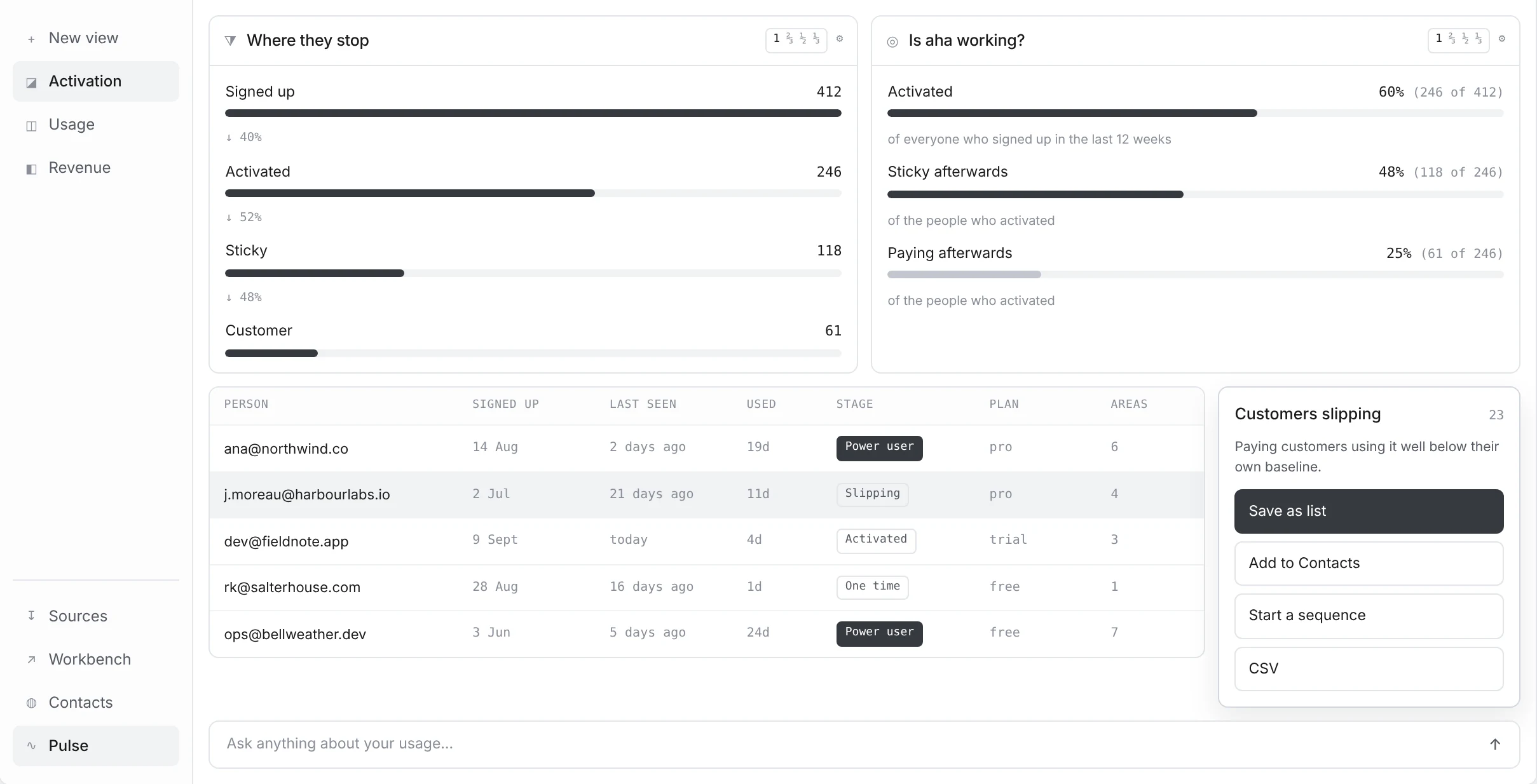
Reviews only hear from the ones who speak up.
What changes when how people use your product sits next to what they said.
Go from a number to the people behind it. Then email them.
Click any number and you get the people behind it. Save them as a list and it stays live, so anyone who crosses the line tonight is on it tomorrow. Point a sequence at the list and they’re enrolled automatically.
Build an audience →| Cohort | M0 | M1 | M2 | M3 |
|---|---|---|---|---|
| Mar 26 | 94 | 75 | 69 | 81 |
| Apr 26 | 88 | 47 | 53 | 53 |
| May 26 | 100 | 71 | 50 | 57 |
| Jun 26 | 91 | 55 | 55 | 45 |
| Jul 26 | 89 | 68 | 58 | · |
| Aug 26 | 96 | 54 | · | · |
Did people activate on what you built?
Pick the moment that means someone got what they came for, and push one event when it happens. Pulse tells you how many signups get there, and how many of those stick around. If everyone hits it and nobody sticks, it’s the wrong moment.
Test your aha metric →The person who filed the bug is the person who stopped logging in.
Pulse and Workbench share the same contacts and product areas. So when people complain about Checkout, you can see whether they’re still using it, right on the same contact record.
See what to fix first →Live in an afternoon. One line, no SDK.
You don’t need to send us your event stream. Paste the UseReviews line (the same one that runs the feedback widget), then add three one-line pushes: who’s signed in, when they sign up, and when they hit your aha moment. Plan, stage and revenue come from your CRM and Stripe. Prefer your backend? One call works too.
Install in one line →The people to reach out to, already sorted.
The groups you’d want to message are sorted for you: slipping, stuck before the aha moment, one-and-done, sticky, power users, and the ones getting the value without paying for it.
See who's slipping →Found who’s slipping? Reach them in Customers.
Every Pulse list lands in Customers next to what each person said, ready to email. Rules can enrol them in a sequence on its own.
Questions & answers
Do I need to add an SDK or define events?
No. Paste the UseReviews line (the same one that runs the feedback widget) and add three one-line pushes: who is signed in, when someone signs up, and when they reach your activation moment. Rather not add a tag? One call from your backend works too.
Is this product analytics?
Not the usual kind. Event analytics model actions; Pulse models people, with six segments ready on day one. And a drill in Pulse is an email audience — no reverse-ETL between seeing a group and writing to it.
What counts as "activated"?
Whatever you decide. You push one event when someone does it; Pulse never guesses. When you pick the moment, aim for one that 20–60% of your signups reach: any lower and the bar is too high to tell anyone apart, any higher and people hit it by accident.
How are people counted against my plan?
Tracked people per billing period — a person counts once however many visits they make. People already tracked keep recording if you hit the limit.
Where does the data live, and how long?
The EU. Pulse keeps one row per person per day they used your product, plus the pages they were on. Anything older than your data retention (12, 24 or 36 months, set once for the whole app in Settings → Privacy) is deleted automatically, and you can look up or erase one person by email from Settings.
Add one line. See who's slipping this month.
Know who's going quiet, who never got to the good part, and who's ready to pay.