Route every insight to the right place, automatically.
Every piece of feedback needs something done: a ticket filed, an owner told, a status set. Rules does it the moment it happens, so nobody has to watch the board.
Automate the work nobody has time for.
Three jobs your team does by hand today, done automatically.
Set a rule in seconds. If this happens, do that.
Pick what starts it, narrow it with a few conditions, and list what should happen in order. Before you turn it on, it shows which recent items it would have caught, so you know it does what you meant.
Set your first rule →Runs on its own when customers say or do something.
Act the moment a bug comes in, a request passes $10k MRR, or an account turns at risk. Filter by source, sentiment, MRR or open deal so only the ones that matter fire.
Pick a trigger →Automate the busywork you do by hand today.
Assign it, set its status, post it to Slack, push it to Linear or Jira with the customers’ words attached, or email the account owner. For people, start a sequence or send one email the AI writes from what that person said.
See every step →AI writes the emails. You approve until you trust it.
No customer gets an email you wouldn’t have sent. Each one a rule writes waits in Customers for you to approve, edit or skip. Once a rule has a run of approvals with no edits, it sends on its own, and the first edit or skip puts it back in review.
It sends from your own mailbox and never past an unsubscribe, your frequency cap or the rule’s daily limit. If the AI has nothing specific to say, it skips the email. One switch pauses everything.
Keep humans in the loop →Ready-made automations other teams already run.
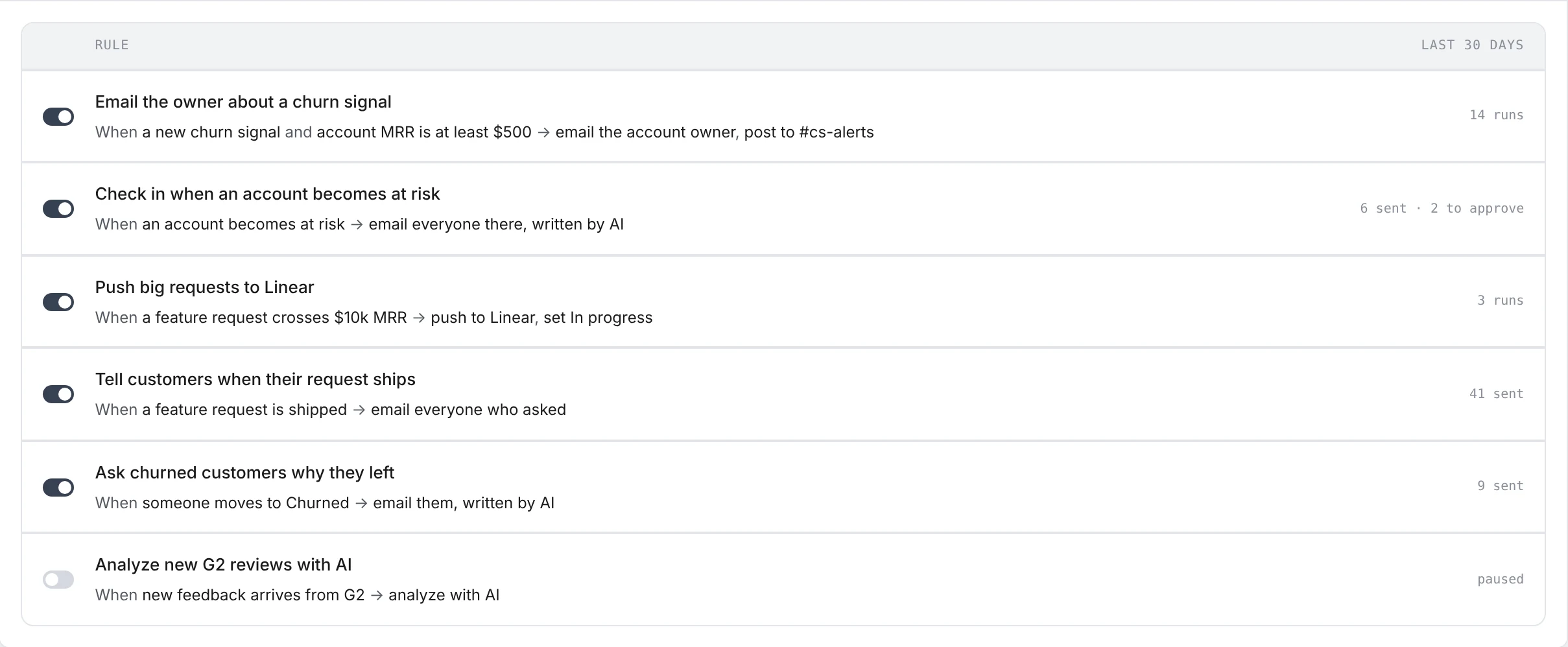
Email the owner about a churn signal, check in when an account becomes at risk, thank people who report a bug, tell customers when their request ships, push new insights to Linear or Jira. Turn one on, then change it to fit.
Browse the recipes →Nothing is analyzed until a rule says so.
New feedback isn’t sent to the AI by default. Add an “Analyze with AI” rule for the sources you care about, or ask for it one item at a time, so your AI credits go where you want them.
Choose what gets read →Rules runs on everything else.
Feedback from Sources, cards in Workbench, lists from Pulse and accounts in Customers are all things a rule can start from, and every email it sends shows up on that person’s profile.
Questions & answers
Will a rule email my customers without me seeing it?
Not unless you let it. By default every email a rule writes waits for your approval. You can keep it that way, let each rule send on its own once it has a run of approvals with no edits, or let rules send straight away. Any single rule can be set to always review.
Does a new rule act on everything I already have?
No. A rule acts on what happens after you turn it on. Before that, it shows which recent items it would have matched, so you can check it first.
How is this different from sequences?
A sequence is a series of emails to a group of people over time. A rule reacts to one event as it happens. They work together: a rule can start a sequence when someone joins a list or moves to a stage.
What stops a rule from emailing someone too often?
Unsubscribes are checked when the email is written and again when it sends. Your workspace’s frequency cap holds any email to someone you emailed recently, whatever sent the last one. Each rule also has a daily limit, and one switch pauses all rule emails at once.
Which tools can a rule send to?
Slack, Linear and Jira; an email to the account owner; and emails to customers from your connected mailbox. A rule can also assign a card to a teammate or change its status.
Turn on one automation. Stop doing it by hand.
Start from a recipe, review what it sends, and let it run. Free plan included — no credit card.