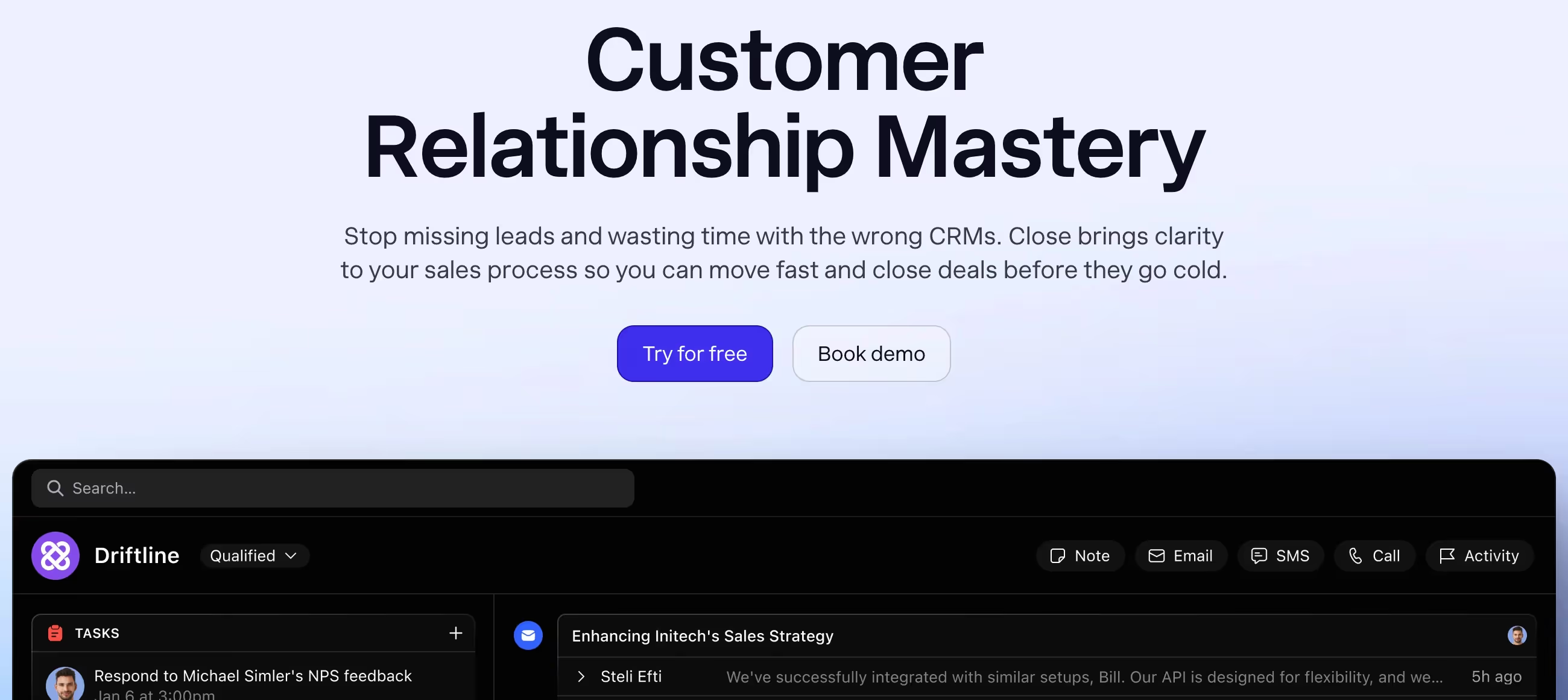
Is Close Right for You?
If you're running a B2B outbound operation making 50+ calls daily, you can call, text, and email from one fast interface without switching between tools — Close is built for that speed.
But if you need post-sale relationship management, customer success tracking, or marketing automation, you'll be shopping for additional tools immediately.
What it is: A sales engagement CRM that puts calling, texting, and emailing inside the same tool. Four plans from $9-$139/user/month (annual), with the Growth tier ($99/user/month) where you'll likely land because automation requires it.
⚠ Main limitation: Close is built for getting the sale, not keeping the customer. Once you close a deal, you'll need separate tools for customer success, support, and retention. And the jump from Essentials ($35/user) to Growth ($99/user) — where workflows and the Power Dialer live — nearly triples your per-user cost overnight.
✔ Get it if: You spend most of your day calling and emailing prospects, you want everything in one tab instead of three tools, you hand off clients after closing, or you need a CRM your people will actually use because it's fast and simple.
Why Close?
Close sells speed and consolidation in a category where most CRMs feel bloated or require bolting on separate tools for every channel. Whether that trade-off works depends entirely on how you actually sell.
Calling + SMS + Email in One Tab
Most sales CRMs force you to integrate a separate VoIP provider, pay for a dialing platform, and manually log calls back into the CRM. Close eliminates all of that.
Click a lead's name, hit the phone icon, and you're dialing — the call gets logged automatically with recording and notes attached. Same workflow for SMS and email. If you're running 50-100 calls daily, this removes the tool-switching friction that quietly kills your productivity.
Speed You'll Actually Feel
Close's interface loads faster than HubSpot, Salesforce, or Zoho. The entire UX is built around minimizing clicks between leads. Where Salesforce might take 4-5 clicks to log a call and move to the next lead, Close does it in 1-2. Over hundreds of daily interactions, that compounds into hours saved per person per week.
The Consolidation Math
If you currently pay for a CRM plus a dialer plus an SMS tool, you're likely spending $80-150/user/month across three platforms. Close's Growth plan at $99/user/month replaces all three with tighter integration.
The savings are real, but only if you actually use calling and SMS. If you sell primarily through email and meetings, you're paying for phone infrastructure you won't touch.
The Real Cost: Per-User Comparison
Close's headline pricing looks competitive until you realize you probably need the Growth tier. Here's what three platforms actually cost per user with equivalent features:
Feature Level | Close (Growth) | Pipedrive (Professional) | HubSpot (Starter) |
|---|---|---|---|
Per user/month (annual) | $99 | $49 | $15 |
Built-in calling | Included | Add-on | Add-on |
SMS | Included | Not available | Not available |
Workflows/Automation | Included | Included | Limited |
Power Dialer | Included | Not available | Not available |
5 users / 12-month total | ~$5,940 | ~$2,940 + dialer | ~$900 + dialer + SMS |
Close costs roughly 2x Pipedrive per user — justified when you live on the phone, expensive when you don't. HubSpot is cheaper upfront but requires add-ons to match Close's communication features, and at that point the total cost converges.
The honest answer: Close wins on value only if built-in calling and SMS are genuinely central to how you sell.
The Verdict: Our Assessment
8.2/10 — Close delivers the fastest, most integrated calling-and-CRM experience for outbound sales, but the narrow focus means it's the wrong tool for most other use cases. The Growth plan paywall ($99/user) is where value starts if you need automation, making the entry-level pricing somewhat misleading for serious sales operations.
Criteria | Score | Verdict |
|---|---|---|
Ease of Use | 9/10 | Fastest CRM interface in the category; you're productive within hours, not weeks |
Built-in Calling | 9/10 | Power Dialer and Predictive Dialer are category-leading for outbound volume |
Value for Money | 7/10 | Strong if you use calling/SMS daily; expensive if you primarily sell via email and meetings |
Automation | 6/10 | Sales-focused workflows are solid; paywalled to Growth tier; no marketing automation |
Customer Support | 5/10 | Email-only on lower plans; no phone support — ironic for a calling-focused CRM |
Reporting | 7/10 | Sales-essential metrics covered well; lacks advanced custom dashboards and attribution |
⚠ Trade-offs: $99/user/month minimum for automation and Power Dialer. Email-only support with inconsistent response times. No post-sale customer management tools. Calling and SMS usage charged separately on top of your subscription. B2C and retail workflows are fundamentally unsupported.
✩ Best for: You're doing high-volume B2B outbound sales (score: 9/10 for inside sales). You're a SaaS startup with dedicated SDRs. You run a lead gen agency prospecting at scale. You're currently juggling a CRM plus separate dialer plus SMS tool.
✗ Skip if: You need ongoing client relationship management after the sale. You run B2C, retail, or service-based operations with walk-in traffic. You sell primarily through meetings and inbound rather than outbound calling. You need phone-based support from your CRM vendor.
Fit by Business Type
We scored Close across 13 business types. The sweet spot is narrow but powerful — if you're doing outbound-heavy B2B sales, you get genuine competitive advantage. Most other use cases have better-priced alternatives with broader feature sets.
Strong fit (8-9/10)
✔ Inside sales operations (9/10) — the built-in dialer, SMS, and email consolidation is unmatched if you're making 50+ calls daily.
✔ SaaS startups (9/10) — fast setup, lean interface, and outbound tooling align perfectly with SDR-heavy sales motions.
✔ Lead gen agencies (8/10) — high-volume prospecting across multiple clients with workflow automation and Smart Views for segmentation.
Moderate fit (5-7/10)
◑ Small B2B operations (7/10) — great CRM fundamentals, but Growth pricing is steep if you have under 5 people.
◑ Recruiting firms (6/10) — calling features help, but candidate relationship management needs aren't fully met.
◑ Mid-sized companies (5/10) — automation and reporting limitations surface as you scale past 20 people.
◑ Solo freelancers (5/10) — Solo plan at $9/month is barebones; Pipedrive or HubSpot's free CRM offer you more flexibility.
Poor fit (2-4/10)
✗ B2C businesses (3/10) — no walk-in tracking, address display limited to city/state, no inbound call history unless you create leads during the call.
✗ eCommerce (3/10) — no cart tracking, product recommendations, or customer lifecycle tools.
✗ Agencies needing account management (3/10) — built for closing, not maintaining ongoing client relationships.
✗ Enterprise (3/10) — lacks advanced permissions, multi-brand management, and dedicated deliverability infrastructure at scale.
✗ Nonprofits (2/10) — no discount programs, no event tools, no donor management features.
What Users Say: Reviews & Verified Experiences
User ratings: 4.7/5 on G2 (1,700+ reviews), 4.7/5 on Capterra (160+ reviews), 3.3/5 on Trustpilot (11 reviews). The G2-to-Trustpilot gap (4.7 vs 3.3) is significant — high satisfaction from active sales users, but frustration from prospects and smaller teams around support and billing transparency.
What Users Love
✩ All-in-One Speed: "Close solves the problem of having sales work scattered across too many tools. Instead of jumping between a CRM, a dialer, email, and spreadsheets, everything is in one place," says a verified G2 reviewer. This consolidation theme appears in over 500 G2 mentions.
✩ Interface Simplicity: "Close is way cleaner with a better UI/UX than other CRMs. Much less complicated and cluttered than competitors," reports a verified user who previously used multiple CRM platforms.
✩ Instant Activity Logging: "Being able to create tasks, notes while in a call, messages, and emails all being automatically logged in a particular lead's profile was fantastic. The workflows or automations on sending out follow ups is something awesome only found on CRMs that cost 4x as much," notes Jonathan L. on Capterra.
✩ Power Dialer Value: "The telephony features in Close are exceptional and they lead the industry in features and innovation. The power dialer increases productivity by cutting down the manual time of physically dialing calls," shares a TrustRadius reviewer.
✩ Mobile Access: "I use the Close mobile app because I'm always on different job sites. So I get access to all my contacts and their pipeline stages while I'm on the move every day," says a Scale plan user on G2 (December 2025).
Common Complaints
✗ Support is Email-Only (and Frustrating): "Support is awful. No phone number to call. You email and at the company's convenience, not the client's, they email you back. Tech companies don't believe in phone support and it's insanely frustrating," reports a G2 reviewer — particularly ironic for a CRM built around calling.
✗ B2C Doesn't Fit: "Features are clearly targeting the SaaS sales segment, which wasn't helpful for my agency which essentially is a retail business model. There's no call history unless leads are created during the call. After setting the address, you can only see the city and state on the lead's profile," notes Jonathan L. on Capterra after detailed testing.
✗ Billing Transparency Issues: "The advertised plans make it seem like all these features are included. They are not. It is misleading. I have no idea how billing works with text and phone features. My invoices and receipts are not itemized," a frustrated G2 reviewer reports.
✗ Trial Security Friction: "Our trial was locked down by their auto-security system before we even had a chance to use the product. When we reached out to support, we received a generic copy-paste response asking us to hand over personal LinkedIn profiles just to trial their software," warns a February 2026 Trustpilot reviewer.
✗ Pricing Feels Steep: "While Close is an excellent CRM overall, the pricing can feel a bit steep for smaller businesses," a common sentiment on G2 echoed across multiple reviews — especially from teams that need Growth features but have tight budgets.
What Close Users Typically Achieve
You'll Contact Significantly More Prospects Daily
The Power Dialer, one-click calling, and automatic activity logging let you reach 2-3x more leads than manual prospecting methods.
Instead of spending half the day switching between tools and logging activities, that time goes directly into conversations. If outbound volume drives your pipeline, this efficiency gain translates directly into more opportunities.
You'll Consolidate Tools and Save Real Money
If you're currently running a separate CRM, dialer, and SMS tool, consolidating into Close eliminates multiple subscriptions and the data sync headaches between them.
The bigger savings come from reduced admin time — automatic call logging, email sync, and unified timelines mean you're not spending hours manually updating records across disconnected platforms.
Your Pipeline Visibility Gets Clearer
You see real-time data on deal values, stage conversion rates, activity levels, and forecast accuracy. Your sales meetings shift from "what did you do this week?" to data-driven coaching based on actual call volumes, email response rates, and pipeline movement.
The transparency helps you identify bottlenecks — which stages stall, who needs support, which campaigns generate quality leads.
Communication History Becomes Effortless
Two-way email sync pulls complete conversation history with every contact automatically. Call recordings, SMS threads, and emails appear chronologically on each lead's timeline.
You see context instantly without hunting through separate tools or relying on memory. This prevents embarrassing duplicate outreach and improves your follow-up quality.
Where You'll Hit Ceilings
The moment a deal closes and needs ongoing account management, you'll feel Close's limitations. You'll need separate systems for customer success, support ticketing, renewal tracking, and upselling — which means maintaining multiple databases.
When you grow past 20 people, reporting and permission controls may feel constraining compared to Salesforce or HubSpot. And email-only support means CRM issues don't get resolved on your timeline.
Here's what works: use Close exclusively for new business acquisition with a clear handoff process to account management systems post-sale. Start on Essentials and only upgrade to Growth when you've confirmed your people actually use calling and automation daily — don't pre-buy features you might need someday.
3 Critical Mistakes to Avoid
Mistake #1: Buying Growth Before You Need It
A five-person startup signs up for the Growth plan ($99/user/month) assuming they need workflows and the Power Dialer from day one. Three months in, they realize only two people actually use the dialer regularly, and their email sequences are basic enough for manual follow-up.
They've spent $2,970 on the Growth tier when Essentials at $35/user/month — $1,050 total — would have covered their actual usage. That's nearly $8,000 in unnecessary annual spending.
⚠ The Fix: Start with Essentials ($35/user/month annual) if you have under 10 people. It includes unlimited contacts, multiple pipelines, and built-in calling — everything you need for the first 3-6 months. Upgrade to Growth only when you hit real limitations: you're manually dialing 50+ calls daily (Power Dialer saves hours), or your follow-up process needs automated sequences. Track your actual calling volume and email cadence before committing to the 3x price jump.
Mistake #2: Expecting Close to Handle Post-Sale Relationships
A consulting firm bought Close to manage their complete client lifecycle — prospecting through multi-year engagements. Six months in, they struggled with no customer health scoring, weak renewal tracking, and no support ticket integration.
They ended up running Close for sales alongside a separate platform for customer success, duplicating data entry and creating sync headaches they'd hoped to avoid.
⚠ The Fix: Accept that Close is a sales acquisition tool, not a full-lifecycle CRM. Plan your post-sale handoff before you commit: which platform handles customer success (HubSpot Service Hub, Zendesk, Intercom)? How does data transfer when a deal closes? Build the integration workflow during your 14-day trial so there are no surprises. If you genuinely need one platform from lead to renewal, look at HubSpot, Salesforce, or Zoho instead.
Mistake #3: Choosing Close for B2C or Retail Operations
A retail business with walk-in customers bought Close hoping to track all customer interactions.
They immediately hit walls: no way to capture inbound calls unless a lead is created during the call, address fields only show city and state (not full addresses needed for local delivery), and no features for repeat customer management or retention workflows. The platform fought their workflows instead of supporting them.
⚠ The Fix: Close is purpose-built for B2B outbound sales where you prospect, close, and move on. If your business involves walk-in traffic, ongoing customer relationships, full address tracking, or retention-focused workflows, Close will frustrate you from week one. Pipedrive, Zoho CRM, or even HubSpot's free CRM offer far more flexibility for B2C and retail. Use the 14-day trial with your actual daily workflows — not a hypothetical sales process — before committing.
Frequently asked questions
How much does Close actually cost per user with add-ons?
Base plans (annual billing): Solo $9/month (1 user only, 10K lead cap), Essentials $35/user/month, Growth $99/user/month, Scale $139/user/month. Monthly billing runs 35% higher. Phone lines cost $1/line/month, calling and SMS are usage-based on top of your subscription, and the AI Call Assistant add-on is $50/month per org plus $0.02/minute. You'll likely land on Growth because workflows and the Power Dialer aren't available below it — making your realistic starting cost $99/user/month, not the $9 or $35 headline price.
Can Close handle customer retention and account management?
No. Close is built for new business acquisition — prospecting, outreach, and closing. It lacks customer health scoring, renewal tracking, support ticket integration, and post-sale lifecycle tools. Once a deal closes, plan to hand off to dedicated customer success platforms like HubSpot Service Hub, Zendesk, or Intercom. Don't try to force Close into roles it wasn't designed for.
How does Close compare to Pipedrive, HubSpot, and Salesforce?
Depends entirely on how you sell. Close wins on: built-in calling and SMS (no add-ons needed), outbound sales speed, and interface simplicity for high-volume prospecting. Pipedrive wins on: lower per-user cost ($49/month Professional), visual pipeline management, and B2C flexibility. HubSpot wins on: free CRM tier, marketing automation depth, and full-lifecycle customer management. Salesforce wins on: enterprise scale, advanced reporting, and ecosystem breadth. If you're doing outbound-heavy B2B with 50+ calls daily: Close. For general-purpose CRM needs: Pipedrive or HubSpot.
Does Close work for B2C, retail, or service businesses?
Not recommended. Close is designed for B2B outbound sales workflows. Specific limitations for B2C include: no inbound call history unless a lead is created during the call, address fields only display city and state (not full addresses), no walk-in traffic tracking, and minimal features for ongoing customer retention. If you run B2C, retail, or local services, Zoho CRM, Pipedrive, or HubSpot are better fits.
What kind of customer support does Close offer?
Email support on all plans with a self-service help center. Response times vary and can be frustratingly slow when you need urgent help. Screen-share support and a dedicated success manager are only available on the Scale tier ($139/user/month). There is no phone support on any plan — ironic for a CRM built around calling. If fast, human support matters to you, budget for the Scale plan or factor in the self-service reality.
How long does implementation take and what's the learning curve?
Basic setup: 2-4 hours for contact import, email sync, and phone number configuration. Full deployment with workflows, sequences, and reporting: 2-3 weeks including training. The basic CRM interface is intuitive — you're productive within a day. The complexity comes with workflows and automation setup on Growth+, which requires deliberate configuration to maximize value. Close claims 50% faster implementation than competing CRMs, and that tracks for basic sales deployments.