Is Brevo Right for You?
If you're a bootstrapped DTC store with 12,000 contacts sending weekly campaigns and transactional order confirmations, you can run it all from one platform for under $30/month — Brevo's pay-per-send model makes that math work.
But if you need fast, knowledgeable support when a campaign breaks, you'll hit a wall of slow tickets and canned replies.
⚠ Main limitation: Customer support is the biggest friction point — slow responses, canned replies, and phone support locked behind the Professional tier ($499+/month). The free plan's 300 daily email cap can stall time-sensitive campaigns.
✔ Get it if: You want email, SMS, and transactional messages under one roof, need unlimited contacts without per-subscriber billing, or you're leaving Mailchimp to cut costs while keeping automation.
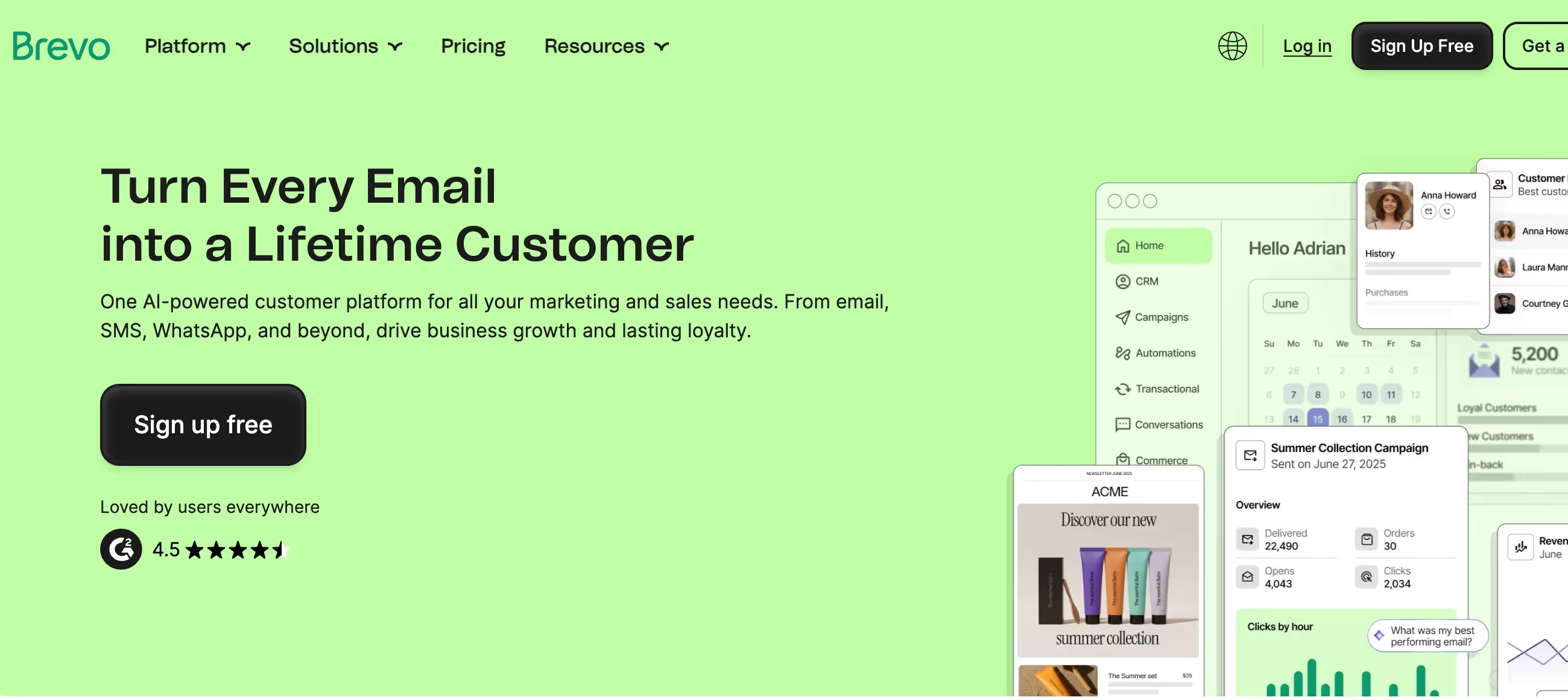
Multi-channel marketing platform combining email, SMS, WhatsApp, transactional messaging, and built-in CRM. Formerly Sendinblue, rebranded in May 2023.
Small and medium businesses that need email plus transactional emails in one place, companies with large contact lists but moderate send frequency, and teams wanting multi-channel marketing without juggling separate tools.
You need responsive hands-on support, want extensive template variety (only ~40 pre-made), or require advanced team collaboration without a steep price jump.
Why Brevo?
Brevo replaces what normally takes 3-4 separate subscriptions. Marketing emails, transactional messages, SMS campaigns, and basic CRM — all from one dashboard instead of stitching together Mailchimp, SendGrid, Twilio, and a contact manager.
Pay for Sends, Not Contacts
This is the core differentiator. Store unlimited contacts (up to 100K on free, higher on paid plans) and only pay based on email volume.
If you have a large list but email infrequently, Brevo costs a fraction of per-contact platforms. Mailchimp charges by subscriber count regardless of send frequency — that math punishes list builders who don't email weekly.
Transactional + Marketing Under One Roof
Password resets, order confirmations, shipping notifications — all from the same platform as your newsletters with unified analytics. This is included on every plan, including free. Most businesses pay separately for transactional email through SendGrid or Postmark, adding cost and another dashboard to manage.
Multi-Channel Without Separate Bills
SMS and WhatsApp campaigns run as pay-as-you-go add-ons rather than separate platform fees. Web push notifications, live chat, and chatbots round out the channel mix. For teams that want to reach customers beyond the inbox, the consolidation is genuine.
The Free Plan Is Actually Usable
300 emails daily with automation (capped at 2,000 contacts entering workflows), full CRM access, and transactional email API. Most "free tiers" are demo modes — this one handles real businesses until they outgrow the daily cap. No credit card required, no time limit.
The Verdict: Our Assessment
8.8/10 - Brevo delivers multi-channel marketing at SMB pricing with surprisingly few compromises. The pay-per-send model genuinely saves money for large-list, moderate-frequency senders. Just don't expect white-glove support when things go sideways.
Criteria | Score | Verdict |
|---|---|---|
Value for Money | 10/10 | Pay-per-send pricing with unlimited contacts; transactional emails included free |
Ease of Use | 9/10 | Clean interface; first campaign within an hour; Brand Library saves time |
Multi-Channel | 9/10 | Email, SMS, WhatsApp, push, live chat — genuine consolidation under one roof |
Automation | 7/10 | Solid workflows for the price; lacks advanced scoring and predictive features |
Deliverability | 7/10 | Around 89% average; historically volatile; Gmail and Outlook weakest |
Template Library | 5/10 | Only ~40 templates versus 100+ at Mailchimp; functional but limited variety |
Support Quality | 5/10 | Slow responses; phone locked behind $499+/month tier; knowledge base decent |
Transactional Email | 9/10 | API, SMTP, webhooks on all plans including free; eliminates separate provider |
eCommerce Fit | 8/10 | Cart abandonment, product listings, Shopify/WooCommerce native; transactional built-in |
Agency Fit | 7/10 | Delegated account access; multi-client management; team seats cost extra |
Budget-Conscious | 9/10 | Forever-free plan; pay-per-send beats per-contact for large lists |
Enterprise Readiness | 5/10 | Professional plan at $499+/month creates a steep cliff; custom Enterprise pricing |
⚠ Trade-offs: Support is the consistent weak point. Template library is thin. Professional plan price cliff ($499+/month) locks advanced features behind a steep jump from Standard ($18-69/month). Account suspensions for low engagement can blindside you when importing older lists.
Fit by Business Type
Strong fit (8-10)
✔ Budget-Conscious (9/10) — Best value proposition in the category; forever-free plan, pay-per-send, transactional emails and CRM included at no extra cost. eCommerce
✔ Store (8/10) — Cart abandonment, product blocks, Shopify/WooCommerce native, and transactional emails built-in; weaker than Klaviyo on advanced personalization but far cheaper.
✔ Solo Creator/Freelancer (8/10) — Free plan with automation, CRM, and transactional email handles everything you need starting out; your growing list doesn't trigger cost spikes.
✔ Small Business 2-10 (8/10) — Multi-channel marketing at SMB pricing eliminates separate subscriptions; team collaboration requires Standard plan minimum.
Moderate fit (5-7)
◑ Local Business (7/10) — Free plan with SMS, email, CRM, and live chat covers most of your marketing needs without technical complexity.
◑ B2B Services (7/10) — Built-in CRM with deal pipeline and email automation for lead nurturing; not as deep as ActiveCampaign for complex sales cycles.
◑ Mid-Sized 10-50 (7/10) — Automation and multi-channel scale well, but the $499/month Professional cliff creates a hard ceiling when you outgrow Standard.
◑ Agency (7/10) — Delegated account access and multi-channel capabilities work; team seats cost extra and support quality makes client escalations risky.
◑ SaaS/Tech (6/10) — Strong transactional API for product notifications; lacks advanced event-based triggers dedicated SaaS tools provide.
◑ Content Creator (6/10) — Free plan works for audience building; no monetization tools, paid subscriptions, or recommendation network like Kit.
◑ Nonprofit (6/10) — Free plan genuinely useful; 15% discount only on Enterprise tier, no nonprofit-specific templates.
Poor fit (1-4)
✗ Enterprise 50+ (5/10) — Custom pricing and dedicated account manager exist, but support quality and limited reporting make it hard to justify against HubSpot or Salesforce Marketing Cloud at your scale.
✗ ✩ Best for: Budget-conscious SMBs wanting multi-channel marketing in one place, ecommerce stores needing marketing and transactional emails unified, agencies managing client campaigns across email and SMS.
✗ Skip if: You need responsive support for complex campaigns, require extensive template customization, plan to scale past Standard tier (the $499/month Professional jump is brutal), or want advanced team collaboration on a tight budget.
What Users Say: Reviews & Verified Experiences
User ratings: 4.5/5 on G2 (2,400+ reviews), 4.6/5 on Capterra (2,600+ reviews), 4.3/5 on Trustpilot (6,800+ reviews).
Pros: What Users Love
✩ Pricing Model Wins Converts: "Affordability — we do not send a huge number of emails out per month but do have a lot of contacts across several entities. Brevo's fixed rate monthly account works very well for us," shares verified Capterra founder with 2+ years on the platform.
✩ Genuinely Easy Interface: "The dashboard is clean and uncluttered, which is rare in platforms that try to do 'everything.' Whether you're building automations, creating email templates, or managing contacts, Brevo guides you through each step without the overwhelm," notes G2 reviewer.
✩ CRM Included Free: "Since we are a relatively small organization, Mailchimp's pricing and the fact that their logo is not removable in their free tier was a big reason why we switched," says Capterra user who found Brevo's built-in CRM eliminated a separate subscription.
✩ Transactional Emails Just Work: "I've been using Brevo for transactional emails for a while now and I'm genuinely impressed. The API was ridiculously easy to implement — clean docs, intuitive endpoints, no nasty surprises," reports Trustpilot reviewer.
✩ Automation Straightforward: "The customization capabilities have allowed us to create workflows that match our exact processes rather than forcing us to adapt to rigid system limitations," shares verified Capterra user in hospitality.
Cons: What Frustrates Users
⚠ Support Disappoints Consistently: "Customer support has been extremely disappointing. They were unhelpful, slow to respond, and sometimes provided inaccurate information. A critical billing issue completely blocked our email sending," reports Capterra reviewer.
⚠ Account Suspensions Without Warning: "Blocked my account for no clear reason, didn't explain why. Just told me to go elsewhere," complains Trustpilot user. Multiple reviewers describe opaque enforcement and difficult appeals.
⚠ Open Rates Drop for Some: "Sending out just about the exact same content, same layout, even to same contacts — open rates are the lowest from any platform," notes Trustpilot user who tried Brevo twice with disappointing deliverability both times.
⚠ Professional Plan Price Shock: "My real problem is with the Professional plan, which is very expensive for those who aren't large companies. There should be an intermediate plan," shares Software Advice reviewer frustrated by the jump from Standard to Professional tier.
⚠ Templates Feel Limited: "As an email marketing tool it has all the basic features you may expect, but if you want to do something more customized you may find it difficult since there are only a few templates," notes Gartner Peer Insights reviewer.
What Brevo Users Typically Achieve
Your Marketing Stack Actually Shrinks
The biggest win is consolidation. If you're running email marketing, transactional messages, SMS, and CRM through separate tools, you collapse everything into one platform. Fewer logins, fewer invoices, fewer sync headaches. Unified analytics mean you can finally see cross-channel performance without exporting CSVs between dashboards.
Large Lists Stop Costing a Fortune
The pay-per-send model hits differently when you have a big subscriber base. If you store tens of thousands of contacts but email moderately, you'll see the most dramatic cost difference versus per-contact platforms. Your list size becomes an asset rather than a billing liability.
Transactional Emails Stop Being a Separate Project
Order confirmations, password resets, shipping updates — handled from the same place as your newsletters. If you've been managing a separate transactional provider, you eliminate the dual-dashboard juggle and get unified delivery tracking across marketing and operational emails.
Automation Gets Accessible
Welcome sequences, cart recovery, and re-engagement workflows build visually without requiring developer help or expensive plan tiers. The free plan includes automation (capped at 2,000 contacts), so you can validate the approach before spending anything.
Multi-Channel Becomes Realistic
Adding SMS or WhatsApp to your marketing mix usually means another platform, another learning curve, another monthly bill. Brevo's pay-as-you-go credits keep the barrier low enough that you can experiment with channels beyond email without committing to separate contracts.
3 Critical Mistakes to Avoid
Mistake #1: Running Time-Sensitive Campaigns on the Free Plan
You launch a flash sale to 5,000 subscribers on Friday. The free plan's 300 daily cap stretches the campaign across multiple days — half your list gets the promotion after it's already over. Time-sensitive offers and the daily cap don't mix.
⚠ The Fix: Upgrade to Starter ($9/month) before any time-sensitive campaign. The daily limit disappears entirely. If you only need volume occasionally, buy pay-as-you-go credits instead — they never expire and skip the recurring subscription.
Mistake #2: Assuming Starter Removes Brevo Branding
You sign up for Starter ($9/month) expecting professional, unbranded emails. The Brevo logo stays in the footer. Removing it costs an extra $12/month — more than doubling the plan cost. Your client sees competitor branding on their campaigns.
⚠ The Fix: Budget for the branding removal add-on from the start if you're sending client-facing emails. Or jump straight to Standard ($18/month) where branding removal is included along with landing pages and A/B testing. The Starter-plus-add-on math rarely makes sense.
Mistake #3: Importing Old Lists Without Cleaning First
You migrate a 10,000-contact list from your old platform without scrubbing inactive or stale addresses. Brevo's anti-spam enforcement flags the high bounce rate and suspends your account — sometimes within the first campaign. The appeal process is frustratingly slow and opaque.
⚠ The Fix: Clean your list with a third-party verification service before importing. Remove contacts who haven't engaged in 6+ months. Start with a small segment of your most active subscribers, build sender reputation, then gradually import the rest. Brevo takes list quality seriously — treat the import as an audition, not a dump.
Frequently asked questions
How does Brevo's pricing work compared to Mailchimp?
Brevo charges based on email volume sent per month, not contacts stored. Free plan gives 300 emails daily with up to 100K contacts. Starter starts at $9/month for 5,000 emails, Standard at $18/month for 5,000 emails with landing pages and A/B testing. Mailchimp charges by subscriber count — 10K contacts costs $100+/month there regardless of send frequency. If you have a large list but don't email constantly, Brevo wins on price.
Does Brevo include transactional emails?
Yes — on every plan including free. RESTful API, SMTP relay, webhook support, and unlimited log retention. Most competitors either exclude transactional email entirely or charge separately. This alone can save the cost of a SendGrid or Postmark subscription.
What is Brevo's customer support like?
Email support on all plans with 24-48 hour response times. Live chat requires Standard plan. Phone support is locked behind Professional tier ($499+/month). Knowledge base has 200+ articles. Support quality is the platform's weakest area — expect canned responses for routine questions and slow escalation for complex issues.
Can I use Brevo for SMS and WhatsApp marketing?
SMS campaigns are available as pay-as-you-go credits on all plans — pricing varies by country. WhatsApp campaigns require the Professional tier and Meta Business Account verification. Both channels integrate with email automation workflows, so you can build multi-channel sequences from one workflow builder.
Is there a free plan or trial?
Brevo offers a forever-free plan — no trial period, no credit card required. You get 300 emails daily, up to 100K contacts, marketing automation (2,000 contact cap), CRM, and transactional email API. The main limitations are the daily send cap and Brevo branding on your emails. 10% discount available on annual billing.
Why do some users report account suspensions?
Brevo enforces strict anti-spam policies, which means accounts can get flagged or suspended for high bounce rates, low engagement, or importing unverified contacts. This protects shared IP reputation but frustrates legitimate users who import older lists. Clean your contacts before importing, start with engaged segments, and use double opt-in to avoid triggering enforcement.