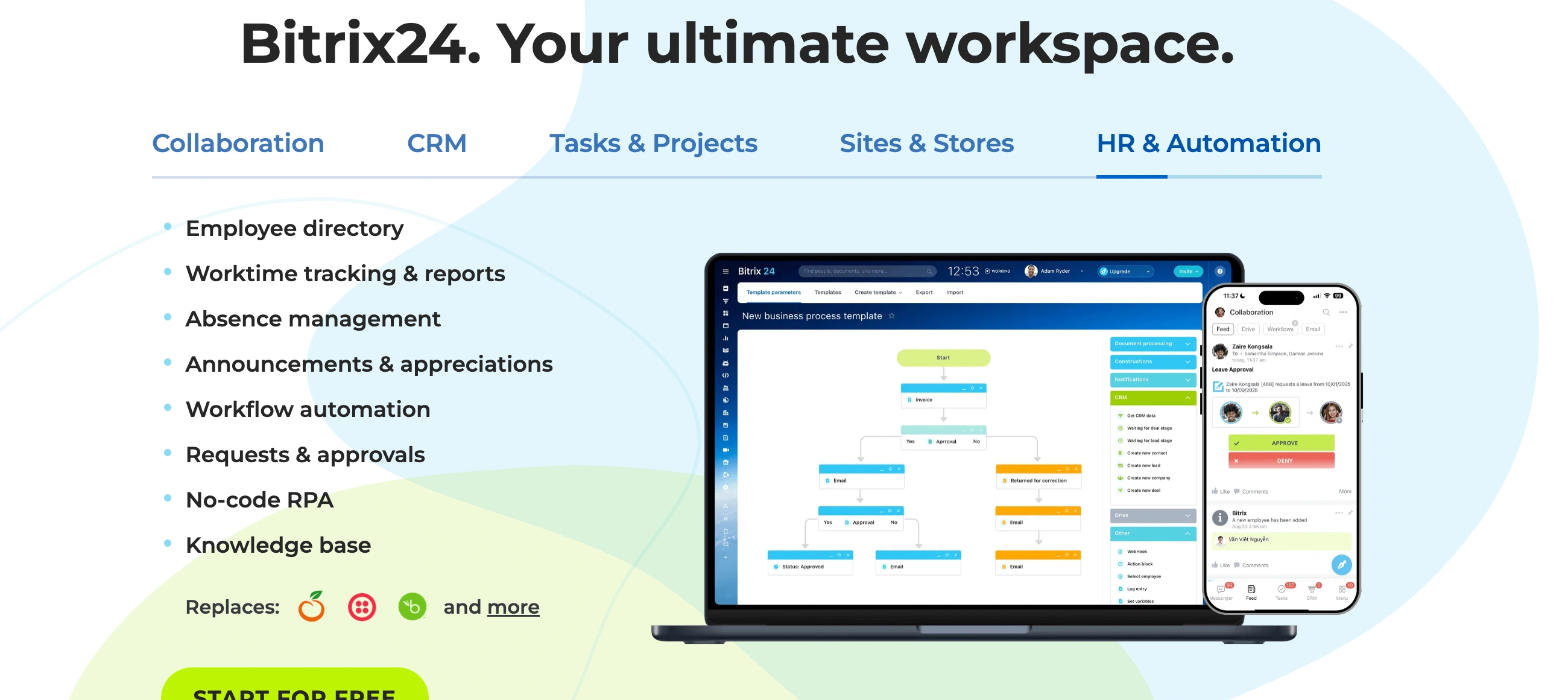
Is Bitrix24 Right for You?
If you're a 20-person operation paying per-user fees across five separate tools, you can consolidate CRM, projects, chat, and marketing into one flat-rate subscription for $87/month. But if you expect a clean interface and quick setup, you'll spend weeks configuring a platform where the learning curve is the #1 complaint.
What it is: An all-in-one business workspace combining CRM, project management, team collaboration, marketing automation, website building, and HR tools. Five plans from free to $325/month (annual) — flat-rate per organization, not per user. The Standard plan ($87/month for up to 50 people) is where most growing operations land.
⚠ Main limitation: Bitrix24 is a mile wide and an inch deep. You get CRM, project management, chat, websites, HR, and more — but none of these match the depth of dedicated tools like Pipedrive (CRM), Asana (projects), or Slack (communication). The interface feels cluttered and overwhelming, and the learning curve is consistently the #1 complaint across review platforms.
✔ Get it if: You need multiple business tools under one roof without per-user pricing, you're budget-conscious and willing to invest setup time, you want a self-hosted option for data control, or you're scaling from 10-50 people and want predictable costs regardless of headcount.
Why Bitrix24?
Bitrix24 sells one core promise: replace five or six separate subscriptions with a single flat-rate platform. Whether that trade-off works depends on how much depth you actually need in each area.
Flat-Rate Pricing That Rewards Growth
This is Bitrix24's genuine competitive advantage. While most CRM and project management tools charge per user — so adding five people means 5x more cost — Bitrix24 charges per organization.
The Standard plan at $87/month covers up to 50 people. That's $1.74/person/month. If you're running a 20-person operation paying $49/user/month for Pipedrive alone, Bitrix24's math is hard to argue with on paper.
Consolidation That Actually Works (Mostly)
CRM, project management, team chat, video calls, file storage, email marketing, website builder, HR tools, and a contact center — all inside one login.
When everything connects natively, your CRM deals link to project tasks, chat threads reference specific clients, and marketing emails trigger from CRM events. No Zapier glue, no sync headaches. The catch: each module is functional but not best-in-class, so you're trading depth for integration.
The Real Cost: Flat-Rate Comparison
Here's what Bitrix24 actually costs compared to assembling the same capabilities from dedicated tools:
What You Get | Bitrix24 Standard | Separate Tools (20 users) |
|---|---|---|
CRM | Included | Pipedrive: ~$980/mo |
Project Management | Included | Asana: ~$220/mo |
Team Chat + Video | Included | Slack + Zoom: ~$270/mo |
Email Marketing | Included | Brevo: ~$25/mo |
Website Builder | Included | Varies |
Monthly Total (20 users) | $87/mo flat | ~$1,495+/mo |
The savings look dramatic — and for basic usage of each tool, they're real.
But the moment you need Pipedrive's pipeline depth, Asana's project views, or Slack's integration ecosystem, Bitrix24's versions feel noticeably thinner. You're paying less but getting less capability per feature. The question is whether "good enough across everything" beats "excellent at one thing" for how you actually work.
The Verdict: Our Assessment
7.0/10 — Bitrix24 offers unmatched breadth for the price, but the steep learning curve, cluttered interface, and jack-of-all-trades depth mean it works best for budget-conscious operations that need "good enough" across many functions rather than excellence in any single one.
Criteria | Score | Verdict |
|---|---|---|
Value for Money | 9/10 | Flat-rate pricing is genuinely disruptive; $87/month for 50 users is unbeatable on paper |
Feature Breadth | 9/10 | CRM, projects, chat, marketing, websites, HR — nothing else covers this much ground |
Ease of Use | 5/10 | Cluttered interface with steep learning curve; the #1 complaint across every review platform |
CRM Depth | 6/10 | Functional pipeline and contact management; trails Pipedrive and HubSpot for dedicated CRM needs |
Customer Support | 4/10 | Slow responses, unhelpful AI-first support, and partner quality varies wildly by region |
Mobile Experience | 5/10 | App covers core functions but crashes frequently; desktop experience is significantly better |
⚠ Trade-offs: Steep learning curve requiring weeks of configuration to unlock value. Cluttered interface that overwhelms new arrivals. Customer support that's slow and increasingly AI-driven. Individual modules don't match dedicated tool depth. Mobile app stability issues. Automations occasionally fail to pull updated contact data.
✩ Best for: You're a growing operation (10-50 people) wanting to consolidate tools at flat-rate pricing (score: 9/10 for value). You need CRM plus project management plus internal communication without per-user math. You're willing to invest setup time for long-term savings. You want a self-hosted option for data sovereignty.
✗ Skip if: You need deep, specialized CRM capabilities (Pipedrive, HubSpot). You want an intuitive interface that works immediately (Monday.com, ClickUp). You need reliable, fast customer support. You're a solo operator or micro-team (the free plan is too limited to be useful). You need strong third-party integrations.
Fit by Business Type
We scored Bitrix24 across 13 business types. The sweet spot is mid-sized operations that use multiple modules — the more you consolidate, the better the value. Single-function users almost always find better dedicated alternatives.
Strong fit (8-9/10)
✔ Mid-sized operations 10-50 people (9/10) — flat-rate pricing, multi-module usage, and native CRM-to-project connections create genuine value that separate tools can't match at this price point.
✔ Budget-conscious growing businesses (8/10) — if per-user pricing across multiple tools is killing your budget, Bitrix24's flat-rate model solves that problem immediately.
✔ Service businesses needing CRM + project delivery (8/10) — selling a deal and automatically creating delivery tasks in one platform eliminates the handoff gap between sales and operations.
Moderate fit (5-7/10)
◑ Small B2B sales operations (7/10) — CRM fundamentals are solid, but the interface complexity means your people spend more time learning the tool than using it in the first months.
◑ Remote/distributed operations (7/10) — built-in chat, video, and project tracking handle remote collaboration adequately, though Slack + Asana provides a better experience.
◑ Marketing agencies (6/10) — campaign tools and CRM integration work for basic needs, but you'll outgrow the marketing module quickly if campaigns are your core business.
◑ Startups under 10 people (5/10) — free plan has severe limitations (1,000 searchable leads, no collaboration tools), and the complexity isn't justified for tiny operations.
Poor fit (2-4/10)
✗ Solo freelancers (4/10) — free plan is too restricted and paid plans are overkill; Pipedrive, HubSpot free CRM, or Notion serve you better for a fraction of the effort.
✗ Enterprise sales operations (4/10) — CRM depth, reporting, and permission structures don't match Salesforce or HubSpot Enterprise for 100+ person deployments.
✗ High-volume outbound sales (3/10) — no power dialer, no predictive dialing, and calling features require paid telephony credits; Close or Aloware are purpose-built for this.
✗ eCommerce businesses (3/10) — online store exists but can't compete with Shopify or WooCommerce for product management, checkout, or marketing automation depth.
✗ If you need fast implementation (3/10) — if you need a tool working productively in a day, Bitrix24's learning curve will frustrate you; simpler alternatives exist for every individual function.
What Users Say: Reviews & Verified Experiences
User ratings: 4.1/5 on G2 (597 reviews), 4.2/5 on Capterra (830+ reviews), low rating on Trustpilot (106 reviews). The gap between professional review sites and Trustpilot tells a story: people who invest time configuring Bitrix24 tend to appreciate it, while those expecting quick setup or relying on support get burned.
What Users Love
✩ All-in-one consolidation: "It combines all resources I require in one CRM" — Orçun E., Construction Partner, Capterra (2026). The most consistent praise across platforms is having CRM, tasks, chat, and files in one place instead of juggling separate subscriptions.
✩ Value for money at scale: "It's not as simplistic as HubSpot or Monday, so it may put some people off, but it is scalable without breaking the bank. If your business is 10+ employees, then Bitrix24 can offer massive subscription cost savings as the Professional subscription offers up to 100 User licenses" — Christopher F., Real Estate Owner, Capterra (2025).
✩ Centralized workflow: "Bitrix24 has helped me address the challenge of managing customers and work that used to be scattered across multiple platforms. Previously, my workflow was disorganized, with leads in one application, tasks in another, and chats in yet another place" — verified G2 reviewer (2026).
✩ CRM + project integration: "It has been our perfect tool for optimizing our CRM, automating processes, managing tasks, integrating documents, improving communication" — verified SoftwareReviews reviewer.
Common Complaints
✗ Overwhelming complexity: "There are so many features that it can feel cluttered, and finding the right tool often takes too many clicks" — verified Software Advice reviewer (2026). This is the single most frequent criticism across all review platforms.
✗ Customer support failures: "Customer support is not that great and it can take days to solve issues within the software" — Orçun E., Capterra (January 2026). Multiple reviewers report slow, unhelpful support with AI-first responses replacing human assistance.
✗ AI assistant disappointing: "The AI Assistant is very clunky, the terminology — it took a while to get a handle on the workflow that Bitrix uses" — verified Real Estate reviewer, Capterra (November 2025).
✗ Automation data bugs: "Automations don't pull updated numbers or contact names, so we have to create new cards when we correct someone's number or contact name, otherwise it sends automated messages with the old/incorrect information" — Managing Director, Consumer Goods, Capterra (September 2025).
✗ Platform direction concerns: "I've been using Bitrix24 since last year, and I have to say: in the last few months, especially the last month, it feels like the platform has been abandoned and all the staff have been replaced by a dumb AI" — Marketing Director, Capterra (September 2025).
✗ Partner quality inconsistency: February 2026 Trustpilot reviews report frustrated experiences with regional Bitrix24 partners providing poor implementation support, with Bitrix24 itself not responding to complaints.
Review Pattern Analysis
The 4.1-4.2 ratings on G2/Capterra versus low Trustpilot scores reveal a clear pattern: Bitrix24 rewards patience and punishes impatience. Organizations that invest weeks into proper configuration and onboarding report strong satisfaction.
Those expecting quick wins or relying on customer support for guidance consistently express frustration. The recent trend of AI replacing human support staff is accelerating negative sentiment — particularly concerning for a platform that already has a steep learning curve requiring human guidance.
What Bitrix24 Users Typically Achieve
You'll Consolidate Subscriptions and Cut Software Costs
If you're currently paying separately for CRM, project management, team chat, and email marketing, moving to Bitrix24 eliminates multiple subscriptions.
If you're a 20-person operation paying per-user fees across Pipedrive, Asana, and Slack could be spending $1,000-1,500/month — Bitrix24's Standard plan covers equivalent functionality for $87/month. The savings are real and immediate, though you're trading feature depth for cost reduction.
You'll Connect Sales to Operations in One System
When you close a deal in the CRM, delivery tasks can automatically populate for your project team — no handoff emails, no copy-pasting client details between platforms.
This native connection between sales pipeline and project execution eliminates the information gaps that cause dropped balls during client onboarding. If your business sells services and then delivers those projects, this integration alone can justify the platform.
Your Per-Person Cost Drops as You Grow
Adding your 15th or 40th person costs nothing extra on the Standard plan. This removes the budget anxiety that comes with every new hire on per-user platforms. Your finance conversations shift from "can we afford another seat?" to "what do we need this person to do?" — which is how software licensing should work for growing operations.
Your Internal Communication Centralizes
Chat threads, video calls, shared files, and task assignments live in the same ecosystem as your CRM and projects. You stop losing context when conversations happen across disconnected tools.
Client discussions link to deals, project updates connect to tasks, and company announcements reach everyone through one platform instead of competing notification channels.
Where You'll Hit Ceilings
The moment any single function becomes mission-critical, you'll feel Bitrix24's depth limitations. When your sales process needs advanced pipeline analytics, your project management requires resource leveling, or your marketing demands sophisticated automation branching — you'll start eyeing dedicated tools again.
The learning curve also means your first 2-4 weeks are an investment, not a return. And when you need support during that critical setup period, response times can stretch into days.
Here's what works: start with the two or three modules that matter most to your daily operations and ignore the rest initially. Configure those thoroughly before expanding. Trying to use everything at once is how Bitrix24 implementations fail — focus beats breadth every time.
3 Critical Mistakes to Avoid
Mistake #1: Trying to Use Everything at Once
You signed up your 15-person agency for the Standard plan excited about having CRM, projects, chat, websites, and marketing in one tool.
You activated every module simultaneously, configured nothing properly, and within a month nobody was using the platform because it felt overwhelming and disorganized. They went back to their separate tools, having wasted a month of productivity and setup time.
⚠ The Fix: Start with your two highest-priority modules — typically CRM and project management or CRM and team communication. Spend 2-3 weeks configuring those properly: custom fields, pipeline stages, workflow automations, and user permissions. Only add additional modules once your core workflows are running smoothly. Bitrix24 implementations succeed when they're incremental, not all-at-once.
Mistake #2: Expecting the Free Plan to Be Genuinely Useful
You chose Bitrix24's free plan for your 8-person team, attracted by "unlimited users." Two weeks in, they discovered only 1,000 leads are searchable via filters, no task assignments or collaboration tools are included, all forms display "Powered by Bitrix24" branding, and no user permissions exist.
The "unlimited users" headline masked severe feature restrictions that made the plan effectively useless for a real business.
⚠ The Fix: Treat the free plan as a 15-minute tour, not your actual business solution. If you're evaluating Bitrix24 seriously, activate the 15-day Professional trial instead — it shows you what the platform actually offers. When the trial ends, the Basic plan ($49/month for up to 5 people) or Standard plan ($87/month for up to 50) is where real business usage begins. Budget for a paid plan from day one.
Mistake #3: Relying on Customer Support During Implementation
A construction firm bought the Professional plan and assumed Bitrix24's support team would guide their implementation — configuring CRM pipelines, setting up workflows, and training staff.
Instead, they got slow email responses, AI-generated answers that didn't address their specific questions, and a regional partner whose help was limited. Three months in, they were still struggling with basic configuration.
⚠ The Fix: Budget for self-sufficiency or a certified Bitrix24 partner from the start. Use Bitrix24's help center documentation and video tutorials (there are hundreds) for core setup. If your implementation is complex, hire a Gold-certified partner — but vet the partner thoroughly first, as partner quality varies significantly by region. Don't assume in-house support will guide you through a complex deployment; the platform's support model isn't built for that.
Frequently asked questions
How much does Bitrix24 actually cost for a real business?
Free plan exists but is too limited for real business use. Paid plans (annual billing): Basic $49/month (5 users, 24GB), Standard $87/month (50 users, 100GB), Professional $175/month (100 users, 1TB), Enterprise $325/month (250 users, 3TB). Monthly billing runs 25-30% higher. All plans are flat-rate per organization — not per user. Most growing operations land on Standard because it covers up to 50 people with marketing automation and full admin controls.
Is Bitrix24's free plan worth using?
Only as a quick evaluation tool, not your actual business solution. The free plan allows unlimited users but limits searchable leads to 1,000, strips collaboration features, removes user permissions, and brands all forms with Bitrix24 logos. You can't meaningfully run a business on it. Use the 15-day Professional trial instead to see what Bitrix24 actually offers, then decide on a paid plan.
How does Bitrix24 compare to Pipedrive, HubSpot, and Monday.com?
Each wins for different needs. Bitrix24 wins on: flat-rate pricing, feature breadth (CRM + projects + chat + marketing in one tool), and self-hosted deployment option. Pipedrive wins on: CRM depth, ease of use, and sales pipeline experience. HubSpot wins on: marketing automation sophistication, ecosystem integrations, and scalability. Monday.com wins on: project management UX, visual workflow building, and intuitive onboarding. Choose Bitrix24 when budget and consolidation matter most; choose alternatives when depth in any single area is the priority.
How long does Bitrix24 take to implement properly?
Basic CRM setup: 2-4 hours for contact import and pipeline configuration. Functional deployment with 2-3 modules: 2-3 weeks including custom fields, automations, and initial training. Full multi-module deployment: 4-8 weeks minimum, often requiring a certified partner for complex workflow automation. The learning curve is real — plan for reduced productivity during the first month as your people adjust. Starting with fewer modules and expanding incrementally produces better outcomes than activating everything simultaneously.
Can Bitrix24 replace Slack, Asana, and a CRM all at once?
Technically yes, practically it depends on your standards. Bitrix24's chat works but feels dated compared to Slack. Project management covers basics but lacks Asana's views and automations. CRM handles pipelines but trails Pipedrive's refinement. If "good enough across everything" works for your operation, the consolidation saves real money. If you need best-in-class performance in any single area, you'll eventually add dedicated tools back — which defeats the consolidation purpose.
Is Bitrix24's self-hosted option worth considering?
For specific use cases, absolutely. The on-premise deployment (Business Edition starting at $2,990 one-time) gives you full control over data storage, compliance requirements, and infrastructure. Healthcare, finance, government, and organizations with strict data sovereignty needs benefit most. You get source code access for customization. The trade-off: you handle hosting, updates, security patches, and maintenance yourself, which requires dedicated IT resources. Most small-to-mid businesses are better served by the cloud plans.