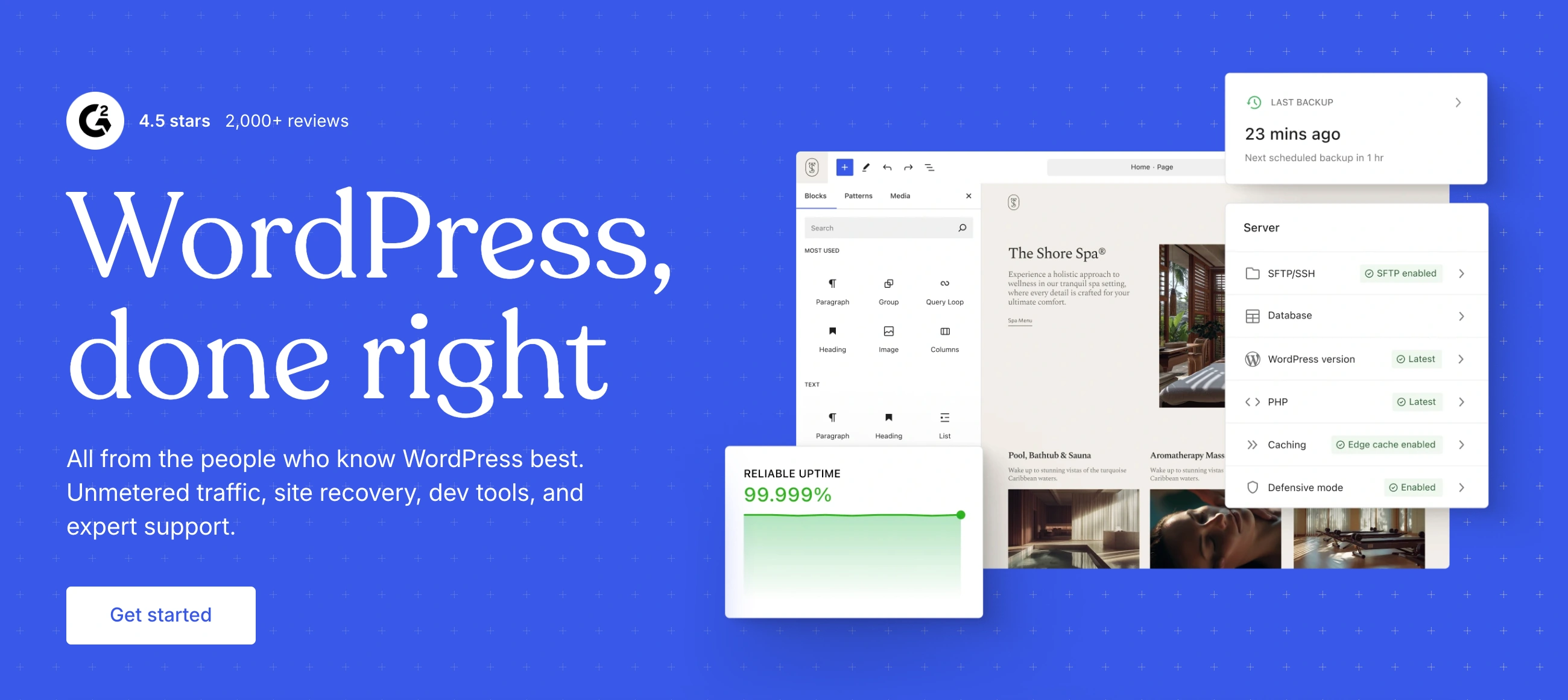
Is WordPress.com Right for You?
WordPress.com takes the world's most popular CMS and wraps it in managed hosting — no servers to configure, no updates to install, no security patches to worry about. It's not the same thing as self-hosted WordPress.org, and that distinction matters more than anything else in this review.
We scored it 7.8/10: excellent for content-driven sites that want WordPress power with zero server management, but the lower-tier plans are restrictively limited, the pricing structure is confusing, and you're paying a significant premium for convenience that self-hosted WordPress delivers at a fraction of the cost.
⚠ Main limitation: WordPress.com charges platform transaction fees on lower plans (10% on Free, 8% Personal, 4% Premium, 2% Business) — only Commerce at $45/month eliminates them. Combined with the plan price, selling anything below Business tier costs you meaningfully more per transaction than self-hosted WordPress with WooCommerce, which charges zero platform fees.
✔ Get it if: You want WordPress with zero server management, you're primarily publishing content (blog, newsletter, portfolio), you value 24/7 support from the team that builds WordPress, you want Jetpack security and backups included without extra cost, or you're testing a business idea and want to start free then scale up.
A managed WordPress hosting platform run by Automattic (the company behind Jetpack, WooCommerce, and WordPress.org itself). All paid plans include plugin access, free domain for one year, SSL, CDN, and Jetpack essentials.
You're a blogger, content creator, or small business owner who wants a WordPress site without touching hosting configuration. You care about writing and publishing more than technical control.
You need full WordPress flexibility at the lowest cost (self-hosted is significantly cheaper for comparable features), you're building e-commerce where transaction fees eat margins, you want complete control over your hosting environment…
Why WordPress.com?
WordPress.com is run by Automattic, the company co-founded by Matt Mullenweg — one of WordPress's original creators. Automattic also builds Jetpack, WooCommerce, Tumblr, and contributes to WordPress.org development.
This isn't a third-party host running WordPress; it's the company closest to the WordPress project itself offering a managed platform. That pedigree matters for compatibility, updates, and long-term platform investment.
The Managed WordPress Promise
Self-hosted WordPress gives you total control but demands maintenance: hosting selection, SSL configuration, plugin updates, security monitoring, backup management, and performance optimization. WordPress.com removes all of that.
Automated updates, real-time backups with one-click restores, DDoS protection, malware scanning, brute-force login protection, and a web application firewall come standard on every plan. For site owners who'd rather write than manage infrastructure, this trade-off is the entire point.
The WordPress.com vs WordPress.org Confusion
The single biggest source of frustration in WordPress.com reviews is people who don't realize they're two different things. WordPress.org is free, open-source software you install on your own hosting.
WordPress.com is a managed service with tiered pricing and feature restrictions. The names are nearly identical by design, and Automattic benefits from the confusion — but as a buyer, understanding this distinction saves you from choosing the wrong product entirely.
The Jetpack Advantage
Every WordPress.com plan includes Jetpack essentials that self-hosted users typically pay $10-50/month for separately: real-time backups, uptime monitoring, spam protection (Akismet), site activity logging, automatic social sharing, and built-in search.
On self-hosted WordPress, assembling this same security and performance stack from individual plugins costs more than WordPress.com's Personal plan — which is part of the value proposition for non-technical users.
The Verdict: Our Assessment
7.8/10 — WordPress.com is the easiest way to run a WordPress site with professional support and zero infrastructure management. The security, backup, and performance stack that comes included would cost more to assemble separately on self-hosted WordPress.
But the tiered pricing structure means you're paying a premium for convenience, and the platform only truly becomes "WordPress" at the Business tier. Below that, you're getting a capable but restricted blogging platform that competes with Wix and Squarespace — except those builders are often more intuitive for non-technical users.
Criteria | Score | Verdict |
|---|---|---|
Content Publishing | 9/10 | The block editor powers 43% of the web — battle-tested for every content type with unmatched plugin ecosystem |
Managed Hosting | 9/10 | Zero-maintenance WordPress with automated backups, security, CDN, and datacenter failover included |
Newsletter/Creator Tools | 8/10 | Built-in subscriber management, paid content, and RSS make it a credible Substack alternative with full site ownership |
Plugin Ecosystem | 7/10 | 50,000+ plugins accessible on all paid plans, though some require Business tier or higher for server-level compatibility |
Ease of Use | 6/10 | WordPress has a learning curve; the managed layer simplifies hosting but doesn't simplify the CMS itself |
Value vs Self-Hosted | 5/10 | Business plan at $25/month competes with premium managed hosts that offer fewer restrictions and more flexibility |
E-Commerce | 5/10 | WooCommerce is powerful but requires Commerce tier to eliminate platform fees — expensive entry point for online stores |
⚠ Trade-offs: You're paying for convenience and support, not for WordPress itself (which is free). The value proposition holds for non-technical users who'd otherwise spend time and money managing hosting. It breaks down for anyone comfortable with managed WordPress hosts like Cloudways, SiteGround, or Kinsta — which often deliver more flexibility at comparable or lower prices.
✔ Best for: Bloggers and content creators who want to write, not manage servers. Newsletter publishers wanting Substack-like tools with full content ownership. Small businesses that need a professional site without a developer. Teams that value Automattic's direct support.
⚠ Skip if: You're comfortable with self-hosted WordPress and want maximum flexibility per dollar. You need e-commerce without platform transaction fees at an affordable tier. You want a drag-and-drop builder that's more intuitive than WordPress's block editor. You need phone support.
Fit by Business Type
We scored WordPress.com across common use cases. Strongest for content publishing; weakest for e-commerce and advanced development.
Strong Fit
✔ Bloggers and content creators (9/10) — the definitive publishing platform with the deepest content management tools available, now with managed hosting included.
✔ Newsletter publishers (8/10) — built-in subscriber management, paid content gating, and RSS rival dedicated newsletter platforms while keeping full content ownership.
✔ Small business brochure sites (7/10) — professional themes, contact forms, and SEO tools handle basic business web presence without technical demands.
Moderate Fit
◑ Portfolio sites (6/10) — functional for displaying work, but Squarespace's design quality and Wix's creative freedom produce more visually impressive results.
◑ Membership sites (6/10) — paid content gating works natively, but advanced membership plugins need Business tier and WooCommerce integration for full functionality.
◑ Small online stores (5/10) — WooCommerce is powerful but the platform fee structure makes WordPress.com an expensive way to run it compared to self-hosted alternatives.
Poor Fit
✗ High-volume e-commerce (3/10) — Shopify, BigCommerce, or self-hosted WooCommerce deliver better value and more control for serious online selling.
✗ Developer-led projects (4/10) — server-level restrictions frustrate developers who want full control; self-hosted WordPress or headless CMS solutions are better choices.
✗ Enterprise sites (4/10) — WordPress VIP (separate product, $25K+/year) serves enterprise needs; WordPress.com's standard plans don't scale to enterprise requirements.
What Users Say: Reviews & Verified Experiences
User ratings: 4.4/5 on G2 (across WordPress broadly, including .org), 4.6/5 on Capterra (WordPress.org-focused), 3.5/5 on Trustpilot (WordPress.com specifically — notably lower).
The Trustpilot gap tells the real story: users who specifically review the managed platform are more critical than the broader WordPress community ratings suggest.
What Users Love
✩ Hands-off maintenance: Non-technical users consistently praise never having to think about updates, backups, or security. The managed experience lets them focus entirely on content creation and business operations (G2, Capterra).
✩ Publishing power: The content management depth — revision history, scheduling, multi-author workflows, block editor flexibility — earns praise from bloggers and content teams who've tried simpler builders and found them limiting (G2).
✩ Support quality: Users on paid plans describe the Happiness Engineer team as knowledgeable and responsive, particularly on Business and Commerce tiers where priority 24/7 support is included (Trustpilot, G2).
✩ Plugin ecosystem: Users appreciate the access to 50,000+ plugins that extend functionality far beyond what Wix or Squarespace can offer, even if some plugins don't work perfectly in the managed environment (G2, Capterra).
Common Complaints
⚠ .com vs .org confusion: The most persistent issue across all review platforms. Users sign up expecting the full WordPress experience and discover restrictions. Many negative reviews stem from this misunderstanding rather than platform quality (Trustpilot, G2).
⚠ Lower-tier restrictions: Users on Free, Personal, and Premium plans describe feeling locked out of capabilities they expected. The inability to edit theme PHP, limited storage, and restricted customization options generate significant frustration (G2, Capterra).
⚠ Pricing perception: Users comparing WordPress.com to self-hosted WordPress feel the managed platform is overpriced for what it delivers. At the Business tier where full functionality unlocks, several reviewers note that competing managed hosts offer more flexibility at similar prices (Trustpilot, independent reviews).
⚠ Learning curve: Despite the managed hosting simplifying server tasks, WordPress itself remains a complex CMS. Users expecting Wix-level simplicity describe the block editor and dashboard as overwhelming, especially without prior WordPress experience (Capterra, G2).
Review Pattern Analysis
The review landscape splits cleanly by expectation alignment. Users who understood what WordPress.com is before signing up — managed WordPress with trade-offs — rate it highly.
Users who expected either full WordPress freedom or Wix-like simplicity rate it poorly. The Trustpilot 3.5 vs G2 4.4 gap reflects this: Trustpilot captures more consumer-level frustration while G2 draws more informed software buyers.
What WordPress.com Users Typically Achieve
You'll Publish Content Without Infrastructure Anxiety
The core benefit is mental: you write, WordPress.com handles everything else. No "is my SSL renewed?" panics. No "did the update break my site?" emergencies. No "am I being hacked?" nightmares at 2am.
For solo creators and small teams without a dedicated webmaster, this peace of mind translates directly into more consistent publishing and fewer abandoned site projects.
Your Content Will Live in the World's Most Portable Format
WordPress is the world's most widely supported CMS format. Content created on WordPress.com can migrate to any self-hosted WordPress installation, and thousands of tools, themes, and plugins are designed for WordPress content structures.
You're not locked into a proprietary format — unlike Wix, Squarespace, or other builders where exporting means starting over. This portability is WordPress.com's strongest long-term value proposition.
You Can Build a Newsletter Business on Your Own Terms
The subscriber tools let you build an email audience, gate premium content, and collect payments — functionality that Substack, Ghost, and Beehiiv also offer.
The difference: your WordPress.com site is a full website, not just a newsletter. You own the subscriber list, the content archive, and the design. If you outgrow the platform, everything migrates with you.
Where You'll Hit Ceilings
⚠ The plan tier ceiling hits first — you'll discover features you want that require upgrading, and each tier jump carries a meaningful cost increase. The customization ceiling follows: even on Business, certain server-level operations aren't possible in the managed environment. And the value ceiling emerges when you compare your total WordPress.com spend against self-hosted alternatives and realize you could get more for less with a bit of technical willingness.
💡 WordPress.com works best as either a permanent home for content-first sites that genuinely don't need advanced customization, or as a starting platform with a planned migration path.
Start publishing on the Personal or Premium plan, build your audience and content library, then decide whether to stay on WordPress.com or migrate to self-hosted WordPress when your needs demand more control. The content is portable either way — that's the safety net.
3 Critical Mistakes to Avoid
Mistake #1: Choosing WordPress.com When You Mean WordPress.org
This mistake costs more people more money and frustration than any other in website building. If you're a developer, agency, or technically comfortable user who wants full WordPress control, WordPress.com is the wrong product — it's a managed hosting wrapper with restrictions.
You want WordPress.org installed on a host like SiteGround, Cloudways, or Kinsta. The names are deliberately similar, and searching "WordPress hosting" surfaces both products interchangeably.
⚠ The Fix: Ask yourself one question: do I want someone else to manage my WordPress site, or do I want full control? If management, WordPress.com. If control, WordPress.org on a managed host. If you're not sure, start with WordPress.com's free plan to test the interface — if the restrictions bother you within a week, you belong on self-hosted.
Mistake #2: Selling Products on Plans Below Commerce
Every plan below Commerce charges platform transaction fees on top of your payment gateway's processing fee. On the Personal plan, that's 8% of every sale going to WordPress.com before Stripe or PayPal takes their cut.
For a product priced at $50, you'd lose roughly $4 in platform fees plus ~$1.75 in processing — nearly 12% of the sale. Self-hosted WordPress with WooCommerce charges exactly zero platform fees. The math is devastating for any store with meaningful volume.
⚠ The Fix: If selling products is a real revenue stream, either commit to the Commerce plan from the start or use self-hosted WooCommerce. The lower tiers work for occasional digital product sales (an ebook, a course) where the convenience outweighs the fee. They don't work for stores where margins matter.
Mistake #3: Staying on Personal/Premium When You Need Business Features
Users frequently limp along on the Premium plan to save $17/month versus Business, then spend hours trying to work around restrictions: no SFTP access for migration, no full theme editing, limited plugin compatibility, no staging site for testing.
The time cost of these workarounds quickly exceeds the subscription difference. If you're fighting the platform instead of building your site, you're on the wrong plan.
⚠ The Fix: Be honest about your needs within the first month. If you're installing plugins, customizing themes beyond color changes, or planning any kind of complex functionality, start on Business. If your needs are genuinely limited to writing, publishing, and basic design, Personal or Premium serve you well and there's no reason to overspend. The decision should be made upfront, not discovered through frustration.
Frequently asked questions
What's the difference between WordPress.com and WordPress.org?
WordPress.org is free, open-source software you install on your own hosting — full control, full responsibility. WordPress.com is a managed hosting service run by Automattic that handles servers, security, updates, and backups for you. WordPress.com has tiered plans with feature restrictions; WordPress.org gives you everything from day one but requires you to manage (or pay someone to manage) the technical infrastructure.
Can I install any WordPress plugin on WordPress.com?
All paid plans now include plugin access to over 50,000 WordPress plugins. However, some plugins that require server-level configuration (caching plugins, certain security tools, low-level server access) may not work within the managed environment. WordPress.com handles caching and security natively, so many of those plugins are unnecessary. If you need a specific plugin that requires deeper server access, Business tier with SFTP/SSH is the minimum.
Does WordPress.com charge transaction fees?
Yes, on all plans except Commerce. Free charges 10%, Personal 8%, Premium 4%, and Business 2% on payment transactions — on top of your payment gateway's standard processing fee. Only the Commerce plan ($45/month annual) eliminates platform fees entirely. Self-hosted WordPress with WooCommerce charges zero platform fees regardless of sales volume.
Can I move my WordPress.com site to self-hosted WordPress later?
Yes, and this is one of WordPress.com's genuine advantages. Your content is in standard WordPress format and can be exported and imported to any self-hosted WordPress installation. Business and Commerce plans include SFTP access for easier migration. Lower-tier migrations require using the built-in export tool, which handles content but not theme customizations or plugin configurations.
Is WordPress.com good for blogging?
It's among the best options available. The block editor, revision history, scheduling, multi-author workflows, and built-in newsletter tools make it a comprehensive publishing platform. The managed hosting means zero infrastructure distraction. For pure blogging without e-commerce or complex functionality needs, even the Personal plan delivers a professional experience.
Does WordPress.com include email hosting?
No. Professional email requires a separate purchase — either through WordPress.com's Titan-powered email at approximately $3.50/month per mailbox or via Google Workspace integration at roughly $70/year. Free email forwarding is available for custom domains. This is a notable gap compared to some competitors that bundle email with their hosting plans.