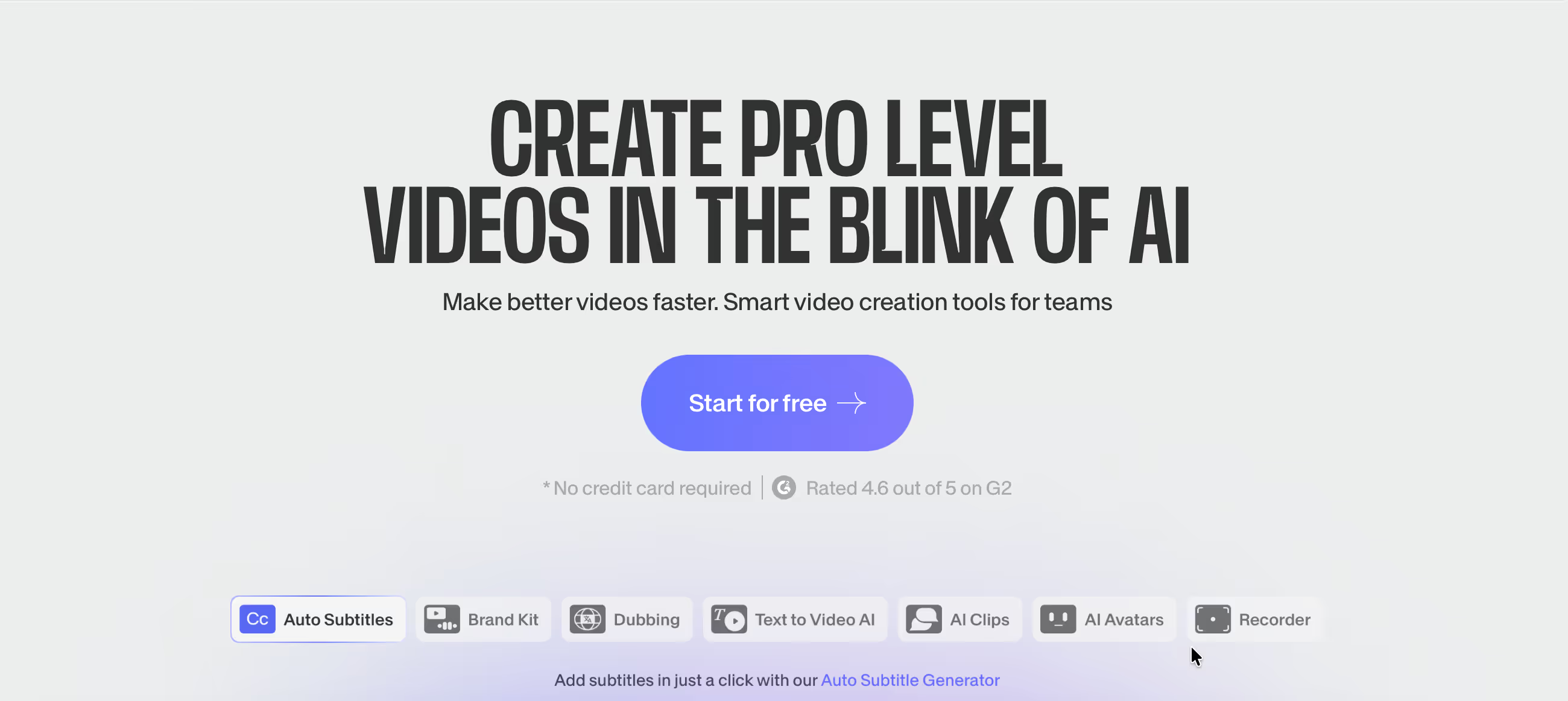
Is VEED.io Right for You?
A social media manager who juggles TikTok, Instagram Reels, and YouTube Shorts describes VEED as "the fastest tool on the market" for creating short-form content — she uploads a long interview, lets Magic Clips identify the best moments, and has 10-15 vertical clips with captions ready to post in under five minutes.
On the other hand, a video producer working with longer brand content hit a wall when VEED lagged and stuttered on a 45-minute file, couldn't get the color grading precision he needed, and found that browser-based editing simply couldn't replace his desktop workflow for serious production.
We scored it 7.4/10: the auto-subtitles in 125+ languages are genuinely the fastest in the market, Magic Clips turns hour-long recordings into a dozen social clips automatically, the AI Copilot takes natural language commands ("resize for Instagram," "add subtitles in Spanish"), and the zero-install approach means you can edit from any device anywhere.
But browser-based editing has real performance limits on large files, the free plan watermark pushes you to paid plans quickly, AI quota limits on subtitles and avatars can feel restrictive, and it's a social-content tool — not a professional editing suite.
⚠ Main limitation: Browser-based means performance degrades with large files — lag, buffering, and slow exports are the most common complaints. The free plan's watermark and 720p cap push you to paid plans almost immediately for anything publishable. AI features (subtitles, avatars, translation) have monthly quotas that reset but don't roll over. No advanced editing controls — no detailed color grading, limited transition options, no multi-layer compositing. And occasional bugs with export and rendering affect reliability for deadline-driven production.
✔ Get it if: You need fast video editing without installing software, auto-subtitles are a core part of your workflow, you produce primarily social media and short-form content, or you want AI tools (eye contact, background removal, clean audio) that make amateur footage look professional.
Browser-based AI video editor. Magic Clips. AI Copilot. Screen + webcam recorder. Clean Audio. Eye contact correction. Background removal. 2M+ stock media. Cloud-based collaboration.
You produce social media content daily and need the fastest path from raw footage to polished post. You want auto-subtitles that actually work across multiple languages without manual cleanup.
You edit long-form video where browser performance becomes a bottleneck, you need professional color grading and advanced effects (use Premiere Pro or DaVinci Resolve), you want offline editing capability…
Why VEED.io?
Most video editors assume you know what a timeline is, what keyframes do, and how to handle multiple audio tracks. VEED assumes you don't — and that's its advantage.
It's built for the marketing coordinator who needs to post a video by lunch, the teacher creating a lesson from a screen recording, and the solopreneur who knows their content but not video editing software. The barrier to entry isn't just low; it's essentially gone.
Auto-Subtitles That Actually Work
This is the feature that brought millions of users to VEED and keeps them there. Upload a video, click one button, and get accurate subtitles in 125+ languages within minutes. Customize fonts, colors, and animations to match your brand.
Export as burned-in captions or downloadable SRT/VTT files. For social media content where 80% of viewers watch without sound, subtitles aren't optional — they're the difference between someone watching your video and scrolling past it. VEED makes adding them trivially easy.
Magic Clips: Long-Form to Short-Form
Feed VEED a 60-minute podcast or webinar recording. The AI scans for high-impact moments, auto-crops them to vertical format, adds captions, and delivers 10-15 ready-to-post clips in minutes.
For podcasters and content creators who know that short-form distribution is where growth happens but dread the manual clipping process, Magic Clips removes the bottleneck. One long recording becomes a week's worth of social content without touching a timeline.
Edit From Anywhere, On Anything
No software to install means no system requirements beyond a browser. Edit on your MacBook, your work PC, a Chromebook, even a tablet. Projects save to the cloud automatically and are accessible from any device.
For teams where "the editor is on vacation" used to mean video production stopped, cloud-based collaboration means anyone with the link can pick up where someone else left off.
The Verdict: Our Assessment
7.4/10 — VEED.io nails its core promise: make video editing fast, accessible, and browser-based for social media creators and marketers. The auto-subtitles are the best in the category for speed and convenience, Magic Clips solves the long-form-to-short-form problem elegantly, and the AI tools turn basic recordings into polished content without expertise.
It's not trying to replace Premiere Pro — it's trying to make video production possible for the millions of people who would never open Premiere Pro. For that audience, it delivers. The trade-offs are inherent to the browser-based approach: performance limits, feature ceiling, and the reality that serious editing still needs serious software.
Criteria | Score | Verdict |
|---|---|---|
Auto-Subtitles | 9/10 | Fastest subtitle generation in the category — 125+ languages with customizable styling; the feature that keeps millions of users loyal |
Ease of Use | 9/10 | Drag-and-drop editing that anyone can learn in minutes — zero install, zero learning curve for basic tasks |
Social Optimization | 8/10 | Magic Clips, auto-resize for platforms, and templates built for TikTok/Reels/Shorts — purpose-built for social content workflows |
AI Tools | 7/10 | Clean Audio, eye contact, background removal, and AI Copilot add genuine value — quota limits prevent heavy usage on lower plans |
Performance | 5/10 | Browser-based means lag with large files, slow exports, and occasional rendering issues — the most common complaint across reviews |
Advanced Editing | 3/10 | No color grading, limited transitions, no multi-layer compositing — designed for quick social content, not professional production |
⚠ Trade-offs: Maximum accessibility and speed for social content at the cost of performance and editing depth. VEED makes everyone a social video creator — with the ceiling that comes with browser-based tools.
Fit by Business Type
Strongest for social media content and quick marketing video; weakest for professional production and long-form editing.
Strong Fit
✔ Social media managers (9/10) — the fastest path from raw footage to subtitled, platform-optimized social content; Magic Clips alone justifies the subscription for teams repurposing long-form content.
✔ Small marketing teams (8/10) — brand kits, templates, and collaboration features let non-editors produce consistent video without a production budget.
✔ Podcasters repurposing content (8/10) — Magic Clips turns episodes into a week of social clips automatically; subtitles make audio-first content work on visual platforms.
Moderate Fit
◑ Educators creating course content (6/10) — screen recording and subtitles handle tutorials well, but quota limits and performance constraints affect longer educational content.
◑ Agencies producing client social content (6/10) — speed and templates serve agency workflows, but brand-sensitive clients may need higher production quality than browser-based editing delivers.
Poor Fit
✗ Professional video editors (2/10) — no advanced effects, color grading, or compositing; VEED is a content creation tool, not an editing suite.
✗ Long-form video producers (3/10) — browser performance degrades significantly with files over 30 minutes; desktop software is necessary for serious long-form work.
What Users Say: Reviews & Verified Experiences
User ratings: 4.6/5 on G2, 4.0/5 on Trustpilot (3,000+ reviews). Used by 10M+ monthly users including teams at Meta, Netflix, Amazon, and Google. The review pattern is clear: users love the speed and accessibility for social content, while complaints center on performance issues and limitations that surface with heavier usage.
What Users Love
✩ Speed for social content: Users describe VEED as "the fastest tool on the market" for creating TikToks and Reels — "so effortless to make a reel with all the necessary features available without bothering about complex timelines" (Trustpilot).
✩ Subtitle quality: Auto-subtitles consistently earn top praise as the feature that keeps users paying — the speed, accuracy for clear speech, and styling options set VEED apart from competitors (G2, Trustpilot).
✩ Zero barrier to entry: Users praise the intuitive drag-and-drop interface that requires no editing experience — "even users with no experience can create professional content" from their first session (Sonary, CyberNews).
Common Complaints
⚠ Performance issues: "Buffering, lag, and occasional bugs with longer videos" are the most common complaints — browser-based editing hits real limits with file size and project complexity (G2, Trustpilot).
⚠ Subtitle accuracy with accents: While great for clear speech, subtitle accuracy drops significantly "especially with accents or fast exchanges" — multi-speaker content requires more manual correction than expected (Sonix review).
⚠ Export and billing friction: Users report "export confusion" and occasional rendering failures, alongside billing practice complaints about auto-renewals and unclear plan limitations (Trustpilot, Sonix review).
What VEED.io Users Typically Achieve
Social Content Becomes a Daily Habit Instead of a Weekly Struggle
Before VEED, producing a subtitled video for Instagram took most marketers 30-60 minutes in desktop software — import, edit, add captions manually, resize, export multiple formats. After VEED, the same output takes 5-10 minutes: upload, auto-subtitle, auto-resize, export.
That speed change transforms posting cadence. Teams that were managing one or two videos per week start posting daily because the production bottleneck disappears. For social-first brands where consistent posting drives growth, that shift in velocity matters more than any individual feature.
One Recording Becomes a Week of Content
Podcasters and webinar hosts describe Magic Clips as the feature that changed their content strategy. Record a one-hour conversation, run it through Magic Clips, and get 10-15 vertical clips with captions optimized for TikTok, Reels, and Shorts.
What used to require a dedicated editor spending a full day clipping and reformatting now happens in minutes. The best-performing clips get identified by AI rather than by someone scrubbing through an hour of footage trying to find the "quotable moments."
Your Videos Look Professional Without Professional Skills
Clean Audio strips the background noise from your laptop mic recording. Eye contact correction makes you look at the camera even when you were reading. Background removal puts you in a professional setting without a studio. Auto-subtitles make your content accessible.
Together, these AI tools close the gap between "recorded on my phone in my apartment" and "looks like a real production." For solopreneurs and small teams competing against brands with actual video departments, that gap-closing is where VEED's real value lives.
💡 Start with the free plan to test the workflow, but expect to upgrade to Lite ($12/month annual) almost immediately for watermark-free exports and 1080p. Use Magic Clips before manually creating short-form content — the AI catches highlight moments you might miss.
Set up a brand kit on your first day so every video maintains visual consistency automatically. And for large files, export during off-peak hours or consider trimming footage before uploading to avoid the browser performance issues that frustrate heavier users.
3 Critical Mistakes to Avoid
Mistake #1: Using VEED for Long-Form Professional Editing
A content team tries to edit their 45-minute webinar recording entirely in VEED. The browser lags, scrubbing the timeline stutters, and exporting takes far longer than expected.
Three quarters through the edit, a rendering error forces them to start a section over. They spend more time fighting the tool than they would have in desktop software, and the final output lacks the polish their audience expects from long-form content.
⚠ The Fix: Use VEED for what it does best: short-form social content, quick clips, and subtitle-driven edits. For long-form content, use Magic Clips to extract the short-form highlights, then edit the full-length version in desktop software like Premiere Pro or DaVinci Resolve. VEED is the distribution tool, not the master editor — the AI clipping and subtitling save hours without fighting browser limitations.
Mistake #2: Relying on Free Plan for Real Content
A small business owner creates videos on the free plan, publishes them on Instagram, and realizes every video has a prominent VEED.io watermark. The 720p resolution looks soft on modern phones.
The 10-minute cap blocks their full product demo. They've published content that looks amateur — the opposite of what the tool was supposed to achieve — because the free plan exists for testing, not production.
⚠ The Fix: Treat the free plan as a test drive, not a production environment. Once you've confirmed VEED fits your workflow, upgrade to Lite ($12/month annual) for watermark-free 1080p exports that actually look professional. The $144/year investment is worth it the moment you publish your first watermark-free video. If you need 4K, translation, or advanced AI tools, Pro at $24/month annual covers the full feature set.
Mistake #3: Skipping the Brand Kit Setup
A marketing team creates 20 videos over two months, each with slightly different fonts, colors, and logo placements. Their social feed looks inconsistent — every video feels like it came from a different company.
They spend hours going back to standardize older videos, manually matching styles that should have been automated from the start.
⚠ The Fix: Set up your brand kit on your very first day with VEED. Upload your logo, define your fonts, lock in your brand colors. Every video you create from that point forward applies these elements with one click. It takes 10 minutes to configure and saves hours of retroactive consistency fixes. For agencies managing multiple clients, separate brand kits per client prevent the cross-contamination that makes professional content look careless.
Frequently asked questions
How much does VEED.io cost?
Free: 720p, watermark, 10-min videos, 30 min/month auto-subtitles. Lite: $18/month ($12 annual) — 1080p, no watermark, 25-min videos, 50K+ stock assets, brand kit. Pro: $30/month ($24 annual) — 4K, 120-min videos, all AI tools, voice cloning, avatars, translation, up to 5 editors. Enterprise: custom. Annual billing saves roughly 30%.
Is VEED.io free?
Yes — the free plan is permanent (not a trial) with basic editing tools, auto-subtitles (30 min/month), 720p exports, and 10-minute video length. But every video includes a VEED watermark and the resolution looks soft on modern devices. For anything publishable, you'll need at least the Lite plan for watermark-free 1080p.
How does VEED compare to Descript?
Descript is built around text-based editing for spoken-word content — edit video by editing the transcript. VEED is a broader browser-based editor optimized for social media with auto-subtitles, Magic Clips, and platform-specific formatting. Choose Descript for podcast and tutorial editing where transcript-based workflow saves the most time. Choose VEED for social media content where subtitles, auto-resize, and quick clips are the priority.
Can VEED handle large video files?
Technically yes, but performance degrades. Browser-based editing means large files (30+ minutes, high resolution) cause lag, slow scrubbing, and longer export times. Paid plans have no file size limit, but your browser's performance is the real constraint. For large files, consider trimming before upload or using desktop software for the heavy editing and VEED for subtitles and social optimization.
What is Magic Clips?
Magic Clips is VEED's AI feature that automatically identifies highlight moments in long-form video (podcasts, webinars, interviews), crops them to vertical format, adds captions, and delivers ready-to-post short-form clips for TikTok, Instagram Reels, and YouTube Shorts. It can turn a 60-minute recording into 10-15 clips in under five minutes.
Does VEED.io work offline?
No — VEED is entirely browser-based and requires an internet connection for all editing, rendering, and export. Projects save to the cloud automatically, but you cannot work without connectivity. There is no desktop app or offline mode.