Is Strapi Right for You?
A startup CTO spun up Strapi on a $20/month server, defined custom content types in code, and had a fully functional API powering their React frontend within a day — with complete ownership of the data, infrastructure, and every line of code.
On the flip side, a marketing team adopted Strapi because it was "free" and spent three months waiting on their one developer to configure content types, set up environments, and fix deployment issues before anyone could publish a single blog post.
⚠ Main limitation: Strapi is a developer tool that happens to have an admin panel for editors. Without a developer, you can't set up the CMS, change content types, deploy updates, or troubleshoot issues. Schema changes require code modifications and redeployment — there's no GUI-based content model editing in production. This makes Strapi fast for developer-led teams and unusable for everyone else.
✔ Get it if: You want full code ownership with no vendor lock-in, you need a customizable API for your frontend project, you're comfortable managing Node.js deployment and PostgreSQL databases, you want the flexibility to self-host or use managed cloud, or you're building a project where the backend API is as important as the content it serves.
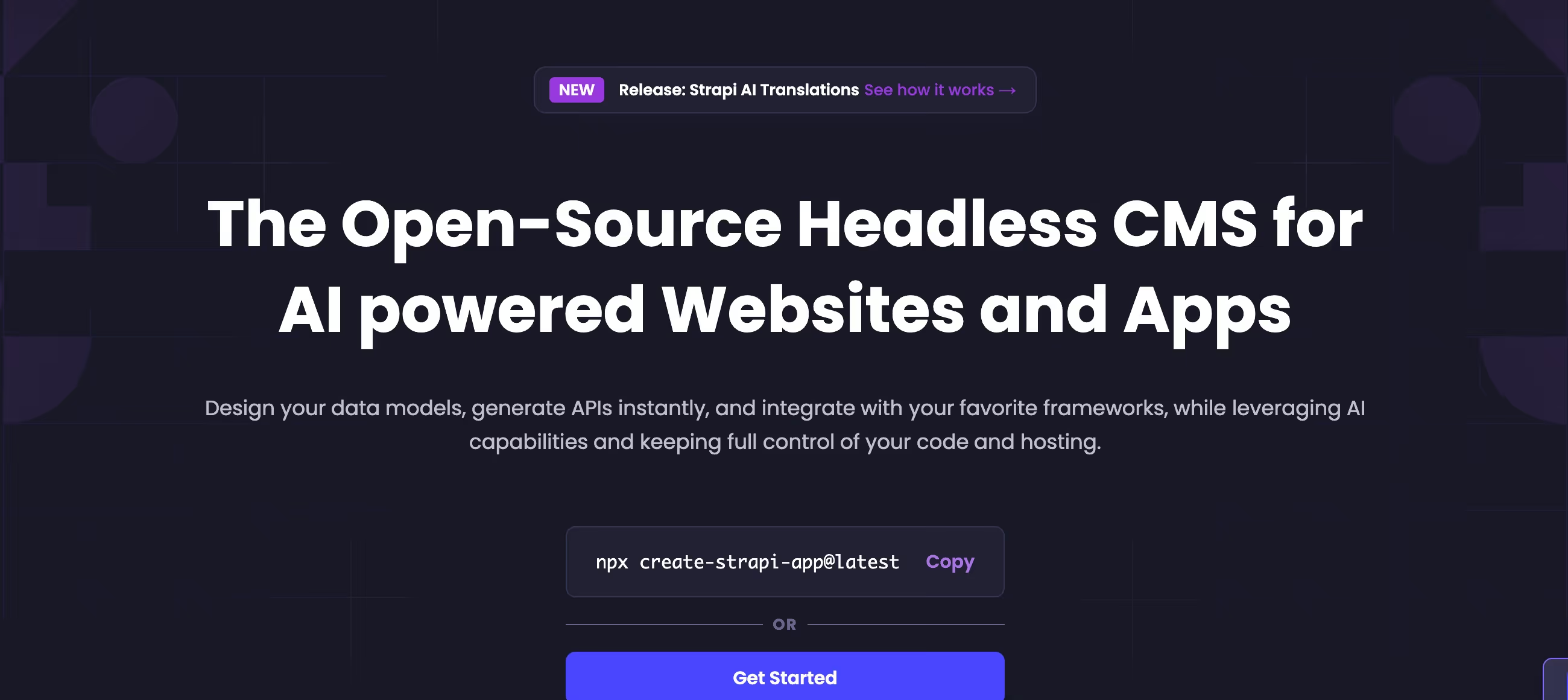
An open-source, Node.js-based headless CMS. Enterprise self-hosted edition adds SSO, audit logs, and SLA support with custom pricing. Content types defined in code (versioned, testable, deployable).
You're a developer or development team building a custom frontend (React, Next.js, Vue, Nuxt) and you want a content API you fully control. You prefer defining content models in code rather than clicking through a GUI.
You don't have developers (Strapi doesn't work without them), you want a polished editorial experience comparable to Contentful or WordPress (the admin panel is utilitarian), you need visual page building (Strapi manages content…
Why Strapi?
Strapi was created in 2015 by Pierre Burgy, Aurélien Georget, and Jim Laurie in France. The company has raised over $31 million in funding and the open-source project has accumulated over 65,000 GitHub stars — making it the most-starred headless CMS on the platform.
The name "Strapi" comes from "Bootstrap your API," which captures the original pitch: get a content API running in minutes instead of building one from scratch.
The "Own Everything" Philosophy
This is what separates Strapi from Contentful, Sanity, and every other SaaS headless CMS. With Strapi, you own the code (it sits in your Git repository), the data (it lives in your PostgreSQL or MySQL database), and the infrastructure (it runs on your servers or your cloud account).
If Strapi the company disappeared tomorrow, your CMS would keep running. Try that with Contentful. For teams that care about data sovereignty, long-term independence, or simply not wanting a vendor to control their content infrastructure, this ownership model is the entire point.
Content Types as Code
In Strapi, content models are defined in your codebase — not through a web interface in production. This means your content architecture is version-controlled, reviewable in pull requests, testable in CI/CD pipelines, and deployable the same way you deploy application code.
It's the approach that makes developers comfortable and non-developers confused. For teams that treat their CMS as part of their application stack (not a separate marketing tool), this code-first model is a fundamental advantage over GUI-configured alternatives.
The Ecosystem Bet
Strapi has built integrations with Shopify, BigCommerce, and Cloudinary, plus a growing plugin marketplace. The 2025 AI features — AI Content-Type Builder (generate models from natural language), AI Translations (auto-translate across locales) — signal where the platform is headed.
Strapi Cloud, launched in 2023, now offers managed hosting starting at $15/month, removing the self-hosting barrier for teams that want Strapi's flexibility without server management. The bet is that open-source trust plus cloud convenience equals a platform developers adopt and never leave.
The Verdict: Our Assessment
7.4/10 — Strapi is the best headless CMS for developer teams who want ownership and control. The code-first approach, self-hosting flexibility, and zero vendor lock-in serve a real need that SaaS platforms can't match. The new Cloud offering removes the infrastructure barrier without sacrificing the option to leave.
But the developer dependency is absolute — without technical resources, Strapi is unusable. And the editorial experience, while improved, still trails the polish that content teams expect from modern CMS platforms.
Criteria | Score | Verdict |
|---|---|---|
Developer Experience | 9/10 | Code-first content modeling, auto-generated APIs, lifecycle hooks, and full customizability — built for developers |
Ownership & Freedom | 10/10 | Your code, your data, your infrastructure — zero vendor lock-in with full portability |
API Quality | 8/10 | Auto-generated REST and GraphQL with filtering, relations, and lifecycle hooks — comprehensive and well-documented |
Cloud Hosting | 7/10 | Strapi Cloud removes the self-hosting barrier at accessible pricing — still maturing but a solid managed option |
Editorial Experience | 5/10 | Functional admin panel with Live Preview, but trails Contentful and Storyblok in polish and intuitiveness |
Ease of Non-Dev Use | 3/10 | Content editors can publish once it's set up; everything else requires a developer |
Upgrade Path | 5/10 | Major version upgrades (v3→v4, v4→v5) have been painful; improving but the history creates caution |
⚠ Trade-offs: Maximum developer control at the cost of editorial polish and operational simplicity. Strapi rewards teams that invest in proper setup and deployment — and punishes teams that expect a plug-and-play CMS experience.
✔ Best for: Developer teams building with Next.js, Nuxt, or React who want API-first content management with full code ownership. Startups that want to start free and scale without platform migration. Teams with data sovereignty requirements.
⚠ Skip if: You don't have developers. You want a polished content editing experience out of the box. You need visual page building. You prefer predictable SaaS pricing without infrastructure management.
Fit by Business Type
Strongest for developer-led projects; weakest for non-technical teams and content-first organizations.
Strong Fit
✔ Developer-led startups (9/10) — free to start, full control, scales with your code, and the Cloud option removes infrastructure hassle when you're ready.
✔ Tech companies building custom products (8/10) — the API framework and lifecycle hooks serve product backends that need CMS functionality embedded in custom applications.
✔ Agencies with developer capacity (7/10) — build client backends on Strapi, hand off content editing through the admin panel, retain full code access for maintenance.
Moderate Fit
◑ Mid-market companies with dev teams (6/10) — viable when developers are available; evaluate whether Contentful or Sanity's managed experience saves enough dev time to justify the cost difference.
◑ E-commerce content backends (6/10) — Shopify and BigCommerce integrations work, but dedicated commerce platforms handle product content more naturally.
Poor Fit
✗ Non-technical teams (1/10) — unusable without developers; every platform task requires code or CLI access.
✗ Content-first organizations (3/10) — the admin panel works for publishing, but editorial teams accustomed to Contentful or WordPress will find it limiting.
✗ Small businesses needing websites (1/10) — Strapi manages content APIs, not websites. Use WordPress, Wix, or Squarespace instead.
What Users Say: Reviews & Verified Experiences
User ratings: 4.4/5 on G2, 4.6/5 on Capterra. Strong marks that reflect the developer audience's satisfaction.
The G2 profile hasn't been actively managed (noted on the platform), which suggests Strapi's marketing investment goes toward the developer community rather than review platform presence. GitHub stars (65,000+) are a better proxy for developer sentiment than review sites for this type of tool.
What Users Love
✩ Developer-first design: Developers describe Strapi as saving "sooo much time compared to a normal Node backend." The auto-generated APIs, lifecycle hooks, and customizable architecture earn consistent praise from technical users who've built custom backends from scratch before (Capterra).
✩ Flexibility and extensibility: Users describe building media portals, live streaming platforms, and e-commerce backends on Strapi. The framework handles any content structure, and the plugin system extends it further. One reviewer notes managing content across multiple websites from a single Strapi instance (Capterra).
✩ Self-hosting freedom: The ability to deploy anywhere — AWS, DigitalOcean, your own servers — and retain full data ownership is consistently cited as the primary reason for choosing Strapi over SaaS alternatives (G2, Capterra).
✩ Documentation quality: Docker deployment guides, API references, and getting-started tutorials earn specific praise. Multiple reviewers describe going from zero to a working API in hours using the documentation alone (Capterra).
Common Complaints
⚠ Upgrade pain: The most common negative. Users describe major version upgrades (v3→v4, v4→v5) as challenging, especially when custom plugins or code modifications are involved. One Reddit user notes: "I had some troubles with updates and documentation was often misleading" (Capterra, Reddit, community forums).
⚠ Schema change friction: Content model changes require code modifications and redeployment — which means downtime. Users accustomed to CMS platforms where you add a field through a GUI find this workflow frustrating, especially in production environments (Capterra, community forums).
⚠ Professional perception: One reviewer captures a real challenge: "The fact that Strapi has a 'quick and dirty' image makes it harder to sell or mention as part of a solution to a customer." Despite being enterprise-capable, the name and reputation create a credibility gap with non-technical stakeholders (Capterra).
⚠ Admin panel limitations: While functional, the editorial interface doesn't match the polish of Contentful, Storyblok, or Sanity. Advanced functionality — custom dashboards, complex workflows, visual editing — requires custom development on top of the default admin (Capterra, G2).
Review Pattern Analysis
Strapi's reviews are the most developer-skewed of any CMS we've covered. Technical users rate it 9-10/10 for what it enables them to build. Non-technical users rarely review it because they rarely use it — the platform self-selects for a technical audience.
The complaints cluster around operational friction (upgrades, deployments, schema changes) rather than capability gaps, which tells you the core product works well for the people it's designed for.
What Strapi Users Typically Achieve
Your API Will Be Running Before Lunch
The bootstrap-your-API promise is real. A developer familiar with Node.js can install Strapi, define content types, seed initial content, and have a fully functional REST or GraphQL API serving a frontend within hours.
For teams that would otherwise spend weeks building a custom backend with authentication, CRUD endpoints, and an admin interface, this time compression is Strapi's most tangible value — and the reason developers keep coming back.
You'll Own Your Entire Stack
This ownership has a dollar value that becomes clear over time. No API call limits that trigger overage charges. No per-seat pricing that penalizes team growth. No vendor that can change terms, raise prices, or sunset features you depend on.
The code is in your repository, the data is in your database, and the hosting is in your account. Teams that've been burned by vendor lock-in or SaaS pricing escalation describe this independence as the reason they chose Strapi — and the reason they stay.
Your Content Team Will Be Productive (After Setup)
Once developers configure the content models and deploy the admin panel, content editors can create, edit, and publish independently. The admin interface handles day-to-day content operations without technical involvement.
Live Preview bridges the gap between structured fields and visual output. The catch — and it's a significant one — is that "after setup" can mean weeks of developer time. The editorial experience is a function of how much your developers invest in customizing it.
Where You'll Hit Ceilings
⚠ The upgrade ceiling hits hardest. Major version changes have historically broken custom plugins, required significant migration effort, and introduced downtime. Teams running production Strapi instances describe upgrade anxiety as a real operational concern. The editorial ceiling follows: content teams who compare Strapi's admin to Contentful's or WordPress's inevitably request improvements that require custom development. And the talent ceiling emerges when your Strapi developer leaves — finding a replacement with Strapi-specific experience takes longer than finding a generic Node.js developer, even though the skills overlap significantly.
💡 Strapi works best when developers treat it as an application framework, not just a CMS. Invest in proper deployment pipelines (CI/CD, staging environments, automated testing). Customize the admin panel for your editors' specific workflows.
Pin your Strapi version and upgrade deliberately, not reactively. The teams that treat Strapi with the same discipline as their application code get the best results. The teams that treat it as a "quick and dirty" solution get the reputation one reviewer described.
3 Critical Mistakes to Avoid
Mistake #1: Choosing Strapi Because It's "Free"
The Community Edition costs nothing to download.
But "free" doesn't account for: server hosting ($5-300+/month depending on scale), database management, SSL configuration, backup systems, security monitoring, and — most significantly — developer time for setup, customization, and ongoing maintenance. A developer spending 40 hours setting up and configuring Strapi costs more than a year of Contentful's Team plan. The total cost of ownership is only "free" if developer time has no value to your organization.
⚠ The Fix: Calculate the full picture: hosting costs + developer time for setup (40-80 hours for production) + ongoing maintenance (5-10 hours/month) + upgrade migration time. Compare that total against Contentful, Sanity, or Strapi Cloud's managed plans. Self-hosting Strapi makes financial sense when you're already running infrastructure and have developers on staff. It makes no sense when you're hiring contractors specifically to manage a CMS.
Mistake #2: Ignoring the Upgrade Path Before Building
Teams build production applications on Strapi, customize heavily with plugins and custom code, then discover that upgrading to the next major version requires significant refactoring. Custom plugins may not be compatible.
Database migrations need testing. The admin panel customizations might break. Teams that didn't plan for this describe major version upgrades as weeks-long projects that compete with feature development for engineering resources.
⚠ The Fix: Before building, review Strapi's upgrade documentation and migration guides for recent major versions. Minimize custom plugin development — use the built-in extension points where possible. Write integration tests that cover your API endpoints and admin customizations. Budget upgrade effort into your quarterly planning as a recurring cost, not a surprise. Teams that upgrade incrementally through minor versions have an easier path than those who skip versions and face compounding changes.
Mistake #3: Expecting Non-Technical Editors to Self-Serve From Day One
Developers set up Strapi, configure content types, and tell the marketing team "it's ready." The marketing team opens the admin panel and sees form fields where they expected a visual editor. They don't understand why changing a page layout requires a developer.
They don't know how components and dynamic zones map to the frontend. The disconnect between developer expectations ("this is intuitive") and editor expectations ("where's the page builder?") creates frustration on both sides and slows content production.
⚠ The Fix: Customize the admin experience for your editors specifically. Rename fields to match editor vocabulary ("Hero Banner" not "hero_component_v2"). Add help text to every field explaining what it does and where it appears. Configure the admin layout to show only the fields editors need. Run a hands-on training session — not documentation, an actual session where editors create real content with developer support. Then iterate on the admin experience based on their feedback. The investment in editorial UX pays for itself in reduced support requests and faster content velocity.
Frequently asked questions
Is Strapi really free?
The Community Edition is genuinely free and open-source — you can self-host it with no licensing fees forever. Strapi Cloud managed hosting starts at $15/month (annual). The Enterprise self-hosted edition (SSO, audit logs, SLA support) has custom pricing. The 'free' part covers the software; you still pay for hosting, database, and developer time.
How does Strapi compare to Contentful?
Strapi is open-source and self-hostable with full code ownership. Contentful is a SaaS platform with managed infrastructure and a polished editorial experience. Strapi is cheaper at small scale (free to self-host) but requires developer management. Contentful is more expensive but eliminates infrastructure responsibility. Choose Strapi for control and cost efficiency with developer resources; choose Contentful for managed enterprise experience.
Does Strapi support GraphQL?
Yes — both REST and GraphQL APIs are auto-generated from your content models. The GraphQL plugin ships with Strapi and provides full query, mutation, and filtering capabilities. Most developers use REST for simplicity or GraphQL for complex relational queries.
Can non-developers use Strapi?
For day-to-day content editing — yes. The admin panel provides a web interface for creating, editing, and publishing content without code. For anything else — content model changes, deployment, configuration, troubleshooting — you need a developer. Strapi is set up by developers and used by editors, not the other way around.
What databases does Strapi support?
PostgreSQL (recommended for production), MySQL/MariaDB, and SQLite (development only). Strapi is SQL-only — it does not support MongoDB or any NoSQL database. This is a deliberate architectural choice that ensures relational data integrity but limits flexibility for teams committed to document databases.
Is Strapi Cloud worth it versus self-hosting?
If you don't want to manage servers, databases, and deployment pipelines — yes. Strapi Cloud starts at $15/month (annual) and includes Node.js hosting, PostgreSQL, asset storage, CDN, and GitHub/GitLab deployment. Self-hosting can cost $5-300+/month for infrastructure alone, plus developer time for management. For small teams without dedicated DevOps, Cloud is often cheaper when you factor in maintenance hours.