Is Sanity Right for You?
A design agency migrated their client portfolio from Contentful to Sanity, wired the Studio to Vercel with webhook-triggered revalidation, and now their content editors make live changes that deploy instantly — no developer needed for day-to-day publishing.
On the other side, a small business owner chose Sanity because it was "free" and hit a wall within a week — setting up schemas, learning GROQ, and connecting a frontend required developer skills they didn't have, and the CMS sat empty for months.
Where traditional CMS platforms give you a database and a page editor, Sanity gives you a programmable content infrastructure that developers can shape into anything. We scored it 7.8/10: the real-time collaboration is best-in-class (Google Docs-level multiplayer editing), the customizable Studio gives editors an experience tailored to their workflow, and GROQ is the most expressive content query language available.
But the learning curve is steep for both developers and editors, pricing gets expensive fast with add-ons, and you need developer resources to get anything running.
⚠ Main limitation: The generous free plan masks costs that escalate quickly. Those Growth add-ons listed above — SSO, support, datasets — stack up fast. A mid-size team on Growth with all three pays $2,200+/month before counting per-seat fees. That's pricing territory that competes with enterprise Contentful but without matching its ecosystem maturity.
✔ Get it if: You want real-time collaborative editing that feels like Google Docs, your developers want to build a custom editorial experience with React, you need structured content (Portable Text) delivered across multiple channels via API, or you're building with Next.js and want native visual editing integration.
A managed headless CMS and content platform. Open-source Studio built with React. Managed Content Lake with real-time data access. GROQ and GraphQL APIs. Trusted by Nike, PUMA, Cloudflare, National Geographic, Figma, and Netlify.
You're a development team building custom frontends with Next.js, Nuxt, or React and you want a content backend that your editors can actually enjoy using.
You don't have developers (Sanity requires code for schema setup and Studio customization), you want plug-and-play themes or templates (Sanity has none)…
Why Sanity?
Sanity was founded in 2018 by Even Westvang, Magnus Hillestad, Øyvind Rostad, and Simen Svale Skogsrud in Oslo, Norway, with a second office in San Francisco.
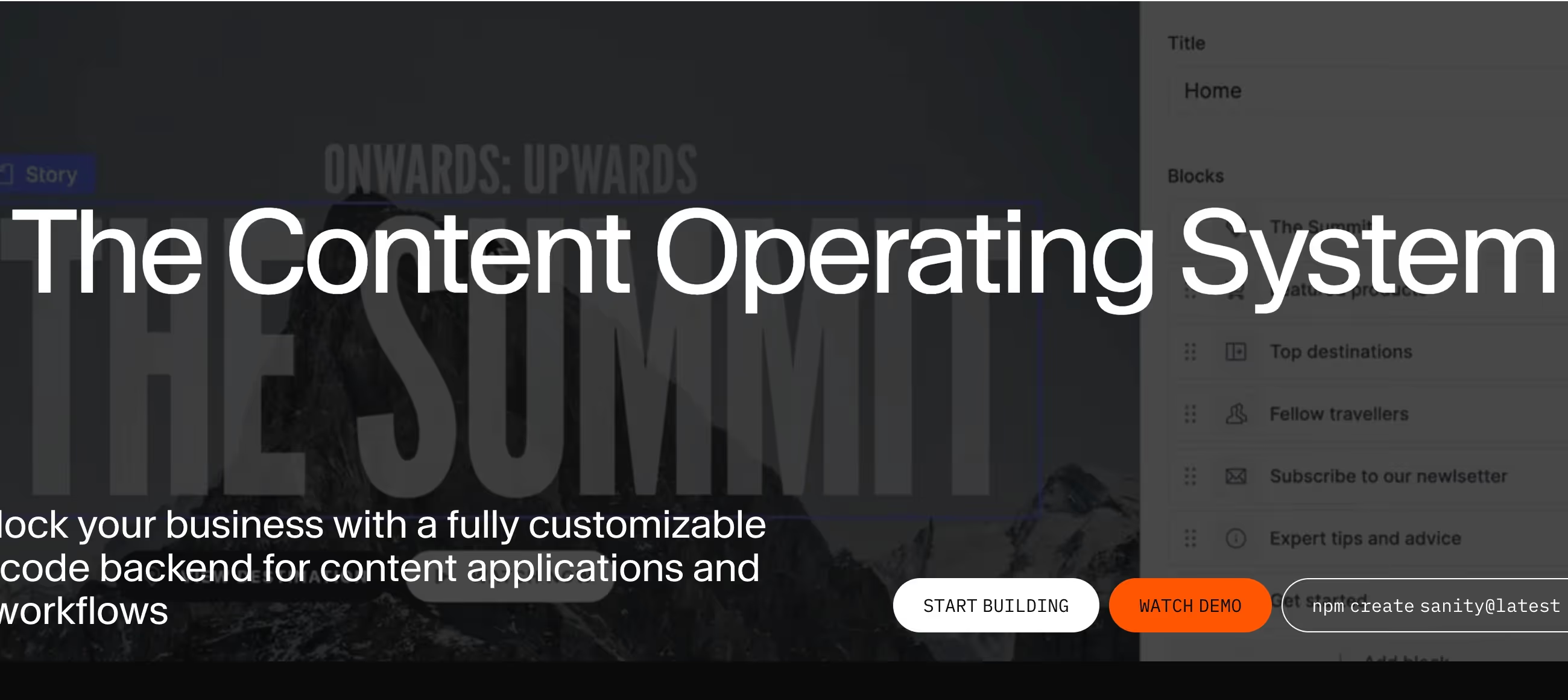
The platform has grown to serve thousands of organizations, and in its 2025 Spring Release, Sanity rebranded from "headless CMS" to "Content Operating System" — adding Canvas (AI-assisted writing), Content Agent (AI-powered content operations), Agent Context, and the App SDK for building custom applications on top of the content infrastructure.
Real-Time Collaboration That Actually Works
This is Sanity's most distinctive feature. Multiple editors work on the same document simultaneously with presence indicators showing who's editing what — exactly like Google Docs. Changes appear instantly for all collaborators.
Comments and task management (Growth plan) let teams coordinate within the content itself. No other headless CMS matches this real-time editing experience. For editorial teams that work across time zones or need collaborative review workflows, this alone justifies the platform choice.
Content as Structured Data
Sanity treats content as structured JSON data, not as rendered pages. Portable Text — Sanity's rich text format — stores text as an array of typed blocks rather than raw HTML, which means your content is truly portable: render it as HTML for the web, as native components in a mobile app, or as structured data for an AI pipeline.
This "create once, publish everywhere" approach is what enterprise teams need when content serves websites, apps, kiosks, voice interfaces, and AI channels simultaneously.
The Customizable Studio
Sanity Studio is open-source and built entirely with React. You deploy it as part of your project (or use Sanity's free hosting). Because it's React-based, developers can build custom input components, dashboard widgets, plugins, and entire workflow tools.
This means your editors don't get a generic CMS interface — they get an editorial experience designed specifically for your content model and team workflow. The trade-off is that customization requires React development, which raises the technical bar for setup and maintenance.
The Verdict: Our Assessment
7.8/10 — Sanity delivers the best real-time collaboration of any headless CMS and a genuinely customizable editorial experience through its React-based Studio. The structured content model and GROQ query language give developer teams powerful tools for multi-channel content delivery.
But the pricing structure punishes Growth plan teams that need enterprise features, the learning curve is steep on both sides (developers learning GROQ, editors learning a custom Studio), and the platform still requires significant developer investment to realize its potential.
Criteria | Score | Verdict |
|---|---|---|
Real-Time Collaboration | 10/10 | Best-in-class multiplayer editing — Google Docs-level presence and live sync that no competitor matches |
Developer Experience | 9/10 | Customizable React Studio, GROQ query power, and structured schemas — developers get full control |
Editorial Experience | 7/10 | Highly customizable but depends entirely on developer investment — out-of-the-box is bare |
Content Model Flexibility | 9/10 | Portable Text and structured JSON enable true multi-channel content reuse across any delivery target |
Pricing Transparency | 5/10 | Free plan is generous but Growth add-ons create sticker shock — enterprise features priced at enterprise levels on a self-serve plan |
Ease of Non-Dev Setup | 3/10 | Requires JavaScript/React knowledge for schema definition and Studio customization — no code-free path |
AI Features | 7/10 | Content Agent and Canvas show strong direction — still maturing but ahead of most headless CMS competitors |
⚠ Trade-offs: Best-in-class collaboration and customization at the cost of simplicity and pricing predictability. Sanity rewards teams that invest developer time in Studio customization — and frustrates teams that expect a polished out-of-the-box editorial experience.
✔ Best for: Developer-led teams building with Next.js/React who want real-time collaborative editing, agencies creating custom editorial experiences for clients, and organizations needing structured content across multiple channels.
⚠ Skip if: You don't have React developers. You need SSO without enterprise-level pricing. You want a CMS that works without custom development. You prefer SQL or REST over learning GROQ.
Fit by Business Type
Strongest for developer-led digital teams; weakest for non-technical organizations and budget-constrained teams needing enterprise features.
Strong Fit
✔ Digital agencies building client sites (9/10) — customizable Studio creates tailored editorial experiences per client; real-time collaboration streamlines review workflows.
✔ SaaS marketing teams (8/10) — structured content serves docs, marketing site, and in-app content from one platform; Next.js integration is first-class.
✔ Media and publishing organizations (8/10) — real-time collaboration, Portable Text for multi-channel distribution, and Canvas for AI-assisted editorial workflows.
Moderate Fit
◑ E-commerce brands (6/10) — Shopify and BigCommerce integrations work for content layering, but dedicated commerce CMS features are limited.
◑ Enterprise with compliance needs (6/10) — Enterprise plan covers SSO, audit logs, and SLA, but Growth-to-Enterprise jump requires sales conversations and custom contracts.
◑ Startups on free plan (6/10) — generous 20-seat free tier is excellent for prototyping, but the jump to Growth ($15/seat) with needed add-ons creates budget pressure at scale.
Poor Fit
✗ Non-technical teams (2/10) — schemas require JavaScript, Studio customization needs React, and GROQ adds another learning layer. No viable path without developers.
✗ Small businesses needing websites (1/10) — Sanity manages content APIs, not websites. No themes, no page builder, no hosting for your frontend.
✗ Budget teams needing enterprise features (3/10) — SSO and support add-ons on Growth total $2,198/month before seat costs, pricing most mid-market teams out.
What Users Say: Reviews & Verified Experiences
User ratings: approximately 4.6/5 on G2, 4.7/5 on Capterra. Strong scores that reflect a developer-heavy user base who appreciate what Sanity enables. Gartner Peer Insights reviewers note the platform's flexibility for complex organizational structures.
The review volume is smaller than Contentful or WordPress, consistent with Sanity's developer-focused audience that tends to evaluate platforms through GitHub activity and community forums rather than review sites.
What Users Love
✩ Real-time multiplayer editing: Developers and editors consistently highlight the collaboration experience. One G2 reviewer describes working with their team on a single project simultaneously, calling the workflow "smooth." The Google Docs comparison comes up repeatedly — this is genuinely differentiated (G2).
✩ GROQ query language: Developers who master it describe GROQ as transformative. One Capterra user calls it "a breath of fresh air in comparison to GraphQL and traversing REST APIs." The expressive power for content queries earns passionate advocacy from technical users (Capterra).
✩ Studio customization: The ability to build a custom editorial experience with React components gets consistent praise. One G2 reviewer says "the complete control it gives developers" and "the ability to define content schemas as code and build a fully customized editing experience with React is a game-changer" (G2).
✩ Vercel/deployment integration: Developers describe webhook-triggered revalidation as feeling "completely native." Separate dev and production datasets keep workflows clean. The deployment story with modern frontend frameworks earns specific praise (G2).
Common Complaints
⚠ Steep learning curve: The most consistent complaint across all platforms. One G2 reviewer says "the learning curve at the beginning was steeper than I expected" and notes "spending a fair amount of time piecing things together from community posts." GROQ specifically requires dedicated learning time (G2, Capterra).
⚠ Developer dependency: Multiple reviewers note that Sanity requires coding experience for setup. One G2 user states directly: "You really need to be a developer with coding experience to set it up properly. Unlike WordPress, there are no ready-made themes" (G2).
⚠ Documentation gaps: While basic documentation is praised, advanced use cases are less covered. One developer describes "spending a fair amount of time piecing things together from community posts and examples" for complex implementations (G2).
⚠ Cost at scale: A Capterra reviewer notes migrating from Contentful to Sanity partly over cost — but then acknowledges "the overall legacy stack ended up being more complex than necessary." Sanity's add-on pricing for enterprise features on Growth plans surprises teams accustomed to those being bundled (Capterra, G2).
Review Pattern Analysis
Sanity's reviews split cleanly between developers who love the platform and non-developers who find it inaccessible. A 20-year CMS veteran called it the "easiest CMS I have worked in" while another user said "this one was much harder for me to utilize" compared to Contentful.
This polarization tells you Sanity is precisely calibrated for a technical audience — and uncomfortable for everyone else.
What Sanity Users Typically Achieve
Your Content Team Will Actually Collaborate
The real-time editing isn't a gimmick — editorial teams describe it as transforming their workflow. Multiple editors working on the same article, seeing each other's cursors, leaving contextual comments, and assigning tasks within the content itself.
For organizations where content goes through multiple hands before publishing, this collaboration layer eliminates the email chains, version conflicts, and "who has the latest draft?" confusion that plagues traditional CMS workflows.
Your Content Will Work Everywhere
Portable Text and structured content modeling mean you define content once and deliver it to any channel. The same product description serves your website, your mobile app, your email campaigns, and your AI chatbot — formatted appropriately for each without manual reformatting.
Organizations running multi-channel content operations describe this as the primary reason they chose Sanity over page-oriented CMS platforms that lock content into web-specific formats.
Your Editors Will Get a Custom Experience
Because Studio is React-based and fully customizable, your editors don't use a generic CMS interface — they get one designed for your specific content model.
Custom input components, branded dashboards, workflow-specific tools, and field-level help text create an editorial experience that matches how your team actually works. This investment in editorial UX is what separates successful Sanity implementations from frustrating ones.
Where You'll Hit Ceilings
⚠ The pricing ceiling arrives when your team needs enterprise features on a Growth budget. SSO, dedicated support, extra datasets, and increased quotas add thousands to your monthly bill before you factor in per-seat costs. The complexity ceiling hits when developers build sophisticated Studio customizations that require ongoing maintenance — custom components need updates when Sanity releases new Studio versions. And the talent ceiling emerges because GROQ is proprietary: finding developers who already know it is harder than finding GraphQL or REST developers, adding ramp-up time to every new hire.
💡 Start on the free plan and build a proof-of-concept before committing to Growth. Invest in Studio customization that matches your editors' actual workflow — a well-configured Studio dramatically reduces the "Sanity is hard to use" complaints.
Learn GROQ properly through Sanity Learn's free courses rather than guessing from documentation snippets. And model your total cost at 12 months including add-ons before comparing Sanity to Contentful or Strapi — the headline per-seat price tells only part of the story.
3 Critical Mistakes to Avoid
Mistake #1: Comparing Only the Per-Seat Price
A team evaluates Sanity Growth at $15/seat versus Contentful at $300/month and picks Sanity as the obvious budget choice. Then they need SSO ($1,399/month), dedicated support ($799/month), and an extra dataset for staging ($999/month).
Their 10-person team now costs $3,347/month — more than Contentful's Team plan with those features included. The per-seat headline price obscured the total cost of ownership.
⚠ The Fix: List every feature your team requires — SSO, support level, dataset count, document limits, bandwidth — and price the complete package on Growth before deciding. Compare that total against Contentful, Strapi Cloud, or other options. If you need SSO and support, jump straight to Enterprise negotiations where these features are bundled. The Growth plan with add-ons is often the worst value tier for teams with real organizational requirements.
Mistake #2: Shipping a Bare Studio to Content Editors
Developers define content schemas, deploy the default Studio, and tell editors "start publishing." Editors open the interface and face raw field names (hero_banner_v2, cta_block_primary), no help text, no visual preview context, and a GROQ-powered reference selector they don't understand.
They describe the experience as "harder than Contentful" and push for a platform switch — not because Sanity can't deliver a great experience, but because no one invested in making it great for them.
⚠ The Fix: Budget developer time specifically for Studio customization before launch — not after complaints arrive. Rename fields to match editor vocabulary. Add description text to every field explaining what it controls and where it appears on the frontend. Build custom preview components so editors see visual context. Configure the Studio structure to show only what each role needs. The customizability is Sanity's greatest strength, but only if you actually use it.
Mistake #3: Building on Free Plan Without Planning the Growth Jump
A startup launches on Sanity's generous free tier — 20 seats, 10K documents, 100GB assets. The project grows, they add editors and content, and suddenly they need private datasets, scheduled drafts, and more than two roles.
The jump to Growth means $15/seat/month for every user, plus pay-as-you-go overages. A 15-person team goes from $0 to $225/month overnight, and that's before any add-ons. Teams that didn't budget for this describe the transition as jarring.
⚠ The Fix: Model your Growth plan costs at your projected team size before building on Free. Sanity offers a startup program with one year of free Growth access — apply before launching if you qualify. Use the Free plan's limitations as constraints that force good content architecture decisions (you'll need them anyway). And track your document count and API usage early so the transition to paid isn't a surprise when you hit free tier limits.
Frequently asked questions
Is Sanity free to use?
Yes — the Free plan includes 20 user seats, 10K documents, 100GB assets, 100GB bandwidth, and 1M API CDN requests per month with no time limit. You get two public datasets, real-time editing, visual editing, and Content Agent access. The main limitations are two roles only (Admin and Viewer), no private datasets, and 3-day revision history. Most small projects can run indefinitely on Free.
How does Sanity compare to Contentful?
Sanity offers better real-time collaboration (multiplayer editing), a more customizable editor (React-based Studio vs Contentful's fixed interface), and GROQ for powerful content queries. Contentful has a more mature ecosystem, a polished out-of-the-box editorial experience, and includes features like SSO at lower price tiers. Choose Sanity for editorial customization and collaboration; choose Contentful for enterprise maturity and a gentler learning curve.
What is GROQ and do I have to learn it?
GROQ (Graph-Relational Object Queries) is Sanity's purpose-built query language for content. It's more concise than GraphQL for typical CMS operations. You don't have to use it — Sanity also supports GraphQL — but GROQ is more powerful for complex content queries. Most developers need a few days to become productive with GROQ. Sanity Learn offers free courses.
Can non-developers use Sanity?
For content editing — yes, once the Studio is configured by a developer. Editors create, edit, collaborate on, and publish content through the web-based Studio without code. For everything else — schema definition, Studio customization, deployment, frontend development — you need developers with JavaScript and React experience.
How much does Sanity actually cost for a team?
A 10-person team on Growth pays $150/month in seat fees. Add SSO ($1,399/month) and dedicated support ($799/month) and you're at $2,348/month. Without those add-ons, Growth costs stay reasonable. Enterprise bundles SSO, support, and custom quotas at negotiated pricing. Always model the total with add-ons before committing — the per-seat price alone is misleading.
Does Sanity handle localization and multilingual content?
Yes — unlimited locales on all plans at no extra charge, including Free. Content fields can be configured as translatable, and Sanity's structured approach makes content translation workflows straightforward. Third-party translation integrations (Smartling, Transifex) connect through the plugin ecosystem for professional translation management.