Is Reply.io Right for You?
A solo operator running a data-driven acquisition engine says Reply.io lets him "consistently run thousands of personalized touches per month, track engagement, and book qualified conversations — without needing SDR headcount or burning my sending reputation."
A sales team praises it as "one of the most efficient sales engagement platforms we've used," specifically calling out the multichannel sequences and AI personalization. On the flip side, multiple reviewers note the interface can feel overwhelming with so many features packed in, and the LinkedIn automation relies on a Chrome extension that introduces compliance risks with LinkedIn's terms of service.
We scored it 7.8/10: the multichannel conditional sequencing is genuinely powerful at this price point, the built-in data eliminates the need for a separate prospecting tool, the AI capabilities are practical rather than gimmicky, and the deliverability suite (inbox rotation, warmup, SPF/DKIM/DMARC checks) protects your sending reputation.
But the learning curve is real, LinkedIn automation carries account restriction risk, and per-user pricing adds up fast for growing teams.
⚠ Main limitation: The learning curve is steeper than simpler tools — maximizing the platform requires familiarity with multichannel outreach strategy. LinkedIn automation depends on a Chrome extension, which introduces compliance risks and potential account restrictions. Per-user pricing ($49-89/user) scales fast for larger teams. And while the contact database is large, data accuracy varies — you'll still want to verify emails before high-stakes campaigns.
✔ Get it if: You want data + outreach in one subscription instead of separate tools, you run multichannel sequences across three or more channels, you need AI-powered personalization at scale, or you're an agency needing client-separated outreach with dedicated mailboxes.
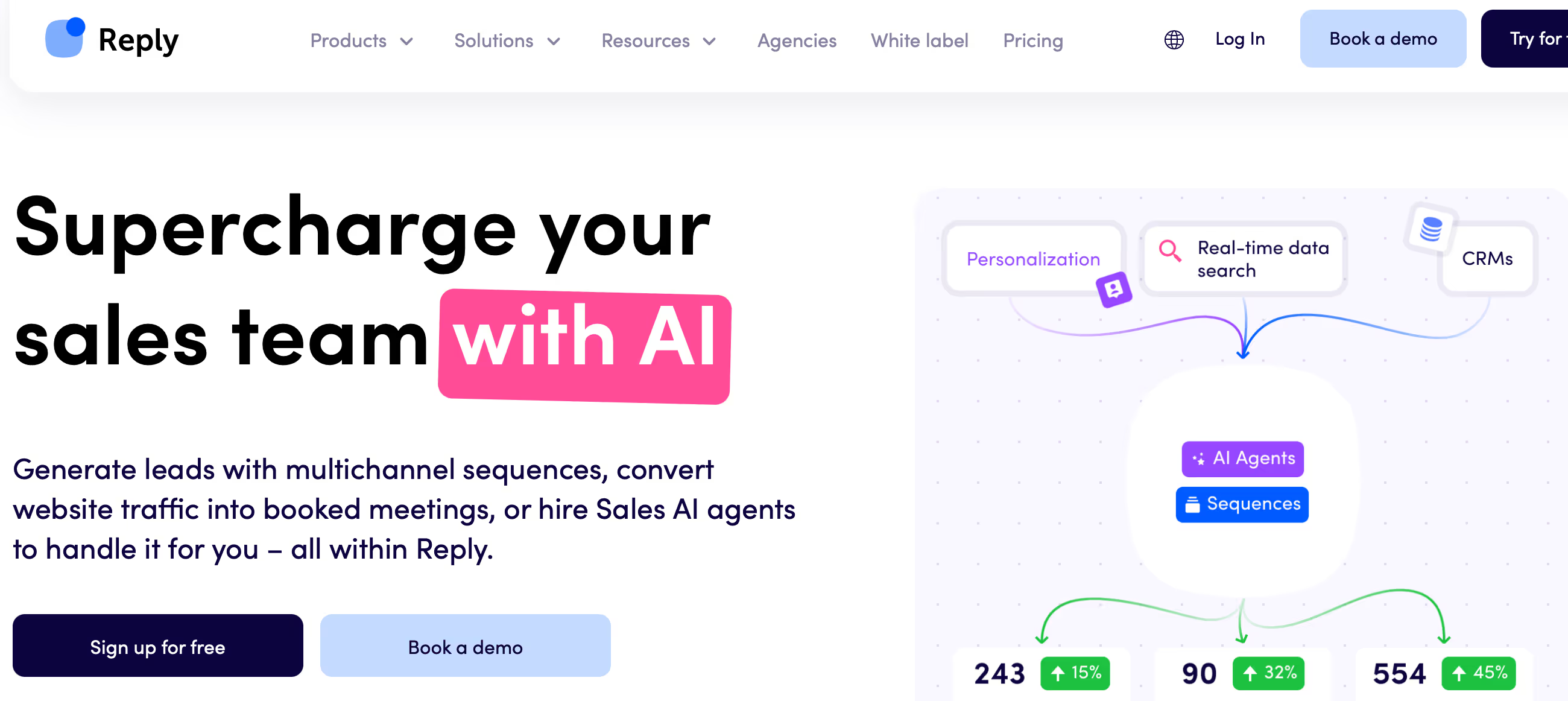
AI-powered multichannel sales engagement platform.
You're an SDR team that wants data and multichannel outreach in one platform. You need conditional sequences that branch based on prospect behavior across email, LinkedIn, and calls.
You only need email finding without outreach tools (use Hunter.io or Findymail), you want the simplest possible cold email setup (use Instantly or Smartlead), you're a solo operator who finds the interface overwhelming (simpler tools exist)…
Why Reply.io?
Most sales teams piece together their outbound stack from three or four separate tools: a data provider for contacts, an email platform for sequences, a LinkedIn tool for social selling, and maybe a dialer for calls.
Each subscription costs money, each integration needs maintenance, and the data flows between them are never as clean as the sales pages promise. Reply.io's pitch is straightforward: put all of that in one platform. And unlike most tools that claim "all-in-one" but only do email well, Reply.io actually executes across five channels.
Multichannel That Actually Works
The conditional sequencing is where Reply.io earns its reputation. Build a workflow where step one is an email, step two is a LinkedIn connection request if they don't reply, step three is a phone call if they accept the connection but don't respond to the message, and step four is an SMS follow-up.
Each branch triggers based on prospect behavior — opens, clicks, replies, connection accepts. No other platform at this price point offers five-channel conditional logic with A/B testing across all message types. For teams that have moved beyond email-only outreach, this orchestration capability is the core selling point.
Jason AI: The Autonomous SDR
Jason is Reply.io's AI sales development agent — it finds prospects matching your ICP, writes personalized outreach, sends messages, handles replies, and books meetings. It runs on multiple AI models (Claude, GPT, Gemini), supports 50+ languages, and operates in two modes: Autopilot (fully autonomous) or Copilot (human approval before sending).
At $299/month for 1,000 active contacts, it's positioned as a cheaper alternative to hiring a junior SDR. The practical value depends on your tolerance for AI-driven outreach — some teams love the hands-off approach, others find the messages need too much human editing to be effective.
The Verdict: Our Assessment
7.8/10 — Reply.io is the multichannel sales engagement platform that actually delivers on the "all-in-one" promise. Data, email, LinkedIn, calls, SMS, WhatsApp, AI personalization, and deliverability protection in a single subscription — at a price point that undercuts enterprise alternatives like Outreach and SalesLoft by a significant margin.
The conditional sequencing across five channels is genuinely differentiated, and Jason AI represents a real attempt at autonomous SDR capability. The trade-off is complexity: this isn't a tool you set up in an afternoon. Teams that invest the learning time get a powerful outbound engine. Teams that don't will underuse a platform they're overpaying for.
Criteria | Score | Verdict |
|---|---|---|
Multichannel Outreach | 9/10 | Five-channel conditional sequencing with behavioral branching — no competitor at this price point matches the orchestration depth |
Built-In Data | 7/10 | 1B+ contacts across 150+ countries eliminates the need for a separate data tool; accuracy varies but volume is strong |
AI Capabilities | 8/10 | Jason AI agent, email drafting, sequence optimization, and 50+ language support — practical AI that saves real time |
Deliverability | 8/10 | Inbox rotation, warmup, SPF/DKIM/DMARC checks, and custom tracking domains protect sender reputation properly |
Ease of Use | 5/10 | Feature-rich but overwhelming for new users — the learning curve is the most common complaint across review platforms |
Value at Scale | 6/10 | Per-user pricing works for small teams but a 10-person SDR team at $89/user costs $890/month before add-ons |
⚠ Trade-offs: Maximum channel coverage and AI capability at the cost of simplicity and per-user economics. Reply.io rewards teams who invest in learning it.
Fit by Business Type
Strongest for multichannel SDR teams and agencies; weakest for solo operators wanting simplicity or large teams watching per-seat costs.
Strong Fit
✔ SDR teams running multichannel outbound (9/10) — the five-channel conditional sequencing is built for teams that prospect across email, LinkedIn, and phone simultaneously.
✔ Lead generation agencies (9/10) — manage multiple client campaigns with dedicated inboxes, separate sequences, and per-client reporting from one platform.
✔ Startup founders doing their own outreach (7/10) — Jason AI handles prospecting-to-booking autonomously, letting founders focus on closing rather than top-of-funnel.
Moderate Fit
◑ Mid-sized sales teams 10-20 people (6/10) — the platform capability is strong but per-user pricing at $89/user means $890-1,780/month before add-ons; compare against volume-based pricing alternatives.
◑ Recruiters sourcing candidates (5/10) — LinkedIn and email sequencing works for recruitment outreach, but the platform is sales-optimized and lacks ATS integration.
Poor Fit
✗ Teams needing only email finding (3/10) — Reply.io is an engagement platform, not just a data tool; Hunter.io or Findymail are simpler and cheaper for pure email discovery.
✗ Solo operators wanting simplicity (3/10) — the interface overwhelms users who just want to send cold emails; Instantly or Smartlead are dramatically easier to start with.
✗ Enterprise sales ops (4/10) — Outreach and SalesLoft offer deeper CRM integration, deal intelligence, and revenue analytics that enterprise workflows require.
What Users Say: Reviews & Verified Experiences
User ratings: 4.6/5 on G2 (1,500+ reviews), G2 Leader status, named to G2's Top 50 Sales Products. Gartner Peer Insights reviewers highlight the multichannel capability and AI features. The review volume and consistency are strong — Reply.io has built genuine user loyalty among outbound-focused teams.
What Users Love
✩ Multichannel efficiency: Users praise "the variety of options for outreach — email, LinkedIn connect, message, WhatsApp text, and even calls" combined with scheduling and daily sending volume that saves hours of manual work (G2, Gartner).
✩ AI personalization at scale: Teams report the AI helps them "scale without losing the human touch" — generating personalized messages that don't read like templates, with A/B testing to optimize results (G2).
✩ Customer support: "Consistently fast and very friendly" is a recurring theme, with in-app chat response times under 15 minutes during operating hours (G2, Reply.io).
Common Complaints
⚠ Interface complexity: "The interface can feel a little overwhelming for new users since there are so many features packed in" — the most frequent criticism across all review platforms (G2, Gartner).
⚠ LinkedIn automation risks: The Chrome extension "doesn't work perfectly sometimes and must be reloaded," and LinkedIn campaigns need improvement around cookie sessions and daily limits (Salesforge, Botdog reviews).
⚠ Pricing at scale: Multiple reviewers note that "compared to the services you get, Reply.io is on the pricey side" — especially for teams adding users at $89/user/month (Lemlist comparison).
What Reply.io Users Typically Achieve
Your Outreach Stack Shrinks to One Tool
The most immediate win: canceling two or three separate subscriptions. Teams that were paying for a data provider, an email sequencing tool, and a LinkedIn automation platform consolidate everything into Reply.io.
The dollar savings matter, but the workflow simplification matters more — no more exporting contacts from one tool, importing into another, and hoping the data syncs correctly. One platform, one contact list, one sequence that spans every channel.
Prospects Get Reached Where They Actually Respond
Some people respond to emails. Others ignore emails but reply to LinkedIn messages. Some only pick up the phone. Reply.io's conditional sequences adapt to each prospect's behavior automatically. A user who opens your email but doesn't reply gets a LinkedIn touch next.
One who doesn't open at all gets an SMS. Teams describe this as the shift from "hoping someone reads my email" to "finding the channel that works for each person." The reply rates from multichannel sequences consistently outperform single-channel campaigns.
The AI Actually Saves Real Time
Jason AI isn't a gimmick — teams using Autopilot mode describe it handling the entire prospecting-to-booking workflow while they focus on closing. A solo operator reports running "thousands of personalized touches per month" without SDR headcount.
The AI drafts messages, suggests improvements, handles initial replies, and schedules meetings. It's not perfect — human review improves quality — but in Copilot mode where you approve before sending, the time savings from AI-generated first drafts compound across hundreds of prospects.
💡 Start with the Professional plan for multichannel — Starter limits you to email only, which misses Reply.io's biggest advantage. Set conservative LinkedIn daily limits (15-20 connection requests) to avoid account restrictions.
Use the deliverability suite from day one: set up inbox rotation, enable warmup, and configure custom tracking domains before sending your first campaign. And give yourself two weeks to learn the platform before judging it — the complexity that feels overwhelming at first becomes power once you understand the workflow.
3 Critical Mistakes to Avoid
Mistake #1: Starting on Starter When You Need Multichannel
A sales team signs up for the Starter plan ($49/user) to save money. They set up email sequences and get decent results, but realize they can't add LinkedIn, calls, or SMS steps because multichannel is locked behind Professional ($89/user).
They've spent weeks building email-only workflows that now need to be rebuilt as multichannel sequences. The "savings" cost them a month of optimized outreach.
⚠ The Fix: If your outreach strategy involves more than email, start on Professional from day one. The $40/user difference unlocks the conditional multichannel sequencing that makes Reply.io worth choosing over simpler tools. If you only need email, you probably don't need Reply.io at all — Instantly or Smartlead handle email-only outreach at lower cost with easier setup.
Mistake #2: Running LinkedIn Automation at Full Speed
An SDR enables LinkedIn automation and sets aggressive daily limits — 50+ connection requests, dozens of messages. Within two weeks, LinkedIn restricts their account.
Their professional network, saved leads, and messaging history are frozen. The short-term outreach volume isn't worth the risk of losing a LinkedIn account you've spent years building.
⚠ The Fix: Start with 15-20 LinkedIn connection requests per day maximum. Warm up gradually over weeks, not days. Use Copilot mode to review LinkedIn messages before they send. And never run LinkedIn automation on an account you can't afford to lose — some teams create secondary LinkedIn profiles specifically for automated outreach, keeping their primary professional network safe.
Mistake #3: Skipping Deliverability Setup
A team connects their Gmail accounts, loads 5,000 contacts, and starts blasting sequences immediately. Within days, their emails land in spam. Open rates crater.
The domain gets flagged. They blame Reply.io when the real problem was skipping the deliverability infrastructure that Reply.io specifically provides to prevent this exact situation.
⚠ The Fix: Before sending a single outreach email, complete the full deliverability checklist: configure SPF, DKIM, and DMARC records. Set up a custom tracking domain. Enable inbox warmup and let it run for 2-3 weeks. Use inbox rotation across multiple mailboxes. Start with low daily sending volume (20-30 emails) and increase gradually. Reply.io gives you every tool needed to protect deliverability — but you have to actually use them.
Frequently asked questions
How much does Reply.io cost?
Free plan with 200 data credits. Starter: $49/user/month (email only, 1 mailbox, 5,000 data credits). Professional: $89/user/month (multichannel, 5 mailboxes, 10,000 data credits). AI SDR Jason: $299/month (1,000 active contacts, autonomous prospecting-to-booking). AI Chat: free-$50/month for inbound chatbots. LinkedIn add-on: $69/account/month on email-only plans. 14-day free trial on paid plans.
How does Reply.io compare to Outreach and SalesLoft?
Reply.io is more affordable and offers broader channel coverage (five channels vs. primarily email and phone). Outreach and SalesLoft offer deeper CRM integration, deal intelligence, revenue analytics, and enterprise-grade support. Choose Reply.io for multichannel outreach at mid-market pricing. Choose Outreach or SalesLoft for enterprise sales operations needing advanced pipeline analytics and coaching features.
Is Reply.io safe for LinkedIn automation?
Reply.io's LinkedIn automation uses a Chrome extension that technically violates LinkedIn's terms of service, as all LinkedIn automation tools do. Reply.io simplified their connection process in late 2025 to reduce restriction risk. Best practices: use conservative daily limits (15-20 requests), warm up gradually, and consider using a secondary LinkedIn account for automated outreach.
What is Jason AI?
Jason is Reply.io's autonomous AI SDR agent. It finds prospects matching your ICP, writes personalized messages, sends outreach across channels, handles initial replies, and books meetings. It runs on multiple AI models (Claude, GPT, Gemini), supports 50+ languages, and works in Autopilot (fully autonomous) or Copilot (human approval) mode. Available at $299/month for 1,000 active contacts.
Does Reply.io include a contact database?
Yes — 1B+ B2B contacts across 60M+ companies in 150+ countries, with 220M+ US contacts. Filter by job title, industry, company size, tech stack, intent signals, hiring activity, and more. Data credits come with each plan (200 free, 5,000 Starter, 10,000 Professional). This eliminates the need for a separate data provider for most teams, though specialized tools may offer higher accuracy for specific use cases.
Can I use Reply.io for email only?
Yes — the Starter plan ($49/user/month) is email-only with 1 mailbox and basic automation. But if you only need email outreach, Reply.io may be overbuilt and overpriced for your needs. Tools like Instantly ($30/month for unlimited accounts) or Smartlead handle email-only cold outreach at lower cost with simpler setup. Reply.io's value is in multichannel — that's where the Professional plan justifies its pricing.