Is Phantombuster Right for You?
A lead gen agency uses Phantombuster to scrape 5,000 LinkedIn Sales Navigator profiles every week, enrich them with email addresses, and push the results straight into their CRM — all automated, running in the cloud while the team focuses on closing deals.
On the other hand, a sales rep set up LinkedIn automation too aggressively, sent 100 connection requests in a single morning, and got his account restricted for a week. His sales manager was not impressed.
We scored it 7.2/10: it's the most versatile automation platform available for scraping and automating across social platforms, and the cloud-based approach means your workflows run even when your laptop is closed.
But the power comes with real risk if you don't respect platform limits, and the pricing — a combination of execution hours, Phantom slots, and enrichment credits — takes some figuring out.
⚠ Main limitation: Automating actions on platforms like LinkedIn carries real account restriction risk if you push too hard or too fast. The pricing model — slots, hours, and credits as three separate dimensions — confuses new users. And Phantombuster scrapes real-time data rather than maintaining a database, so you're getting fresh but unverified information that needs cleaning.
✔ Get it if: You need multi-platform data extraction that goes beyond LinkedIn, you want cloud automation that runs without your browser open, or you're comfortable managing platform limits to avoid account restrictions.
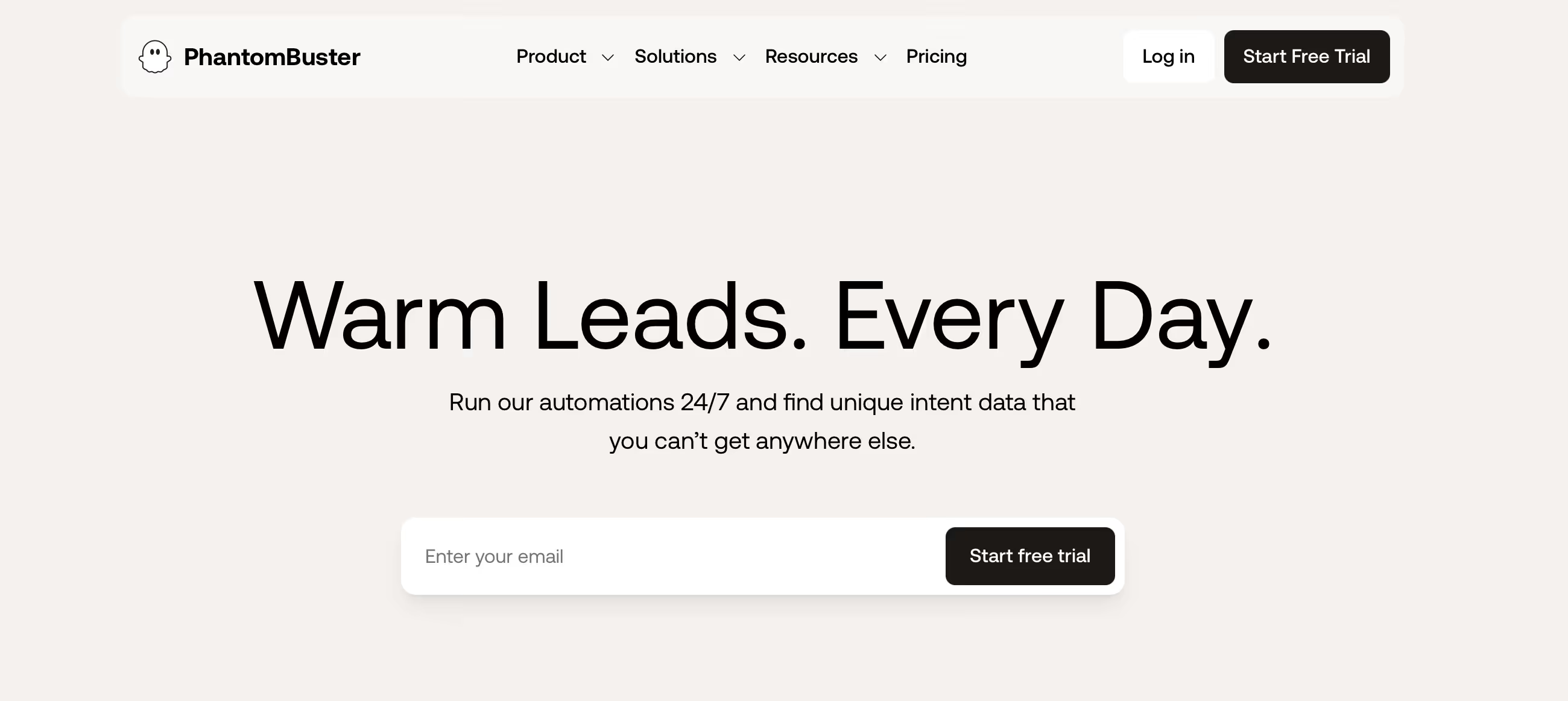
Cloud-based data extraction and social media automation platform. Per-workspace pricing (not per-user). 150+ Phantoms covering LinkedIn, Sales Navigator, Instagram, Twitter, Facebook, Google Maps, and more. 14-day free trial.
You need to extract data from social platforms at scale without manual copy-paste. You're a growth team or agency that builds lead lists from LinkedIn, Instagram, or Google Maps regularly.
You only need LinkedIn outreach (dedicated LinkedIn tools are safer and simpler), you want verified contact data from a curated database (use Apollo or Cognism instead)…
Why Phantombuster?
Phantombuster launched in 2016 in Paris, and the problem it solves hasn't changed: extracting data from websites and social platforms is tedious, repetitive, and time-consuming.
Manually copying prospect information from LinkedIn profiles, scraping Google Maps for local business data, or building follower lists from Instagram — these tasks eat hours that should go toward selling. Phantombuster automates all of them from the cloud.
150+ Automations Across 15+ Platforms
This is what separates Phantombuster from LinkedIn-only tools. The Phantom library covers LinkedIn, Sales Navigator, Instagram, Twitter/X, Facebook, Google Maps, YouTube, GitHub, Yellow Pages, and more.
Each platform has dedicated automations: scrape profiles, extract followers, pull business listings, collect engagement data. For teams that prospect across multiple channels — not just LinkedIn — this breadth is the entire value proposition. A single platform handles what would otherwise require five or six separate scrapers.
Cloud-Based, Always Running
Unlike browser-extension tools that need your laptop open and your browser running, Phantombuster executes in the cloud. Schedule your automations to run at specific times, in specific windows that mimic human behavior patterns, and the platform handles the rest while you're in meetings, sleeping, or on vacation.
For agencies running automations for multiple clients across time zones, this cloud architecture is what makes the operation scalable.
No Code Required
Each Phantom comes pre-built with a configuration interface — provide a LinkedIn search URL or a list of profile URLs, set your parameters, and launch. Users describe setting up a Phantom in under five minutes.
You chain Phantoms into Workflows for multi-step sequences: scrape profiles → find emails → send connection requests → follow up with messages. The visual workflow builder keeps this accessible to non-technical users, though complex chains do require some planning to get right.
The Verdict: Our Assessment
7.2/10 — Phantombuster is the automation platform you reach for when you need data from platforms that don't want to give it to you. The 150+ Phantom library across 15+ platforms is unmatched for multi-channel scraping, and the cloud execution model keeps your workflows running without babysitting.
But automation at this level comes with trade-offs: platform risk, pricing complexity, and the reality that scraped data always needs cleaning before it's truly useful.
Criteria | Score | Verdict |
|---|---|---|
Platform Coverage | 10/10 | No other tool matches the breadth — LinkedIn, Instagram, Twitter, Google Maps, Facebook, YouTube, and more from one platform |
Cloud Execution | 9/10 | Runs while your laptop is closed — schedule automations across time zones without keeping a browser open |
Workflow Builder | 7/10 | Chaining Phantoms into multi-step sequences creates genuine end-to-end pipelines — though complex chains require planning |
Account Safety | 4/10 | Cloud-based session sharing is more detectable than local tools — aggressive use triggers restrictions on LinkedIn and other platforms |
Pricing Clarity | 4/10 | Slots, hours, and credits as three separate dimensions make cost prediction challenging for new users |
Data Accuracy | 5/10 | Real-time scraping means fresh but unverified data — expect to clean and verify before using in outreach campaigns |
⚠ Trade-offs: You're getting the broadest automation platform available at the cost of account safety risk and data that needs verification. Phantombuster is powerful in the right hands — and dangerous in careless ones.
Fit by Business Type
Strongest for agencies and growth teams doing multi-platform prospecting; weakest for risk-averse teams and those needing verified data.
Strong Fit
✔ Lead generation agencies (9/10) — multi-client, multi-platform scraping from one workspace with per-workspace pricing that doesn't multiply per user.
✔ Growth teams and hackers (8/10) — the breadth of automations across 15+ platforms enables creative prospecting workflows that single-platform tools can't match.
✔ Recruiters sourcing candidates (7/10) — LinkedIn and Sales Navigator scraping builds candidate pipelines faster than manual searching.
Moderate Fit
◑ Sales teams doing LinkedIn-only outreach (5/10) — works but dedicated LinkedIn tools offer better safety profiles; Phantombuster's value is in multi-platform breadth, not single-platform depth.
◑ Local businesses prospecting via Google Maps (5/10) — the Maps scraper is useful but you're paying for a platform with 150+ features to use just one.
Poor Fit
✗ Risk-averse teams (3/10) — if getting a LinkedIn account restricted would cause real business damage, the automation risk isn't worth it.
✗ Teams needing verified contact data (3/10) — Phantombuster scrapes real-time info, not curated databases; if you need guaranteed accuracy, use a data provider instead.
What Users Say: Reviews & Verified Experiences
User ratings: 4.4/5 on G2 with 70% five-star reviews. Used by 2.5 million users running 270,000+ automations daily. The platform earns praise for versatility and ease of setup while complaints cluster around pricing, occasional breakdowns when platforms update, and the ever-present risk of account restrictions.
What Users Love
✩ Versatility: "Their LinkedIn APIs are amazing, and they keep coming out with great APIs for other platforms that empower marketers" — the multi-platform coverage is consistently cited as the primary reason users choose Phantombuster over single-platform alternatives (GetApp).
✩ Speed to value: Users describe configuring a Phantom "in less than 5 minutes" and extracting data "within a pair of minutes in the form of an Excel file" — the no-code setup delivers results fast for non-technical users (Capterra, Derrick review).
✩ Cloud convenience: "Overall, this app is pretty incredible — it has so many useful features that it's easy to lose a couple hours just playing around with them" captures the discovery experience of exploring the Phantom library (Capterra).
Common Complaints
⚠ Cost vs. value: "Very good tool for social media automation — easy to use, complete. The only problem is that it is too expensive" and "extremely expensive — very difficult to make it profitable" reflect the tension between capability and pricing (Capterra).
⚠ Phantom reliability: Users report "Phantoms falling down often" when platforms update their interfaces, requiring reconfiguration — a recurring maintenance cost that eats into the time savings (Capterra).
⚠ Account risk: "Some users reported account bans, especially if automation runs aggressively" — the risk is real and the consequences (losing a LinkedIn account you've built for years) are severe (Software Finder, HeyReach review).
What Phantombuster Users Typically Achieve
Manual Research Becomes a Background Process
The shift users describe first: tasks that used to consume entire mornings — building prospect lists from LinkedIn searches, collecting business data from Google Maps, extracting follower lists from competitor Instagram accounts — now happen automatically while they do other work.
A recruiter who spent two hours daily searching Sales Navigator now schedules the scrape overnight and wakes up to a fresh spreadsheet of candidates. That time reclaimed is the immediate ROI, and it compounds every day the automations run.
Your Prospecting Expands Beyond LinkedIn
Most sales teams prospect on LinkedIn because that's where the tools are. Phantombuster opens doors to platforms others ignore. Scrape Google Maps for local business leads. Extract engaged followers from a competitor's Instagram. Pull attendee data from industry events on Twitter.
Build a list of companies from Crunchbase or Product Hunt. The teams that get creative with the Phantom library discover prospecting channels their competitors haven't touched — and untapped channels mean less competition for attention.
You'll Develop a Healthy Respect for Platform Limits
⚠ Every Phantombuster user learns this lesson, some the easy way and some the hard way: automation power without restraint leads to account restrictions. The users who succeed long-term are the ones who internalize the pacing — 20-30 LinkedIn connection requests per day (not per hour), actions spread across business hours, gradual warm-up periods for new accounts. Phantombuster gives you the gas pedal; you have to learn where the speed limit is and stay under it.
💡 Start with the 14-day free trial and test one specific use case before committing. Use separate, non-critical accounts for aggressive automations — never automate on a LinkedIn profile you can't afford to lose.
Set conservative daily limits and increase gradually over weeks. And always verify the scraped data through an email verification service before using it in outreach — fresh doesn't mean accurate.
3 Critical Mistakes to Avoid
Mistake #1: Running LinkedIn Automation at Full Speed on Day One
A sales rep sets up the LinkedIn Auto-Connect Phantom, loads 2,000 profiles, and sends 100 connection requests in a single morning. By afternoon, LinkedIn has restricted his account.
His connections, messages, and search capabilities are frozen for a week. The prospects he was trying to reach now see a restricted profile — not exactly the first impression he was going for.
⚠ The Fix: Treat new automations like warming up a cold email domain — start low and build gradually. Begin with 10-15 connection requests per day for the first week, then increase to 20-30 over the following weeks. Spread actions across business hours using Phantombuster's scheduling. Never push past 50 daily requests regardless of how tempting the volume is. And use a secondary LinkedIn account for testing before running automations on your primary professional profile.
Mistake #2: Ignoring the Three-Metric Pricing Until the Bill Arrives
A marketing manager signs up for the Starter plan thinking $69/month covers everything. She runs several Phantoms simultaneously and exhausts her 5 slots. She adds more complex workflows that consume her 20 execution hours halfway through the month.
And she burns through enrichment credits trying to find emails for every scraped profile. Upgrading to Pro ($159) happens within the first billing cycle — the "affordable" plan was never going to work for her actual usage.
⚠ The Fix: Before choosing a plan, map out what you need across all three dimensions: how many Phantoms you'll run simultaneously (slots), how long your automations need to execute monthly (hours), and how many emails you'll need to find (credits). If you're running more than 3-4 active automations with regular scheduling, you need Pro at minimum. The Starter plan works for occasional, single-purpose scraping — not for ongoing multi-step workflows.
Mistake #3: Using Scraped Data Directly in Cold Outreach
A team scrapes 3,000 LinkedIn profiles, pulls whatever email addresses Phantombuster can find, and loads the entire list into their cold email tool without verification.
The result: bounced emails from outdated addresses, messages sent to people who've changed jobs since the scrape, and some emails flagged as spam because the scraped data included catch-all domains that inflated their bounce rate. Their sender reputation takes weeks to recover.
⚠ The Fix: Scraped data is a starting point, not a finished list. Always run extracted emails through a verification service before outreach. Cross-reference job titles and companies against current LinkedIn profiles if you're targeting specific roles. And enrich the data through a dedicated provider like Findymail or Hunter.io for higher accuracy than Phantombuster's built-in email finding. The scraping saves you hours of manual research — but the verification step is what makes the data actually usable.
Frequently asked questions
How much does Phantombuster cost?
Starter: $69/month ($56 annual) — 20 execution hours, 5 Phantom slots, 500 enrichment credits. Pro: $159/month ($128 annual) — 80 hours, 15 slots, 2,500 credits. Team: $439/month ($352 annual) — 300 hours, 50 slots, 10,000 credits. Per-workspace pricing supports up to 100 LinkedIn accounts. 14-day free trial with 2 hours and 5 slots. Annual billing saves ~20%.
Is Phantombuster safe for LinkedIn?
It carries real risk. Phantombuster uses cloud-based browser automation that shares your LinkedIn session cookie — which is more detectable than local browser tools. Aggressive automation triggers account restrictions. Stay safe by limiting connection requests to 20-30 per day, spreading actions across business hours, warming up gradually, and never automating on an account you can't afford to lose.
What's the difference between Phantoms and Workflows?
Phantoms are single-task automations — one Phantom does one job (scrape profiles, extract followers, send messages). Workflows chain multiple Phantoms together into multi-step sequences where each step feeds its output into the next. Think of Phantoms as individual tools and Workflows as the assembly line that connects them.
Does Phantombuster find email addresses?
Yes, through the Professional Email Finder Phantom — but it queries external enrichment providers using credits from your plan rather than maintaining its own database. Accuracy varies by profile. For higher find rates and better accuracy, use dedicated email finders like Findymail or Hunter.io and treat Phantombuster's email finding as a convenience feature, not your primary source.
What platforms does Phantombuster support?
LinkedIn, LinkedIn Sales Navigator, Instagram, Twitter/X, Facebook, Google Maps, YouTube, GitHub, Yellow Pages, Reddit, Product Hunt, Crunchbase, and more — 15+ platforms with 150+ individual Phantoms. The library covers data extraction, profile scraping, automated engagement (follows, likes, messages), and lead enrichment across all supported platforms.
Can I try Phantombuster for free?
Yes — the 14-day free trial includes 2 execution hours and 5 Phantom slots. That's enough to test one specific use case (like scraping a LinkedIn search) but not enough to evaluate complex multi-step workflows. No credit card required to start.