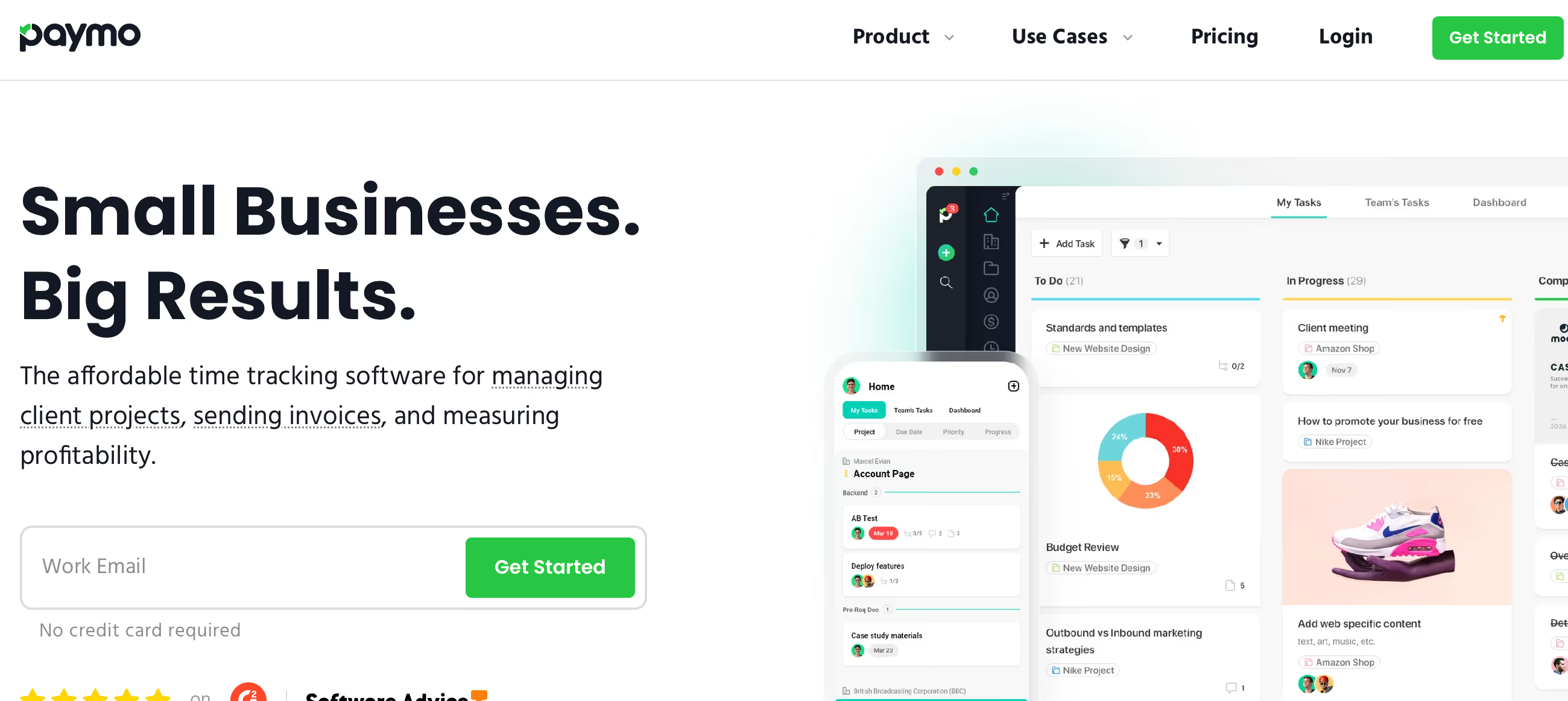
Is Paymo Right for You?
A ten-year user says Paymo has "a beautiful and intuitive interface, and the team supporting it is top-notch" — praising the development team for being invested in valuable upgrades and calling it "probably the least buggy tool my team uses."
On the other hand, a project manager notes that "many small functionalities with the task tracking lack my needs" and that requests to change those aspects "have gone unanswered" — suggesting the platform prioritizes time tracking over PM depth.
We scored it 7.6/10: the time tracking is genuinely best-in-class for a PM tool (desktop widget, automatic tracking, multiple billable rates, and seamless invoice generation from logged hours), the pricing is among the most affordable in the category, the Gantt charts and resource scheduling provide real planning capability, and the development team is unusually responsive to user feedback.
But Paymo's task management lacks depth compared to dedicated PM tools, collaboration features are limited, the mobile app trails the desktop experience, and the platform is best suited for small, time-billing-focused teams rather than complex organizational workflows.
⚠ Main limitation: Paymo is a time-tracking tool with project management, not the other way around. Task management lacks advanced features — limited subtask depth, basic collaboration tools, and task filtering that can slow down retrieval in complex projects. The mobile app lacks several desktop features. Gantt charts and dependencies require Small Office ($10.90/user). Resource scheduling requires Business ($16.90/user). And the platform is designed for teams of up to 20 — larger organizations will outgrow it.
✔ Get it if: Time tracking accuracy is critical for your billing (the desktop widget captures hours you'd otherwise lose), you need invoices generated directly from tracked time with one click, you manage multiple client projects on a small team, you want affordable PM with Gantt charts and resource views for under $17/user, or you're a nonprofit (50% discount available).
Project management with integrated time tracking and invoicing. API access on all paid plans. 15-day free trial. 50% discount for nonprofits.
You bill clients by the hour and need time tracking that flows directly into invoices without manual data entry. You're a freelancer or small team (2-20 people) managing multiple client projects simultaneously.
You need advanced task management with deep collaboration features (use Asana or ClickUp), you manage teams larger than 20 people, you need enterprise security features like SSO and audit logs (use Wrike)…
Why Paymo?
For service businesses that bill by the hour, the accuracy gap between "I think I worked about 6 hours on that" and "I tracked 7 hours and 23 minutes across 4 tasks" is the difference between undercharging and getting paid what you're worth.
Most PM tools add time tracking as a checkbox feature — a timer you forget to start, a manual entry you fill in at the end of the week from memory. Paymo builds the entire experience around making time capture effortless and turning that captured time into money.
Time Tracking That Actually Captures Everything
The desktop widget sits quietly on your screen and tracks which applications and websites you use throughout the day. At the end of the day, review the auto-tracked activity and assign time blocks to projects and tasks.
The macOS app is particularly praised — one user says they'll "never again be without a time tracking app like Paymo" because they've "recaptured so many lost billable hours." Start/stop timers attach to specific tasks. Manual entries cover meetings and offline work. The result: a complete picture of where your time actually goes, not where you think it goes.
Time Becomes Revenue in One Click
Tracked hours flow directly into invoice creation. Select a date range, choose which tracked time to include, and Paymo populates an invoice with line items, hours, rates, and totals. One user describes the process as reducing client billing from "30 hours to a minute."
You can include detailed time notes for transparency or summarize entries for cleaner invoices. The connection between tracking and billing isn't just a feature — it's the core workflow that makes Paymo worth choosing over alternatives where time and billing live in separate systems.
A Development Team That Listens
Multiple long-term users highlight the development team's responsiveness. Feature requests get acknowledged, community discussions influence the roadmap, and updates ship regularly with meaningful improvements.
One ten-year user describes seeing "many of my requests come to fruition" with features that are "always well-thought-out and smoothly integrated into the whole." For a smaller platform, this active development cycle provides confidence that the tool will keep improving rather than stagnating.
The Verdict: Our Assessment
7.6/10 — Paymo is the best PM tool for small teams where time tracking accuracy directly impacts revenue. The desktop widget, multiple tracking methods, and one-click invoice generation from tracked hours create a workflow that purpose-built time trackers like Toggl can't match (because they lack PM) and that larger PM platforms can't match (because their time tracking is an afterthought). At $5.90-16.90/user/month, it's among the most affordable options in the category, and the responsive development team provides confidence in the platform's trajectory.
But Paymo is a small tool for small teams — the task management, collaboration, and integration capabilities don't compete with larger platforms, and organizations that need enterprise features, advanced automation, or deep team collaboration should look elsewhere.
Criteria | Score | Verdict |
|---|---|---|
Time Tracking | 10/10 | Best-in-class for a PM tool — desktop widget, auto-tracking, multiple methods, billable rates, and seamless invoice generation from logged hours |
Time-to-Invoice Flow | 9/10 | One-click invoice creation from tracked hours with detailed line items — the core workflow that justifies choosing Paymo |
Affordability | 9/10 | Among the cheapest PM tools with meaningful features — Starter at $5.90/user includes unlimited projects; 50% nonprofit discount available |
Project Planning | 7/10 | Gantt charts, dependencies, and resource scheduling cover real planning needs — though gated behind mid-tier and top-tier plans |
Task Management | 5/10 | Covers basics but lacks advanced features — limited subtasks, basic collaboration, and filtering that frustrates power users managing complex projects |
Collaboration | 5/10 | Task comments, file sharing, and guest access work but no native chat, document editing, or whiteboards — basic compared to team-focused platforms |
Scalability | 4/10 | Designed for teams up to 20 — no enterprise features, limited integrations, and basic security make it unsuitable for larger organizations |
⚠ Trade-offs: Best time-to-invoice workflow in PM at the most affordable pricing, but limited task management depth, collaboration, and scalability.
Fit by Business Type
Strongest for small service teams billing by the hour; weakest for large organizations and teams prioritizing collaboration over time tracking.
Strong Fit
✔ Freelancers who bill hourly (9/10) — the time tracking captures hours you'd otherwise lose, and one-click invoicing turns that data directly into revenue.
✔ Small creative and marketing agencies (8/10) — multiple client projects with time-based billing, file proofing for deliverable review, and resource scheduling for capacity planning on Business tier.
✔ Consultancies 2-15 people (8/10) — the Small Office plan at $10.90/user provides Gantt charts, expense tracking, and budget monitoring that consulting teams need without enterprise-level complexity.
Moderate Fit
◑ Web development shops (6/10) — project planning and time tracking serve the billing workflow well, but task management depth and developer-specific features (sprint planning, code integration) are limited.
◑ Growing agencies 15-20 people (5/10) — approaching Paymo's designed team-size limit; resource scheduling on Business helps, but larger teams will need more scalable platforms.
Poor Fit
✗ Enterprise and large teams (2/10) — no SSO, no audit logs, no enterprise security, limited integrations, and a 20-person design ceiling make Paymo unsuitable for organizational scale.
✗ Teams prioritizing collaboration (3/10) — if team communication and document collaboration matter more than time tracking accuracy, platforms like ClickUp or Notion serve better.
✗ Non-billable internal teams (3/10) — the time-to-invoice workflow is Paymo's core value; internal teams without billing needs get a basic task manager at prices competitive with but not better than alternatives.
What Users Say: Reviews & Verified Experiences
User ratings: 4.4/5 on G2, 4.7/5 on Capterra, 4.5/5 on GetApp. Strong ratings with an enthusiastic user base, particularly among long-term users who've stuck with the platform for years. The most frequent use case cited by reviewers is time tracking (71%), which confirms Paymo's positioning as a time-tracking-first PM tool.
What Users Love
✩ Time tracking excellence: A macOS user says they'll "never again be without a time tracking app like Paymo" because they've "recaptured so many lost billable hours" using the desktop widget (GetApp).
✩ Invoicing simplicity: A long-term user describes how "Paymo makes it a breeze to track my time and then invoice my clients — with one click, all the time I've entered is populated in my invoice" with options to include summary notes (Software Advice).
✩ Development team responsiveness: A ten-year user highlights that "there's an active community that discusses and requests features" and "the development team is very responsive — I've seen many of my requests come to fruition" (SoftwareSuggest).
✩ Value and stability: Users describe Paymo as providing "good value for the money" with a platform that's "constantly improving" through new features, upgrades, and interface changes — one reviewer calls it "the least buggy tool my team uses" (Capterra, SoftwareSuggest).
Common Complaints
⚠ Task management limitations: A project manager notes "many small functionalities with the task tracking lack my needs" and requests for improvements "have gone unanswered" — the PM side trails the time tracking side in depth (Capterra).
⚠ Mobile app gaps: Users consistently note the mobile app "could be more intuitive" and "navigating certain features feels slightly clunky compared to the desktop version" — a common small-platform limitation (Software Advice, Capterra).
⚠ Client onboarding friction: One reviewer notes "clients did not always get the tool instantly" though recent UX updates may have improved this — suggesting the client-facing experience isn't as polished as the internal workflow (Capterra).
⚠ Learning curve for full features: Users acknowledge that the platform "has a lot of features" that "require good knowledge of what's the best way to use the tool" — recommending teams "assign someone to create a team workflow" for effective adoption (Capterra).
What Paymo Users Typically Achieve
You'll Recover Lost Billable Hours
The desktop auto-tracking widget is the feature users didn't know they needed. It quietly monitors which applications and websites you use, then lets you review and assign time blocks at the end of the day.
Users consistently describe discovering that they were undercharging clients by 15-25% because manual time entry missed context switches, quick email responses, and research time. The difference between "I think I worked 6 hours" and "I actually worked 7.5 hours" across a month of client work adds up to meaningful revenue.
Invoicing Stops Being a Separate Job
When tracked time flows directly into invoices, billing becomes part of the project workflow instead of a dreaded end-of-month task. Users describe moving from hours of manual invoice preparation to minutes of review and approval.
Budget threshold notifications tell you when a project is approaching its limit before you overshoot, giving you time to discuss additional scope with clients proactively rather than discovering overruns after the work is done.
Project Visibility Improves for Everyone
Gantt charts show timeline-based planning with dependencies. Resource scheduling reveals who's available for new work. Time reports shared with clients provide transparency that builds trust.
For small teams that previously managed work through spreadsheets and memory, the structured visibility into who's doing what, how long it's taking, and whether you're on budget transforms how confidently you run your operation.
Where You'll Hit Ceilings
⚠ The team ceiling hits around 20 people — Paymo isn't built for organizational complexity beyond that scale. The collaboration ceiling hits when you need real-time team communication, document co-editing, or whiteboard brainstorming that modern platforms include natively. And the feature ceiling hits when task management needs advanced dependencies, automation, or custom workflows that larger platforms like Monday.com or Asana provide.
💡 Install the desktop widget immediately — it's the feature that captures the most value by recovering time you'd otherwise forget to log. Set up billable rates per user and per project before starting client work so your financial data is accurate from day one.
Use the budget threshold notifications to alert you when projects approach their time limits. And share time reports with clients regularly — the transparency builds trust and prevents invoice disputes.
3 Critical Mistakes to Avoid
Mistake #1: Choosing Paymo for Project Management Alone
A 10-person marketing team evaluates Paymo against Monday.com and Asana, attracted by the lower per-user pricing. They sign up on Small Office ($10.90/user) and start managing campaigns.
Within a month, they find the task management too basic for their needs — limited collaboration, basic filtering, and a communication structure that feels scattered. They migrate to Monday.com at higher cost, losing weeks of setup time and team momentum.
⚠ The Fix: Choose Paymo when time tracking and billing are your primary needs and project management is secondary. If your team's main requirement is task collaboration, team communication, and workflow management without time-based billing, dedicated PM tools like Asana, Monday.com, or ClickUp will serve you better. Paymo's value proposition centers on the time-to-invoice workflow — if that isn't your core pain point, it's the wrong tool.
Mistake #2: Staying on the Free Plan Too Long
A freelancer uses Paymo's free plan for months, working within the 10-project and 5-client limits by archiving old projects to make room for new ones.
They adapt their workflow around the restrictions instead of investing $5.90/month in Starter for unlimited projects and clients. The workarounds waste time, create disorganization, and prevent them from seeing the full picture of their business across all active engagements.
⚠ The Fix: The free plan is for evaluation, not production use. At $5.90/month (annual) or $9.90/month (monthly), the Starter plan removes project and client limits while adding templates, Calendar and Kanban views, and guest access. The cost of a single recaptured billable hour pays for months of Starter. Treat the free plan as a trial, not a long-term strategy — the limitations cost more in lost productivity than the subscription saves.
Mistake #3: Not Using the Desktop Widget
A consultant tracks time manually, entering hours at the end of each day from memory. They consistently underestimate time spent on email correspondence, research, and context-switching between client projects.
Their invoices reflect 5-6 hours of billable work per day when the actual number is closer to 7-8 — meaning they're giving away 20-30% of their working time for free every month.
⚠ The Fix: Install the Paymo desktop widget on day one. Let it run in the background while you work. At the end of each day, spend 5 minutes reviewing the auto-tracked activity and assigning time blocks to the correct projects. The widget captures the micro-tasks and transitions that manual tracking misses — and for hourly billers, those captured minutes compound into significant revenue over a month. This single habit is the difference between "Paymo is fine" and "Paymo pays for itself ten times over."
Frequently asked questions
Is Paymo good for larger teams?
Paymo is designed for small teams of up to 20 people. The Business plan at $16.90/user adds resource scheduling and portfolio views that serve this size well. Teams larger than 20 will find the platform's task management, collaboration, and security features insufficient compared to enterprise-ready tools like Wrike, Monday.com, or Asana. Paymo's strength is focused depth for small teams, not organizational scale.
How does Paymo compare to Toggl + a PM tool?
Toggl offers deeper standalone time tracking with more analytics and team insights. But pairing Toggl with a separate PM tool means two subscriptions, two interfaces, and manual data transfer for invoicing. Paymo combines both in one platform where tracked time flows directly into invoices. If time tracking is your primary need with basic PM secondary, Paymo is more efficient. If you need advanced time analytics OR advanced PM, separate best-in-class tools may serve better.
Does Paymo have a free plan?
Yes. The free plan includes unlimited users, 10 projects, 5 clients, time tracking, invoicing, and 1GB storage. It's more capable than many PM free plans but has meaningful limitations — the project and client caps make it a trial rather than a production tool. The 15-day free trial on paid plans gives full access to all features for a proper evaluation.
What integrations does Paymo support?
Google Calendar, Google Drive, Slack, QuickBooks Online, Xero, Zapier, and Stripe. API access is available on all paid plans for custom integrations. The ecosystem is modest compared to larger platforms — no Salesforce, Jira, Adobe, or Microsoft Teams native connections. Zapier extends connectivity to thousands of apps, but teams with complex integration needs may find the options limiting.
Can I use Paymo for client invoicing?
Yes — this is Paymo's core strength. Track time against projects and tasks, then generate invoices directly from logged hours with one click. Set multiple billable rates per user, project, or task type. Include detailed time notes or summarized entries. Set up recurring invoices for retainer clients. Accept online payments via Stripe integration. Expense tracking on Small Office and above adds project costs to billing.
Does Paymo offer discounts?
50% discount for nonprofit organizations — among the most generous nonprofit discounts in PM tools. Annual billing saves approximately two months compared to monthly pricing. The free plan provides a permanent option for minimal use, and the 15-day free trial on paid plans requires no credit card commitment.