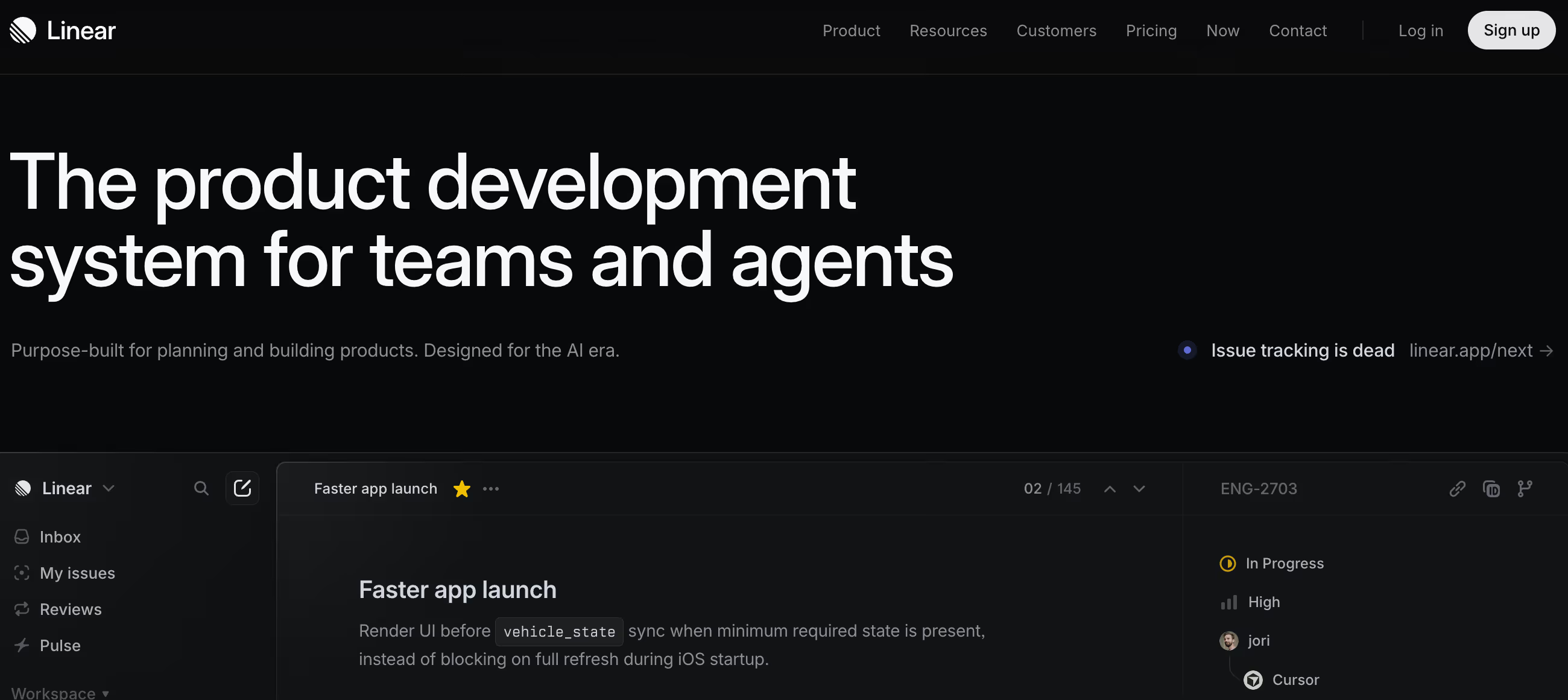
Is Linear Right for You?
An engineering team migrated from Jira and within a week stopped talking about their project management tool — not because they forgot about it, but because Linear stopped getting in the way. Issues created in seconds with keyboard shortcuts, GitHub PRs linked automatically, sprint cycles running without configuration overhead.
The tool disappeared into the workflow.
On the other hand, a marketing team adopted Linear expecting Monday.com-style flexibility and found a tool that didn't have time tracking, offered limited customization, and assumed everyone thought in terms of issues, cycles, and roadmaps — the engineering vocabulary built into Linear's DNA didn't translate to their creative workflow.
We scored it 8.8/10: it's the best project management tool for software development teams — faster, cleaner, and more focused than anything else in the category.
But it's purpose-built for how product teams work, and teams outside that context will find it rigid where they need flexibility. If you build software, Linear is likely the answer. If you don't, it likely isn't.
GitHub, GitLab, Slack, and Figma integrations. Cycles (sprints), Projects, Initiatives, and Roadmaps. AI-powered issue creation and search. Powers 10,000+ teams including OpenAI, Ramp, CashApp.
⚠ Main limitation: Linear is deliberately focused on software development workflows — teams outside engineering, product, and design will find limited customization for non-standard workflows. No native time tracking (a common request). No mobile app for on-the-go management (desktop and web only). And the same focus that makes it fast for developers makes it rigid for teams that need the visual boards, custom fields, and workflow flexibility that tools like Monday.com or ClickUp provide.
✔ Get it if: You're a software team that values speed and clarity over configuration options, you want GitHub/GitLab integration that actually works seamlessly, or you're migrating from Jira and want to keep the structure without the bloat.
Issue tracking and project management platform for software teams. Keyboard-first design with sub-50ms interactions.
Your team builds software and wants issue tracking that's as fast as your IDE. You're tired of Jira's configuration overhead and want something that works out of the box.
You need project management for non-engineering teams (use Monday.com or Asana), you require native time tracking (use ClickUp or Harvest), you want extensive customization for unique workflows (use Notion or Coda)…
Why Linear?
Linear was born from frustration. Its founders — former product leaders at Uber and Coinbase — built software at companies that used Jira and found the tool actively slowing them down.
Configuration took longer than doing the actual work. Pages loaded slowly. The interface assumed you had an admin dedicated to maintaining it.
So they built the opposite: a project management tool where every interaction completes in under 50 milliseconds, where keyboard shortcuts replace mouse-clicking through menus, and where the default setup works without configuration.
Speed as a Feature
Linear's speed isn't marketing — it's the core architectural decision everything else builds on. Every interaction is designed to complete in under 50ms with real-time sync keeping all team members updated instantly.
Creating an issue takes seconds with keyboard shortcuts. Moving through your board, changing priorities, assigning work — it all happens faster than the thought that triggered it. For developers who spend their days in fast tools (VS Code, terminal, GitHub), Linear matches their expectations. Jira doesn't.
Opinionated by Design
Most PM tools try to serve everyone: marketing teams, sales operations, HR workflows, event planning. Linear serves software teams — and only software teams. Issues are the fundamental unit of work. Cycles are time-boxed sprints. Projects group related work. Initiatives coordinate strategic efforts across teams.
Roadmaps visualize what's coming. This opinionated structure means you don't configure Linear to match how you work — Linear already matches how software teams work. The trade-off: if your workflow doesn't fit this structure, Linear won't bend to accommodate you.
The Anti-Jira Movement
10,000+ product teams have adopted Linear, including OpenAI, Ramp, and CashApp — companies where engineering velocity is a competitive advantage. The common thread: teams that tried Jira, found it required too much overhead, and wanted something that "doesn't feel like I have to work around the tool."
Linear's growth is driven by developer word-of-mouth, not enterprise sales — engineers who used it at one company bring it to the next. That organic adoption pattern is the strongest signal that the product delivers on its promise.
The Verdict: Our Assessment
8.8/10 — Linear is what happens when you build project management for one audience and refuse to compromise for anyone else. For software development teams, it's the fastest, cleanest, most enjoyable PM tool available — the kind of tool engineers actually want to open.
The keyboard-first design, sub-50ms performance, and opinionated workflow create an experience that Jira can't match regardless of configuration. The trade-off is intentional narrowness: if you're not building software, Linear isn't for you, and that's by design.
Criteria | Score | Verdict |
|---|---|---|
Speed | 10/10 | Sub-50ms interactions with real-time sync — the fastest PM tool available, matching the speed developers expect from their other tools |
Developer Experience | 10/10 | Keyboard-first design, GitHub/GitLab integration, and developer-native workflows make it the PM tool engineers actually enjoy |
Design and Clarity | 10/10 | Clean, minimalist interface that reduces cognitive load — you see what matters without drowning in configuration options |
Out-of-Box Workflow | 9/10 | Default setup works immediately for software teams without admin configuration — the opposite of Jira's setup overhead |
Customization | 5/10 | Opinionated structure works perfectly for software teams but offers limited flexibility for non-standard or cross-functional workflows |
Non-Dev Team Fit | 3/10 | Purpose-built for software development — marketing, sales, and operations teams will find the structure too rigid for their needs |
⚠ Trade-offs: The best software team PM at the cost of serving only software teams. Linear is a tool that knows exactly what it is — and exactly what it isn't.
Fit by Business Type
Strongest for software development teams; weakest for non-technical teams and general business use.
Strong Fit
✔ Engineering teams (10/10) — the core audience: issue tracking, sprint management, and GitHub integration at a speed that matches how developers actually work.
✔ Product teams (9/10) — roadmaps, initiatives, and cross-team coordination give product managers strategic visibility while keeping engineering execution tight.
✔ Design teams working with engineers (8/10) — Figma integration and shared issue tracking keep design and development synchronized within the same workspace.
Moderate Fit
◑ Startups with mixed teams (7/10) — works well when the entire company thinks in product terms; struggles when non-technical departments need different workflow structures.
◑ Dev agencies managing client work (6/10) — handles project execution well but lacks time tracking and client-facing features that agency workflows typically require.
Poor Fit
✗ Marketing and creative teams (3/10) — the issue-cycle-project structure doesn't match creative workflows; Monday.com or Asana serves these teams better.
✗ Non-technical project management (3/10) — general PM needs (events, operations, HR processes) require the flexibility Linear deliberately doesn't offer.
✗ Teams needing time tracking (4/10) — no native time tracking is a dealbreaker for teams billing by the hour or tracking resource allocation.
What Users Say: Reviews & Verified Experiences
User ratings: strong across G2 and Capterra with consistent praise for speed and design. Linear generates the kind of user loyalty usually reserved for consumer products — engineers don't just use it, they advocate for it.
The criticism is narrow and predictable: limited customization, no time tracking, no mobile app. The product's constraints are well-understood by its users, which means complaints tend to be wishes rather than frustrations.
What Users Love
✩ Speed and flow: "I love Linear's keyboard-first design; it's not just a shortcut, it's a mindset — I can create, prioritize, and move tasks with a few keystrokes, which keeps my flow intact during deep work" (G2).
✩ Jira replacement: "Jira feels clunky and has far more functions than we actually need. Linear feels more focused on our workflows, and managing it doesn't turn into a whole new workflow on its own" — the most common migration story (G2).
✩ Cross-team visibility: "Team interconnectivity is the most helpful benefit — we can share issues from one project to another and check what the product team is planning in the timeline view" (G2).
Common Complaints
⚠ No time tracking: "Lack of simple time tracking tool" is the single most requested missing feature across reviews — teams billing hours or tracking allocation need external tools (G2, Capterra).
⚠ Limited customization: "Limited customization options may not meet the needs of larger teams or complex workflows" — the opinionated design helps most teams but constrains edge cases (G2).
⚠ Enterprise drift concern: "I'm concerned that it is becoming an enterprise tool which could make it very bloated and slow — we've seen very small examples of this" — the fear that Linear could eventually become the Jira it replaced (G2).
What Linear Users Typically Achieve
Your Team Will Stop Talking About Their PM Tool
The shift engineering teams describe most consistently: project management stops being a topic of conversation. With Jira, teams spend meetings discussing configuration, debating custom fields, and troubleshooting workflows.
With Linear, the tool disappears into the background — issues get created, sprints run, work gets done, and nobody has an opinion about the tool because it stopped requiring opinions.
For engineering leaders, this silence is the best possible signal: your team is focused on building, not on managing the tool that's supposed to help them build.
Your Shipping Velocity Will Increase
When every issue creation takes seconds instead of minutes, when status updates happen with a keystroke instead of a click-through-five-menus flow, when GitHub PRs automatically close linked issues — the friction between deciding to do something and recording that you're doing it compresses to near-zero.
Teams report spending noticeably less time on PM overhead and more time on actual development. The velocity increase isn't from a magic feature; it's from removing the drag that slower tools impose on every interaction, hundreds of times per day.
You'll Need to Solve Time Tracking Separately
⚠ Every team that needs time tracking discovers this gap within the first week. Linear doesn't track how long you spend on issues, which matters for agencies billing clients, teams doing resource planning, or organizations reporting engineering allocation.
The workaround is integrating Toggl, Harvest, or Clockify — functional but annoying because you're adding a tool to a platform whose whole pitch is reducing tools. Accept this gap before adopting Linear rather than hoping they'll add it.
💡 Invest 30 minutes learning the keyboard shortcuts — they're the key to Linear's speed advantage and the reason users describe it as "a mindset, not just shortcuts." Start with the default workflow before customizing — Linear's opinions match most software team patterns out of the box.
Use Initiatives to connect daily sprint work to quarterly goals so leadership has visibility without disrupting engineering flow. And if you're migrating from Jira, do it cleanly — import your active issues but leave the historical baggage behind.
3 Critical Mistakes to Avoid
Mistake #1: Adopting Linear for Non-Engineering Teams
A growing startup buys Linear for the whole company — engineering, marketing, sales, HR, and operations. Engineering loves it. Marketing finds the issue-cycle structure doesn't match campaign workflows.
Sales can't track their pipeline. HR needs forms and approval workflows that don't exist. Four of five departments are frustrated, and the company either forces everyone to use a tool built for engineers or runs two PM tools — defeating the purpose of consolidation.
⚠ The Fix: Linear is for software teams. If you need company-wide PM, use Monday.com, Asana, or ClickUp for the broader organization and Linear specifically for engineering. The integration between Linear and Slack means non-engineering teams can stay informed without needing Linear accounts. Trying to stretch Linear beyond software development creates more friction than it eliminates.
Mistake #2: Recreating Your Jira Configuration in Linear
A team migrating from Jira spends their first two weeks building custom fields, complex workflows, and elaborate label taxonomies — recreating the same configuration overhead that made them leave Jira in the first place.
They've moved their Jira complexity to a simpler tool rather than simplifying their workflow. Linear's default structure was designed to work without this configuration; they're fighting the tool's philosophy instead of adopting it.
⚠ The Fix: Start with Linear's defaults for at least two full cycles (sprints) before adding any customization. The default workflow — Backlog → Todo → In Progress → Done — handles 90% of what software teams need. Add custom fields and labels only when you hit a genuine limitation, not because "we had this in Jira." The simplicity is the feature; preserving it requires discipline against the instinct to replicate your old system.
Mistake #3: Ignoring Keyboard Shortcuts
A developer uses Linear entirely with the mouse — clicking through menus, dragging issues between columns, navigating with scrolling. He finds it "fine but not much better than Jira" and wonders what the hype is about.
His teammate, who learned the keyboard shortcuts in the first hour, creates issues in 3 seconds, navigates between views instantly, and processes his daily workflow in half the time. Same tool, fundamentally different experience based on whether you learn the shortcuts.
⚠ The Fix: Spend 30 minutes learning the core keyboard shortcuts on your first day. Hit "?" in Linear to see the full shortcut list. The essential ones: C (create issue), X (context menu), Cmd+K (command palette for anything), number keys (set priority), and status shortcuts.
The keyboard-first design is the single biggest reason users call Linear transformative — using it with only a mouse is like driving a sports car in first gear. You're technically moving, but you're missing the entire point.
Frequently asked questions
How much does Linear cost?
Free: unlimited issues for individual use. Starter: $10/member/month — team collaboration, 5GB storage, custom templates. Pro: $20/member/month — 50GB storage, priority support, advanced integrations. Enterprise: custom pricing. No free team plan (unlike Jira's free tier for up to 10 users). Pricing is flat per member with no usage-based scaling. Annual billing available.
How does Linear compare to Jira?
Linear is faster (sub-50ms interactions vs Jira's page loads), simpler (works out of the box vs Jira's configuration overhead), and more focused (software teams only vs Jira's everything-for-everyone approach). Jira offers deeper customization, more integrations, a free tier for teams up to 10, and better support for non-engineering workflows. Choose Linear when speed and developer experience matter most. Choose Jira when you need maximum configurability or a free team plan.
Does Linear have time tracking?
No — this is the most frequently requested missing feature. Linear focuses on issue tracking, not time tracking. Teams needing time tracking integrate external tools like Toggl, Harvest, or Clockify. The Linear team has acknowledged the request but prioritizes keeping the core product focused rather than adding features that could slow it down.
Is there a Linear mobile app?
Linear offers iOS and desktop (macOS) apps, plus the web application. There's no Android app currently. The mobile experience is more limited than desktop — complex issue management and board views work best on larger screens. For quick issue creation and status updates, the iOS app and web app handle the basics.
Can non-engineering teams use Linear?
Technically yes, but Linear is purpose-built for software development workflows. Marketing, sales, HR, and operations teams typically find the issue-cycle-project structure too rigid for their needs. These teams are better served by Monday.com, Asana, or ClickUp. Use Linear for engineering and connect to broader company tools via Slack integration for cross-team visibility.
What companies use Linear?
Over 10,000 product teams including OpenAI, Ramp, CashApp, Vercel, Loom, and numerous high-growth startups. Linear's adoption is strongest among engineering-led companies where developer experience is a priority. The platform's growth is primarily driven by engineer word-of-mouth — developers who use it at one company bring it to their next role.