Is Hostinger Right for You?
A long-term user who's hosted blogs, gaming servers, and small stores on Hostinger for four years describes it as an "excellent combination of low pricing, solid performance, and an intuitive experience" — watching it evolve from a basic budget host into something genuinely competitive.
On the other side, a G2 reviewer who moved four WordPress sites to Hostinger's Business plan discovered the marketing hid critical details: only 2 CPU cores and 1.5GB RAM allocated, causing serious performance issues — and support offered nothing but copy-paste answers and links to upgrade.
We scored it 8.0/10: the LiteSpeed servers deliver genuinely fast page loads (0.6s LCP in independent tests), the custom hPanel dashboard is one of the cleanest in hosting, the AI website builder turns a business description into a working site in minutes, and pricing starts at levels that feel almost charitable.
But the intro-to-renewal price jump is among the steepest in hosting (up to 350%), the resource limits on shared plans aren't disclosed upfront, phone support doesn't exist, and the 48-month commitment needed for the best pricing is a serious lock-in.
⚠ Main limitation: The cheapest pricing requires a 48-month upfront commitment, and renewal rates jump 200-350% — the $2.99/month Business plan renews at $13.99-16.99/month. Resource limits (CPU cores, RAM) aren't disclosed on plan pages, so you won't know your actual allocation until you hit performance issues. No phone support at all — live chat and email only.
✔ Get it if: You want the lowest entry price for hosting that actually performs, you're building WordPress sites and want LiteSpeed optimization out of the box, you prefer a modern custom dashboard over cPanel, or you want AI-powered site building tools included with hosting.
Budget-friendly hosting (shared, cloud, VPS) with a custom control panel and AI tools.
You're launching your first website, building a WordPress blog, or running a small business site and want the lowest reasonable entry point without sacrificing performance.
You need phone support, you want transparent resource allocation before you buy, you're uncomfortable with a 4-year commitment for the best pricing, or you're running resource-intensive sites that need dedicated CPU and RAM.
Why Hostinger?
Twenty years ago, Hostinger started giving away hosting for free. The company learned to run lean, build its own tools, and squeeze performance from every dollar of infrastructure.
That DNA shows in everything: hPanel instead of licensing cPanel, LiteSpeed instead of Apache, and AI tools built into the dashboard rather than sold as add-ons. The result is a host where the $2.99/month Business plan includes features that competitors charge $10-15 for.
hPanel: The Dashboard That Makes cPanel Feel Old
Hostinger replaced cPanel with its own custom dashboard, and the difference is immediately noticeable. One-click WordPress installation, visual site management, domain and email administration, and AI tools all live under a clean interface that doesn't assault you with 50 icons on one screen.
For beginners who'd drown in cPanel's density, it's a lifeline. For experienced users who miss cPanel's granular control, the trade-off is real — the custom panel is simpler but less powerful for advanced server management.
LiteSpeed on Every Plan
Where competitors like HostArmada reserve their fastest web server for the top-tier plan, Hostinger runs LiteSpeed across all shared hosting tiers. Combined with NVMe storage on Business and higher, this means WordPress sites load measurably faster than on Apache or even NGINX-based hosts.
Independent benchmarks show TTFB of 131-280ms and page loads under 2 seconds — performance that shouldn't exist at this price point. The companion cache plugin (pre-installed on WordPress) handles page caching, image optimization, and CSS/JS minification automatically.
AI Tools That Actually Work
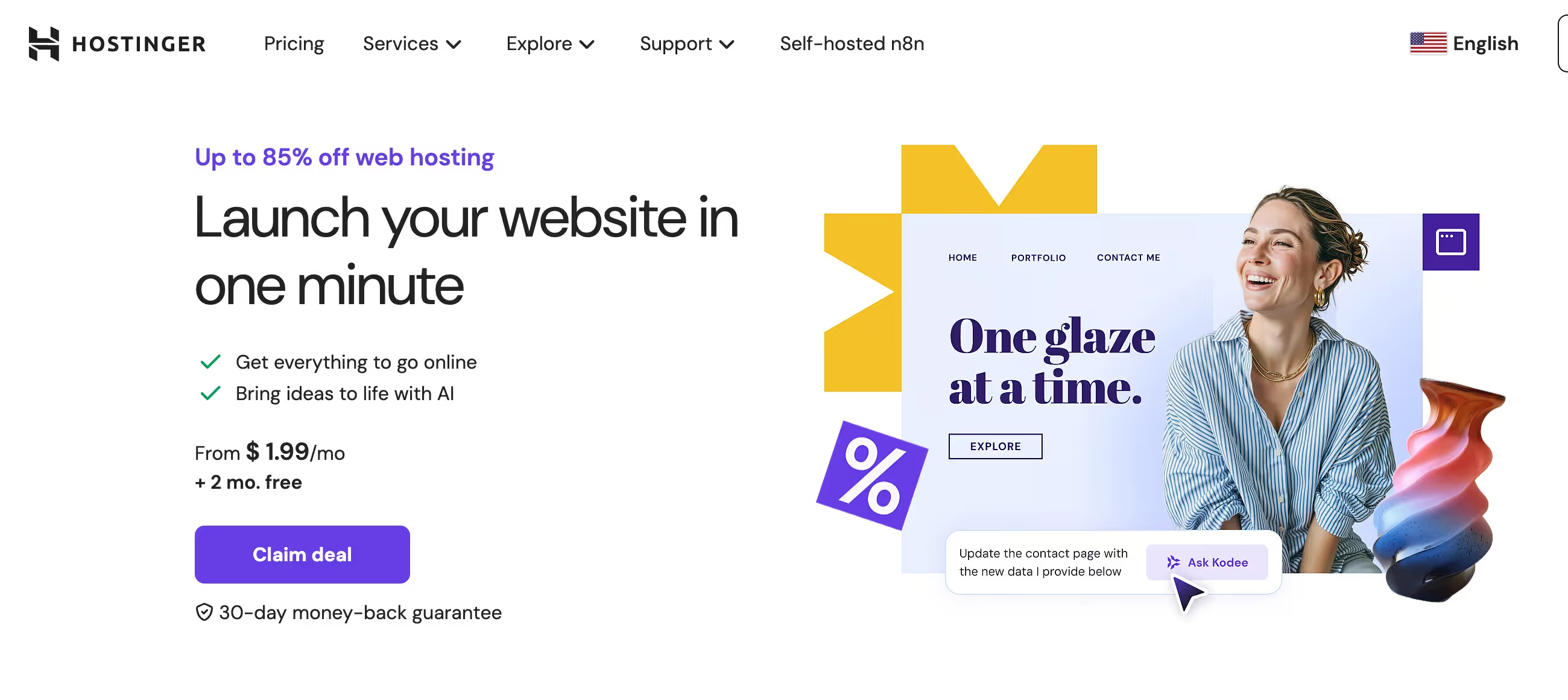
Hostinger's AI suite includes a website builder that generates a complete site from a business description, a WordPress content generator, a troubleshooting assistant (Kodee), and SEO optimization tools.
These aren't marketing gimmicks — the AI builder produces functional sites in minutes that would take hours to build manually. For solopreneurs who need a professional web presence without hiring a developer, this is the most accessible path from "I need a website" to "it's live."
The Verdict: Our Assessment
8.0/10 — Hostinger delivers an almost unfair value proposition at intro pricing: LiteSpeed servers, a modern dashboard, AI tools, and global data centers at prices that start below $3/month. The performance is legitimately good — not "good for the price" but genuinely good, with independent benchmarks confirming fast load times and strong uptime.
The problems are predictable: the renewal pricing is aggressive, the resource limits are hidden, the support is chat-only, and the cheapest plans lack features (daily backups, staging) that should be standard. It's the best budget host in 2026 — as long as you understand that "budget" describes the intro rate, not the long-term cost.
Criteria | Score | Verdict |
|---|---|---|
Value at Intro Pricing | 10/10 | Unmatched feature-to-price ratio at intro rates — LiteSpeed, AI tools, 100 sites, and global data centers at the entry Business rate |
Performance | 8/10 | LCP of 0.6s, TTFB 131-280ms, 99.98% uptime across longitudinal testing — defies budget host expectations |
Dashboard & Ease of Use | 9/10 | hPanel is clean, modern, and beginner-friendly with one-click everything and AI assistance built in |
WordPress Optimization | 8/10 | Speed stack + pre-installed cache + smart updates + vulnerability scanner = WordPress done right at budget pricing |
Renewal Value | 4/10 | 200-350% price jumps at renewal — $2.99 becomes $13.99+, turning a budget choice into a mid-range cost |
Transparency | 4/10 | CPU/RAM specs hidden from plan pages; users discover their actual allocation only when hitting performance walls |
Support | 6/10 | Live chat is fast and generally helpful, but chat-only support with some users reporting scripted responses for complex issues |
⚠ Trade-offs: The intro pricing is genuine value, but the renewal cost resets the economics. Hostinger's sweet spot is the Business plan on a 48-month term — you get four years of strong hosting at a price that's hard to beat, then reassess when renewal hits.
✔ Best for: WordPress beginners who want performance without complexity, small businesses building their first online presence, bloggers managing multiple sites affordably, and anyone willing to trade phone support for dramatically lower hosting costs.
⚠ Skip if: You need transparent resource guarantees before purchasing. You require telephone-based support for critical issues. You're running resource-heavy applications that need disclosed CPU/RAM allocations. You don't want to commit to 48 months for the advertised pricing.
Fit by Business Type
Strongest for beginners, bloggers, and small businesses at intro pricing; weakest for enterprise and resource-intensive applications.
Strong Fit
✔ WordPress bloggers and content creators (9/10) — Server-level speed optimization, pre-installed caching, AI content tools, and up to 100 sites from $2.99/month makes this the best value for WordPress at scale.
✔ First-time website builders (9/10) — hPanel's simplicity, AI site builder, one-click WordPress, and extensive tutorials create the lowest barrier to entry in hosting.
✔ Solopreneurs and freelancers (8/10) — professional email, website builder, multiple sites, and free domain at intro pricing covers core business needs affordably.
Moderate Fit
◑ Small WooCommerce stores (6/10) — the Business plan handles small stores well, but undisclosed CPU/RAM allocations mean you won't know your ceiling until you hit it.
◑ Agencies managing client sites (6/10) — Hostinger Pro offers 100 sites at $23/month but lacks advanced reseller features and cPanel/WHM that agency workflows typically require.
◑ Growing businesses (5/10) — excellent starting point but the renewal pricing and resource opacity create uncertainty; plan your migration path before you outgrow shared hosting.
Poor Fit
✗ Enterprise applications (2/10) — no PCI compliance, no phone support, undisclosed resource limits, and no SLA beyond 99.9% uptime make this unsuitable for mission-critical infrastructure.
✗ High-traffic sites over 100K monthly visitors (3/10) — shared hosting resource limits will throttle performance; Cloud or VPS is necessary but pricing loses the budget advantage.
✗ Developers needing full infrastructure control (3/10) — hPanel lacks cPanel's granular control, no SSH on entry plans, and VPS management tools are basic compared to DigitalOcean or Cloudways.
What Users Say: Reviews & Verified Experiences
User ratings: 4.7/5 on Trustpilot (64,000+ reviews), strong G2 scores with "Ease of Use" as the most-cited positive trait (78 mentions). The volume of reviews is unprecedented for a hosting company — Hostinger has more Trustpilot reviews than most competitors combined.
The sentiment splits cleanly: enthusiastic praise for the dashboard and value, mixed feelings about renewal pricing, and a vocal minority reporting account suspension issues and hidden resource limits.
What Users Love
✩ The dashboard experience: Users consistently describe hPanel as "clean," "intuitive," and "a joy to navigate." Multiple independent reviewers highlight it as the single biggest differentiator from cPanel-based hosts. Long-term users who've tried competitors say the interface alone keeps them on Hostinger (G2, Trustpilot, independent reviews).
✩ Unbeatable intro value: The feature set at the price point generates genuine surprise. Reviewers repeatedly note that LiteSpeed, free domain, SSL, migration, AI builder, and up to 100 sites at $2.99/month "shouldn't exist" at this price. A 4-year reviewer describes it as "the smartest money you can spend on hosting" (independent reviews, Trustpilot).
✩ WordPress performance: Users migrating from Bluehost, GoDaddy, and other budget hosts report measurable speed improvements. A reviewer describes LiteSpeed integration as "a cheat code for passing Core Web Vitals." The pre-installed cache plugin and smart update system earn specific praise for reducing WordPress maintenance (independent benchmarks).
✩ AI tools adoption: The AI website builder and Kodee assistant receive praise from beginners who describe building professional sites "within 2 hours" with no prior experience. Multiple Trustpilot reviews specifically mention AI tools as the deciding factor (Trustpilot, independent reviews).
Common Complaints
⚠ Renewal pricing shock: The most frequent complaint across every review platform. Users who signed up at $1.99-2.99/month describe "sticker shock" when renewal at $7.99-16.99/month arrives. One analysis documented increases of 200-350% across different plans and terms (G2, Trustpilot, independent reviews).
⚠ Hidden resource limits: A G2 reviewer discovered their Business plan had only 2 CPU cores and 1.5GB RAM — specs not mentioned anywhere on the plan page. When performance issues arose, support directed them to upgrade. Multiple users describe this as "bait and switch" (G2, independent reviews).
⚠ Support quality variance: While most reviews praise live chat speed, users with complex technical issues report scripted responses and escalation difficulties. The absence of phone support frustrates users who need real-time troubleshooting for critical issues (G2, Trustpilot).
⚠ Account suspension concerns: A minority of users report aggressive abuse department actions — accounts suspended for alleged phishing without clear evidence, data deleted without warning, and difficulty recovering backups. While these cases represent a small fraction of 29M+ hosted sites, the severity when they occur is significant (Trustpilot, independent reviews).
What Hostinger Users Typically Achieve
Your First Website Will Be Live in Under an Hour
This is Hostinger's strongest user story. Someone who's never built a website signs up, opens hPanel, and either uses the AI builder to generate a complete site from a description or installs WordPress with one click. The dashboard walks them through each step.
Free domain registration, automatic SSL, and the built-in builder mean there's no "next step" that requires a separate purchase or service. From credit card to live website in under 60 minutes — for people who've been procrastinating on getting online, that speed removes every remaining excuse.
You'll Get Better Performance Than Your Friends Paying More
Users who've compared hosting side-by-side with Bluehost, GoDaddy, or other mainstream hosts consistently find Hostinger loads faster. The LiteSpeed advantage is real and measurable — not a benchmark technicality but a visible difference in how quickly pages appear. WordPress admin dashboards feel snappier.
Page transitions are smoother. For site owners who assumed "cheap hosting = slow hosting," Hostinger changes that assumption. The Business plan with NVMe storage and CDN creates a particularly strong speed stack that independent testers confirm outperforms hosts at 3-4x the price.
You'll Manage Multiple Sites Without Multiple Bills
The Business plan hosting up to 100 sites on a single account is a genuine differentiator. Bloggers running multiple niche sites, freelancers maintaining client portfolios, or small businesses managing separate brand sites — all from one dashboard, one login, one bill.
Most competing hosts limit entry plans to 1-5 sites. The ability to run dozens of WordPress installations under one hosting account, each with its own domain, makes Hostinger's per-site economics unmatched.
Where You'll Hit Ceilings
⚠ The resource ceiling hits without warning. Because CPU and RAM limits aren't disclosed, you'll discover your allocation through degraded performance — slow admin dashboards, timeouts during traffic spikes, and background tasks failing. The support response will be "upgrade your plan." The renewal ceiling transforms your budget host into a mid-priced one, and by that point your sites are established and migration feels risky. The support ceiling hits when you need someone to actually troubleshoot a server issue rather than link you to documentation.
💡 Start with the Business plan — the jump from Premium is modest but the daily backups and NVMe storage are worth every cent. Commit to 48 months to maximize time at intro pricing, and set a calendar reminder for month 46 to evaluate renewal vs migration.
Keep your own offsite backups (UpdraftPlus or similar) regardless of what Hostinger provides — you never want your only backup to be on the same provider as your hosting. And if you're running anything business-critical, test your site's performance under realistic load before committing to shared hosting long-term.
3 Critical Mistakes to Avoid
Mistake #1: Choosing Premium Over Business to Save $1/Month
A freelancer building their portfolio picks Premium at $1.99/month instead of Business at $2.99/month. Six months later, their site gets hacked and they discover Premium only has weekly backups — they've lost five days of client work.
They install a caching plugin manually because they don't realize the Business plan's NVMe storage and extra PHP workers would have made it unnecessary. Their site crawls during a traffic spike from a social media mention because they're on SSD instead of NVMe with fewer resources allocated. All to save $12 over the first year.
⚠ The Fix: The Business plan at $2.99/month is the minimum serious plan. Daily backups protect your work. NVMe storage and additional PHP workers deliver measurably faster performance (independent testing shows the Business plan handles loads 8x better). The $1/month difference over 48 months is $48 total — less than the cost of a single freelance hour spent recovering from a backup disaster on the Premium plan.
Mistake #2: Treating the Intro Price as Your Permanent Hosting Cost
A small business owner locks in 48 months at the Business intro rate — $143.52 total for four years. They build their business around this cost assumption. Year five arrives: $16.99/month renewal, $815.52 for the next 48 months. That's a 470% increase from their original bill.
The business can afford it, but the sticker shock creates resentment toward a host that's actually been performing well for four years. They spend hours researching alternatives, migrating to a host that saves them $3/month but costs them a weekend of downtime and stress.
⚠ The Fix: Budget for hosting at the renewal rate from day one. If $13.99-16.99/month for Business hosting feels reasonable for what you're getting (LiteSpeed, 200GB NVMe, daily backups, AI tools, 100 sites), then the intro discount is four years of genuine savings. If the renewal exceeds your tolerance, plan your migration at month 46 — not month 49 when you're scrambling. Some users create a new account at intro pricing and migrate to themselves, effectively resetting the promotional rate.
Mistake #3: Assuming Shared Hosting Can Scale With Your Business
An e-commerce store launches on Hostinger's cheapest Business tier. It works beautifully at 5,000 monthly visitors. At 30,000 visitors, pages slow down during peak hours. At 50,000+, the site experiences timeouts during flash sales.
The owner discovers their plan has only 2 CPU cores and 1.5GB RAM — resources nowhere mentioned on the pricing page. Support suggests Cloud Startup at $6.99/month intro ($19.99 renewal), which helps temporarily, but the store keeps growing and eventually needs VPS or managed hosting that costs 10x the original plan.
⚠ The Fix: Use shared hosting for what it's designed for: small to medium sites with predictable traffic. If your site consistently exceeds 50,000 monthly visitors or handles transactions during traffic spikes, start planning your move to Cloud or VPS before performance degrades. Hostinger's Cloud Startup is a reasonable intermediate step. For sustained growth beyond shared hosting limits, evaluate whether Hostinger's VPS or a purpose-built platform like Cloudways or Kinsta serves your trajectory better — sometimes graduating from your starter host is the healthiest move for your business.
Frequently asked questions
How much does Hostinger cost?
Shared hosting intro pricing (48-month term): Premium $1.99/month (100 sites, 100GB), Business $2.99/month (100 sites, 200GB NVMe, daily backups), Cloud Startup $6.99/month (300 sites, dedicated IP). Renewal rates: Premium ~$7.99, Business ~$13.99-16.99, Cloud ~$19.99. VPS from $5.84/month. Free domain on 12+ month terms. 30-day money-back guarantee. Shortest term available is monthly at significantly higher rates plus a $4.99 setup fee.
Is Hostinger good for WordPress?
Yes — Hostinger is one of the strongest budget WordPress hosts. LiteSpeed servers on all plans, pre-installed cache plugin, smart automatic updates, vulnerability scanner, and one-click staging (Business+). Independent testing confirms fast page loads and strong uptime. The main limitation is undisclosed CPU/RAM on shared plans, which can throttle high-traffic WordPress sites without warning.
How does Hostinger compare to Bluehost?
Hostinger outperforms Bluehost in speed benchmarks (LiteSpeed vs Apache), offers a more modern dashboard (hPanel vs cPanel), and is cheaper at both intro and renewal pricing. Bluehost offers phone support that Hostinger lacks and has stronger brand recognition with WordPress.org official recommendation. For most users in 2026, Hostinger delivers better value and performance.
Does Hostinger have phone support?
No. Hostinger offers 24/7 live chat and email support only — no phone support option. Live chat typically connects quickly and handles most issues well. For users who need to speak with someone during a critical site issue, this is a genuine limitation. The Kodee AI assistant handles routine questions but escalates complex issues to human agents.
What is hPanel?
hPanel is Hostinger's custom-built control panel that replaces cPanel. It provides a cleaner, more modern interface for managing websites, domains, email, databases, and files. Key advantages: simpler navigation, integrated AI tools, one-click WordPress management. Key limitations: less granular control than cPanel for advanced users, not compatible with third-party cPanel tools or workflows.
Is Hostinger reliable for business websites?
For small business websites with typical traffic (under 50K monthly visitors), Hostinger delivers reliable hosting with strong independent uptime results (99.98% across longitudinal testing). The Business plan with daily backups and NVMe storage provides adequate reliability. For business-critical sites expecting high traffic or requiring guaranteed resources, Cloud or VPS hosting is recommended over shared plans.