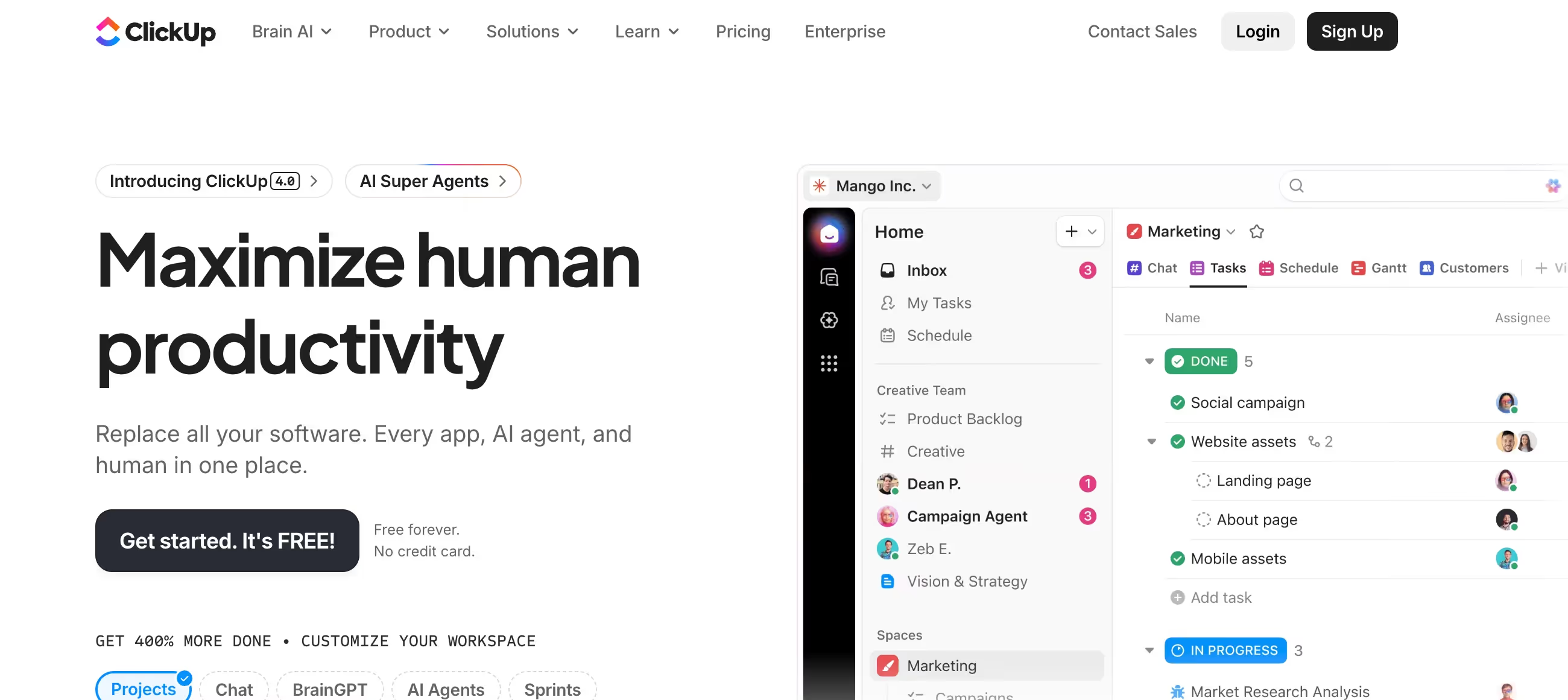
Is ClickUp Right for You?
A Remotewize reviewer who spent 13 months using ClickUp for daily business operations describes it as "a powerhouse that packs a nice array of features" with a "clean, intuitive interface" and "arguably the best aesthetics and layout you'll find with any project management solution."
On the flip side, a Connecteam reviewer found the "user interface initially left me feeling overwhelmed and confused" with "multiple different menus, sub-menus, and interactive buttons and widgets" that make it "really challenging to find your way around" — especially for less tech-savvy team members.
We scored it 8.2/10: the free plan is the most generous in PM (unlimited users and tasks), the Unlimited plan at $7/user/month undercuts Monday.com and Asana significantly, the feature depth rivals tools costing 3x more, and the whiteboards and docs fill collaboration gaps that competitors leave open.
But the learning curve is real, performance degrades on complex workspaces, the interface can overwhelm non-power-users, and the "everything app" ambition means some features (time tracking, chat) don't match purpose-built alternatives.
⚠ Main limitation: The breadth of features creates a steep learning curve. New users describe the interface as "overwhelming" with too many menus, options, and configuration possibilities. Performance slows on large workspaces — complex boards with hundreds of tasks and multiple custom fields can lag noticeably. The free plan's 100MB storage and limited Gantt/custom field usage (60 uses) make it functional but constrained. And while ClickUp does many things, purpose-built tools (Jira for agile, Notion for docs, Slack for chat) do their specific thing better.
✔ Get it if: You want the best free PM plan available, your team values feature depth over visual simplicity, you need whiteboards and docs alongside task management, you're price-sensitive and want to undercut Monday.com's per-seat costs, or you manage agile sprints and want sprint reporting without paying for Jira.
All-in-one work management platform. SOC 2 Type II certified.
You want the maximum number of features per dollar spent. Your team includes power users who enjoy configuring workflows and exploring capabilities. You manage complex projects with cross-functional dependencies.
Your team includes non-technical members who need the simplest possible interface (Monday.com is more intuitive), you want a focused tool that does one thing perfectly rather than everything adequately…
Why ClickUp?
ClickUp was born from frustration with fragmented work tools. The founding premise: why pay for separate apps for tasks, docs, chat, goals, time tracking, and whiteboards when one platform could handle all of it?
Since launching, ClickUp has pursued that vision relentlessly — adding features at a pace that makes competitors look stagnant. The result is a platform that genuinely reduces tool sprawl for teams willing to invest in learning it.
The Free Plan That Shames Competitors
ClickUp's Free Forever plan offers unlimited users and unlimited tasks — a combination no major competitor matches. Monday.com limits free to 2 users and 3 boards. Asana's free plan caps at 10 users. Trello limits automation and views. ClickUp gives you Kanban boards, calendar views, collaborative docs, whiteboards, basic automations, and sprint features on the free tier.
The 100MB storage cap is tight, and Gantt charts are limited to 60 uses, but for small teams testing PM software, no other free plan provides this much functionality. It's genuinely usable for personal project tracking and small team coordination — not just a demo.
Feature Density at Budget Pricing
The Unlimited plan at $7/user/month includes capabilities that competitors lock behind $12-19/user tiers: unlimited storage, Gantt charts, custom fields, integrations, and time tracking. The Business plan at $12/user matches what Monday.com charges $19 for: timesheets, workload management, advanced automations, and sprint reporting.
For budget-conscious teams that need serious PM capabilities, ClickUp's pricing-to-feature ratio is the best in the category. A 10-person team on Business costs $120/month — less than Monday.com's Standard plan for the same team size, with more features included.
Collaboration Tools Built In
Whiteboards for visual brainstorming (Monday.com recently retired theirs). ClickUp Docs for collaborative document editing (reducing Notion dependency). Chat for team messaging (reducing Slack dependency).
All integrated with the task management layer, so a whiteboard brainstorm becomes tasks, a doc links to deliverables, and chat threads reference specific items. The integration between collaboration and project tracking is tighter than assembling separate tools — though each individual feature doesn't match the dedicated alternative.
The Verdict: Our Assessment
8.2/10 — ClickUp is the project management tool for teams that want everything and don't mind learning where to find it. The feature density at the price point is unmatched — the no-cost tier alone offers more than most competitors' paid tiers, and the Unlimited plan at $7/user/month includes capabilities that Monday.com charges $19 for. Whiteboards, docs, chat, goals, sprints, and time tracking in one platform genuinely reduces tool sprawl.
But the learning curve filters out teams that need simplicity, the performance issues punish large workspaces, and the breadth-over-depth approach means you might still need Jira for agile, Notion for knowledge management, or Slack for messaging if those are core workflows. It's the best value in PM — if your team can handle the complexity.
Criteria | Score | Verdict |
|---|---|---|
Feature Depth | 10/10 | The most feature-rich PM platform at any price — tasks, docs, whiteboards, chat, goals, sprints, time tracking, and AI in one tool |
Value per Dollar | 10/10 | Free plan with unlimited users; $7/user Unlimited plan includes what competitors charge $12-19 for — best pricing-to-feature ratio in PM |
Free Plan | 9/10 | Unlimited users and tasks with Kanban, docs, whiteboards, and basic automations — the most generous free tier in the category |
Collaboration Tools | 8/10 | Visual collaboration, docs, and chat integrated with task management — stronger collaboration than Monday.com or Asana |
Learning Curve | 4/10 | The breadth of features creates complexity that overwhelms new users — menus, sub-menus, and configuration options require investment to master |
Performance | 5/10 | Works well on small-to-medium workspaces but lags on complex setups with many tasks, custom fields, and automations |
Support | 6/10 | 24/7 chat support and extensive self-service resources (ClickUp University), but no phone support for urgent issues |
⚠ Trade-offs: Maximum features at minimum price, offset by complexity and performance challenges. The sweet spot is teams of 5-25 on the Unlimited or Business plan who invest time in proper workspace setup.
✔ Best for: Startups and growing teams wanting maximum PM functionality without enterprise pricing. Agencies managing multiple client projects with varying workflows. Technical teams running agile sprints alongside project management. Budget-conscious organizations that need to replace multiple tools with one platform.
⚠ Skip if: Your team prioritizes simplicity and quick adoption (simpler competitors are easier to learn). You need phone support for critical issues. Your workspace will be very large (1,000+ tasks across many spaces). Your team includes many non-technical members who prefer minimal interface complexity.
Fit by Business Type
Strongest for feature-hungry teams and budget-conscious organizations; weakest for non-technical teams and very large workspaces.
Strong Fit
✔ Startups and small tech teams (9/10) — the free plan gets you started, Unlimited at $7/user scales affordably, and the feature depth supports complex workflows without multiple subscriptions.
✔ Agencies managing client projects (8/10) — guest access, multiple workspaces, time tracking, and diverse views serve agency workflows; whiteboards support client brainstorming sessions.
✔ Software development teams (8/10) — sprint management, GitHub integration, bug tracking, and agile reporting provide a lighter-weight alternative to Jira for teams not needing full enterprise agile.
Moderate Fit
◑ Marketing teams (7/10) — content calendars, campaign tracking, and approval workflows work well, though Monday.com's visual polish appeals more to marketing stakeholders.
◑ Remote teams (6/10) — docs and chat reduce tool dependencies but ClickUp's chat doesn't replace Slack for real-time messaging; time zone features are basic.
Poor Fit
✗ Non-technical teams needing simplicity (3/10) — the feature density that power users love overwhelms teams that just want basic task tracking without configuration complexity.
✗ Large enterprises with 1,000+ users (4/10) — performance degradation at scale and limited enterprise admin tools make ClickUp challenging for very large deployments.
✗ Document-heavy knowledge teams (4/10) — ClickUp Docs are competent but don't match Notion's database-powered knowledge management for teams whose primary work is documentation.
What Users Say: Reviews & Verified Experiences
User ratings: 4.7/5 on G2 (10,000+ reviews), 4.6/5 on Capterra (4,500+ reviews). The review pattern is distinctive: users rate ClickUp highly for features and value but consistently flag performance and complexity as downsides.
The G2 score matches Monday.com's, but the sentiment profiles differ — Monday.com users praise ease of use while ClickUp users praise feature richness. Both groups complain about pricing at scale, but ClickUp users get more for their money.
What Users Love
✩ Feature depth at the price: "Our organization moved to ClickUp to save costs" — and got more features in the process. Users consistently describe discovering capabilities they didn't expect: whiteboards, sprint tracking, docs, goals — all in the same plan that competitors would charge double for. The value proposition is ClickUp's strongest signal in reviews (G2, Capterra).
✩ Customization flexibility: "The boards and roadmap visualization" combined with custom fields, statuses, and workflows mean ClickUp adapts to almost any process. Users describe building CRM systems, content pipelines, hiring trackers, and product roadmaps on the same platform — each configured differently but managed centrally (G2, Capterra).
✩ All-in-one consolidation: Teams that previously used separate tools for tasks, docs, whiteboards, and chat describe the relief of having one platform. "I can build agents to create briefs and apply brand guidelines" — the AI features add another layer of consolidation. Reducing context-switching between apps is repeatedly cited as a productivity gain (G2, independent reviews).
Common Complaints
⚠ Performance issues: The most frequent criticism. "Sometimes pages take 10-20 seconds to load and things just lag a lot." Users with large workspaces describe a declining experience as complexity grows — more tasks, more custom fields, more views all contribute to slower performance. ClickUp has improved this over time but the issue persists (Capterra, G2).
⚠ Overwhelming complexity: "ClickUp's vast feature set and customizable options create a steep learning curve for first-time users." Teams where not everyone is technically comfortable describe adoption challenges — power users love it while occasional users avoid it. The gap between configured and unconfigured ClickUp is vast (Capterra, independent reviews).
⚠ Pricing changes and confusion: "Recent billing changes have left some teams staring at bills that have jumped tenfold." Some users report unexpected price increases and unclear billing terms. The ClickUp Brain add-on at $7/user/month on top of plan pricing creates cost uncertainty for teams evaluating AI features (independent reviews).
⚠ Mobile experience cramped: "Fitting so many options on the small smartphone's screen makes it look crammed and can be overwhelming at first." The mobile app mirrors desktop functionality but the dense feature set doesn't translate well to small screens. Field workers and remote users who rely primarily on mobile may find the experience frustrating (independent reviews).
What ClickUp Users Typically Achieve
You'll Replace Three or Four Apps With One
This is ClickUp's signature outcome. Teams that were paying for Monday.com (tasks) + Google Docs (documentation) + Miro (whiteboards) + Slack (messaging) + Toggl (time tracking) consolidate into ClickUp and see both their subscription costs and context-switching drop. The consolidation isn't perfect — ClickUp's chat isn't as good as Slack, its docs aren't as deep as Notion, and its time tracking isn't as refined as Harvest.
But for teams where "good enough in one place" beats "best-in-class across five apps," the consolidation delivers real productivity and cost savings.
You'll Build Workflows That Match Exactly How You Work
ClickUp's customization means you don't adapt your process to the tool — you configure the tool to match your process. Custom statuses, custom fields, custom views, custom automations, and custom templates mean two ClickUp users in different industries can have experiences that look nothing alike.
A development team running sprints and a marketing team managing content calendars use the same platform with completely different configurations. For teams with unique or complex workflows that off-the-shelf PM templates don't serve, this flexibility is transformative.
You'll Save Money Compared to Competitors
A 15-person team on ClickUp Business ($12/user) pays $180/month. The same team on leading competitors on equivalent plans pay $285-375/month.
ClickUp includes features at $12 that competitors charge $19-25 for — whiteboards, docs, advanced time tracking, sprint reporting, and workload management. For budget-conscious teams, the savings compound over time and fund other business needs.
Where You'll Hit Ceilings
⚠ The performance ceiling hits as your workspace grows. What felt snappy with 200 tasks becomes sluggish at 2,000. The complexity ceiling arrives when new team members struggle to find things in a workspace that power users configured without documentation. The feature-depth ceiling shows when you need enterprise agile (Jira does more), professional knowledge management (Notion does more), or team messaging that replaces Slack (ClickUp's chat doesn't). And the support ceiling means no phone call when something critical breaks — chat and email only.
💡 Invest in workspace architecture before adding tasks. Define your Space/Folder/List hierarchy thoughtfully — reorganizing later is painful. Use ClickUp University (free) to train your team before rolling out. Start on the Unlimited plan ($7/user) and upgrade to Business only when you need timesheets or workload management.
Keep individual boards under 200-300 tasks for optimal performance — archive completed work regularly. And designate a ClickUp champion on your team who maintains workspace organization and onboards new members, because a well-organized ClickUp workspace is a competitive advantage while a messy one is a productivity drain.
3 Critical Mistakes to Avoid
Mistake #1: Giving Everyone Full Configuration Access on Day One
A startup rolls out ClickUp to 15 people with full permissions. Within a week, three people have created competing folder structures, two have defined conflicting custom statuses for the same workflow, and someone has set up automations that conflict with someone else's.
The workspace becomes a chaotic mix of organizing philosophies. Tasks end up in wrong lists because the structure isn't clear. People create duplicate boards because they can't find existing ones. The flexibility that makes ClickUp powerful becomes the rope that strangles adoption.
⚠ The Fix: Designate one or two workspace administrators who define the Space/Folder/List hierarchy, custom fields, statuses, and automations before the team starts using it. Document the organizing conventions in a pinned ClickUp Doc. Set permissions so regular users can create tasks and views but not restructure the workspace. Roll out to the team with a 30-minute walkthrough of "here's where things go and why." The initial investment in structure pays dividends in adoption speed and workspace cleanliness.
Mistake #2: Trying to Use Every Feature Immediately
A project manager discovers ClickUp's feature list and activates everything: Goals, Sprints, Time Tracking, Docs, Whiteboards, Chat, Dashboards, and a dozen custom field types. The team opens ClickUp on Monday morning and sees a sidebar with 15 navigation items, boards with 10 custom columns, and notifications from features they didn't know existed.
By Wednesday, half the team has gone back to their spreadsheets because ClickUp "is too complicated." The PM blames the team for not adapting; the team blames the tool for being overwhelming.
⚠ The Fix: Start with tasks, boards, and basic statuses — nothing else. Let the team get comfortable with core task management for two weeks. Then add one feature at a time: custom fields, then automations, then Gantt views, then Docs. Each addition should solve a specific pain point the team has actually experienced, not a theoretical one. "We need to track client approval status" justifies adding a custom field. "ClickUp has Whiteboards so let's use them" doesn't. Phased rollout over 6-8 weeks produces dramatically better adoption than big-bang deployment.
Mistake #3: Not Archiving Completed Work and Wondering Why Everything Is Slow
A team uses ClickUp for 18 months without archiving anything. Their main workspace has 4,000+ tasks across dozens of lists, most completed months ago but still visible in views. Board views take 8-10 seconds to load.
Filters run slowly. Dashboard widgets timeout. The team starts blaming ClickUp's performance when the real problem is workspace hygiene — they're asking the platform to render and process thousands of items that nobody needs to see.
⚠ The Fix: Set up a monthly or quarterly archival process. Completed tasks older than 30-60 days should be moved to an archive folder or closed with a status that removes them from default views. Use filters to exclude archived items from everyday boards. Set up an automation: "When status changes to Done and item hasn't been updated in 30 days, move to Archive list." This keeps your active workspace lean and performant while preserving the historical record for reference. A workspace with 200 active tasks and 4,000 archived ones performs dramatically better than one with 4,200 active tasks.
Frequently asked questions
How much does ClickUp cost?
Free Forever: unlimited users and tasks, 100MB storage. Unlimited: $7/user/month (annual), $10 monthly. Business: $12/user/month (annual), $19 monthly. Enterprise: custom pricing. ClickUp Brain AI: +$7/user/month add-on on paid plans. 14-day free trial and 30-day money-back guarantee on paid plans. No minimum seat requirements on paid plans.
Is ClickUp good for small teams?
Yes — ClickUp offers the best value for small teams. The free plan supports unlimited users (no seat restrictions like Monday.com's 2-user limit). The Unlimited plan at $7/user/month includes features that competitors charge $12-19 for. For small teams on tight budgets, ClickUp provides the most PM functionality per dollar. The trade-off is the learning curve — simpler tools like Trello may suit teams that just need basic task tracking.
How does ClickUp compare to Monday.com?
ClickUp offers more features at lower per-user pricing, a more generous free plan (unlimited users vs 2), and stronger collaboration tools (whiteboards, docs, chat). Monday.com has the more visually polished interface, faster adoption for non-technical users, and a cleaner learning curve. Choose ClickUp for maximum features per dollar. Choose Monday.com for visual appeal and ease of adoption.
Does ClickUp have AI features?
Yes — ClickUp Brain is available as a $7/user/month add-on on paid plans. It includes an AI Knowledge Manager (natural language search across your workspace), AI Project Manager (automated standups, progress summaries), and AI Writer (content drafting, task descriptions). The AI features reduce administrative overhead but add to the per-user cost.
Is ClickUp good for agile teams?
ClickUp provides sprint management, sprint points, velocity tracking, burndown charts (Business plan), and sprint reporting. It's a solid middle-ground between basic PM tools and Jira for teams running informal agile. For enterprise agile with advanced roadmaps, release management, and deep code integration, Jira remains the purpose-built choice.
Why is ClickUp slow sometimes?
Performance degradation is ClickUp's most common criticism. Large workspaces with thousands of tasks, many custom fields, and complex automations can cause slow page loads and laggy interactions. The solution: archive completed tasks regularly, limit active tasks per list/board to 200-300, use filters to reduce rendered items, and keep custom fields to those actively needed. ClickUp has improved performance in recent updates but the issue persists at scale.