Is Bonsai Right for You?
A five-year Bonsai user says they've "taken a look at the competition to see if maybe they're better or cheaper — spoiler alert: they're not!" — praising how everything lives in the same interface without needing separate apps or switching between tools.
On the other hand, one business owner describes "absolutely infuriating" transaction fees, money held for weeks after payment, and support that's "practically non-existent" when trying to resolve basic billing issues.
We scored it 7.4/10: the proposal-to-payment workflow is genuinely seamless (one reviewer describes reducing client billing time from 30 hours to minutes), the contract templates save real legal costs, and the unified interface eliminates the app-juggling that freelancers dread.
But the project management features are basic compared to dedicated PM tools, per-user pricing scales painfully for growing teams, integrations are limited on lower tiers, and Bonsai's new ownership under Zoom creates uncertainty about the platform's freelancer-first direction.
⚠ Main limitation: Bonsai is a business management tool with basic PM, not a PM tool with business features. Task management is simple — no subtasks on Basic, limited dependencies, no multiple project views on lower plans. Gantt charts require Premium ($29/user). Per-user pricing means a 5-person team on Essentials pays $95/month (annual), making it expensive compared to flat-rate alternatives. Integrations with QuickBooks, Zapier, and Slack require Premium. And transaction fees through Bonsai Payments add costs on top of the subscription that some users find predatory.
✔ Get it if: You're a solo freelancer who wants one platform for proposals, contracts, invoicing, and basic project tracking. You want attorney-reviewed contract templates without paying a lawyer. You need automated invoicing with payment reminders. You bill US clients and want built-in tax preparation. Or you're a 2-3 person team where the unified workflow justifies the per-user cost.
All-in-one business management for freelancers and small agencies. Payments via Stripe and PayPal.
You're a solo freelancer or small service team tired of paying for separate proposal, contract, invoicing, and time-tracking tools.
You need robust project management with Gantt charts, dependencies, and resource allocation (use Monday.com, Asana, or Teamwork). You're a team of 5+ where per-user pricing becomes expensive compared to flat-rate alternatives.
Why Bonsai?
The freelancer's real productivity killer isn't doing client work — it's managing the business around the work. Writing proposals in Google Docs, sending contracts through DocuSign, invoicing through FreshBooks, tracking time in Toggl, managing clients in a spreadsheet, and doing taxes in TurboTax.
Each tool costs money, requires a login, and creates data silos. Bonsai's pitch is simple: do all of that in one place for one price.
The Proposal-to-Payment Pipeline
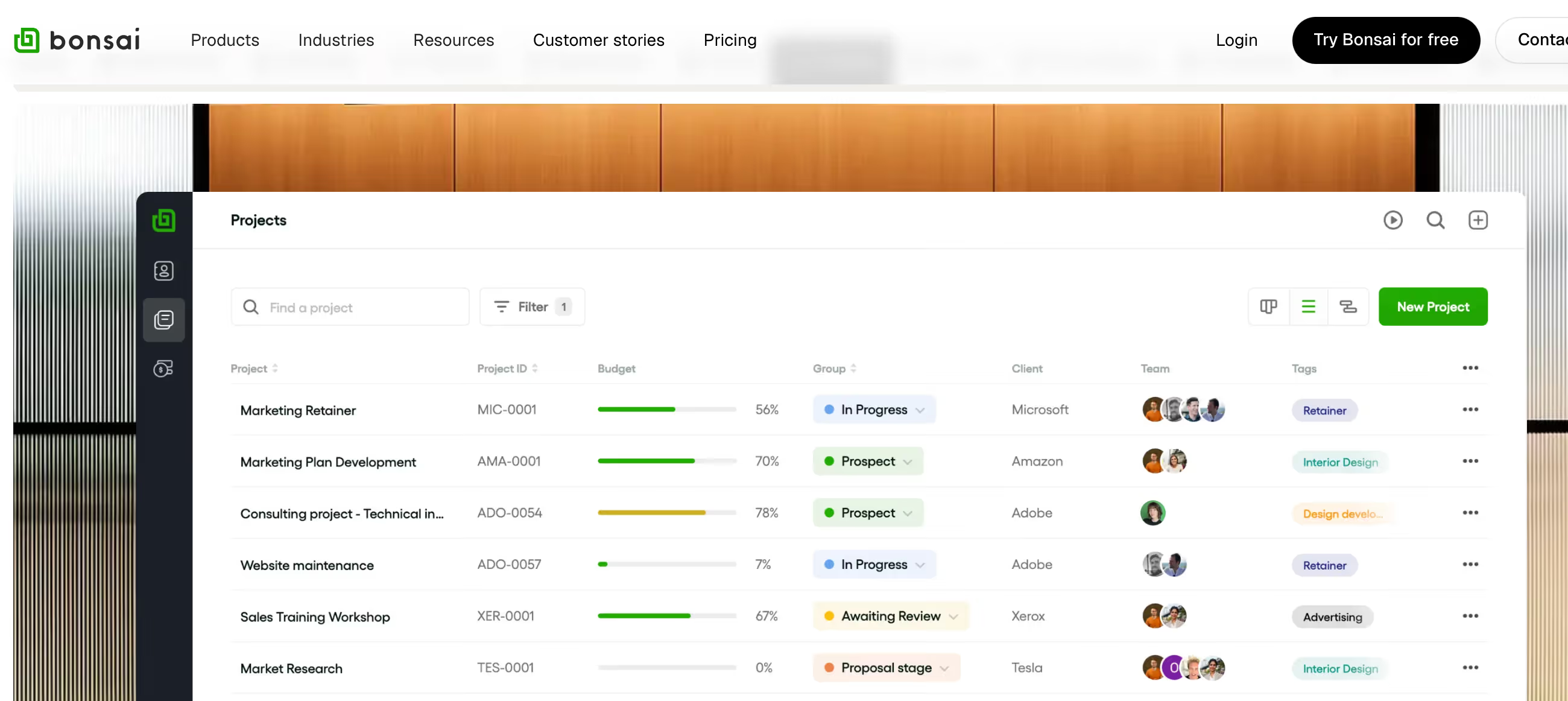
This is where Bonsai genuinely shines. Create a proposal with your services and pricing. Client accepts. Contract auto-generates from attorney-reviewed templates with e-signature built in. Client signs. Project workspace launches. Track time against tasks. Invoice auto-generates from tracked hours or milestone completion.
Payment reminders send automatically. Money arrives via Stripe or PayPal. The entire workflow — from "here's what I'll do" to "here's your money" — happens in one connected system. One reviewer describes going from separate apps for each step to completing the entire cycle in Bonsai within their first hour.
Attorney-Reviewed Contract Templates
For freelancers who've never had a lawyer review their contracts (most of them), Bonsai's pre-built templates provide real legal protection. Templates cover service agreements, NDAs, subcontractor agreements, and more — all reviewed by attorneys and customizable to your specific terms.
This alone can save hundreds of dollars in legal fees and provides peace of mind that your contracts aren't just Google Doc templates with obvious gaps.
The Freelancer CRM
Bonsai's CRM isn't Salesforce — it's a simple, practical client management system designed for service providers.
Track leads through a deals pipeline, store client contact information and project history, manage onboarding with custom forms, and give clients access to a portal where they can view proposals, contracts, invoices, and project updates. For freelancers who outgrow spreadsheets but don't need enterprise CRM complexity, it bridges the gap cleanly.
The Verdict: Our Assessment
7.4/10 — Bonsai is the best tool for freelancers who hate admin. The proposal-to-payment pipeline genuinely works — you can go from sending a proposal to collecting payment without leaving the platform, and the attorney-reviewed contracts provide legal protection that most freelancers skip entirely. For a solo consultant or 2-3 person team, consolidating proposals, contracts, invoicing, time tracking, and CRM into one $19-29/month subscription eliminates real software sprawl and saves both money and mental overhead.
But don't choose Bonsai for project management — the PM features are a supporting player, not the star. And watch the per-user pricing: the moment your team grows past 3-4 people, compare Bonsai's total cost against flat-rate alternatives that include more team members in the base price. The Zoom acquisition adds a layer of uncertainty about whether the platform will remain freelancer-focused or drift toward enterprise use cases.
Criteria | Score | Verdict |
|---|---|---|
Freelancer Workflow | 9/10 | The proposal-to-payment pipeline is seamless — contracts, invoicing, and time tracking flow together in one connected system |
Contract & Proposal Tools | 9/10 | Attorney-reviewed templates with e-signature save real legal costs; proposal builder is more flexible than most competitors |
Ease of Use | 8/10 | Clean interface with fast onboarding — most users are operational within an hour; CRM setup is intuitive for non-technical users |
Invoicing & Payments | 7/10 | Recurring invoices and auto-reminders work well, but transaction fees and the time-to-invoice connection require manual steps |
Project Management | 5/10 | Basic task management with Kanban; Gantt and workload views require Premium — not comparable to dedicated PM tools |
Team Scalability | 4/10 | Per-user pricing makes teams expensive fast; a 5-person team on Premium costs $145/month annual — flat-rate alternatives offer better value |
Integrations | 4/10 | Core integrations gated behind Premium; no API; limited native connections compared to PM-focused platforms |
⚠ Trade-offs: Best-in-class freelancer business workflow at the cost of project management depth, team scalability, and integration breadth. Bonsai replaces your admin tools, not your PM tool.
Fit by Business Type
Strongest for solo freelancers and micro-teams; weakest for larger agencies and teams needing robust PM.
Strong Fit
✔ Solo freelancers (9/10) — the Essentials plan at $19/month replaces DocuSign, FreshBooks, Toggl, and a CRM spreadsheet with one platform; the admin time savings alone justify the cost.
✔ Freelance consultants and coaches (9/10) — intake forms, scheduling, proposals, contracts, and invoicing handle the entire client engagement lifecycle from first contact to final payment.
✔ Micro-agencies 2-3 people (7/10) — the unified workflow works well at this size; per-user costs are manageable and the shared client management adds meaningful coordination.
Moderate Fit
◑ Small agencies 4-10 people (5/10) — per-user pricing becomes significant ($76-290/month on Essentials to Premium for 4 people); compare total cost against Teamwork or Monday.com before committing.
◑ Creative studios (5/10) — proposals and contracts work well, but the basic PM limits project visibility for complex creative workflows that need dependencies and resource views.
Poor Fit
✗ Teams needing robust project management (3/10) — if PM is your primary need, dedicated tools like Monday.com, Asana, or ClickUp offer dramatically more capability at comparable or lower cost.
✗ Agencies 10+ people (3/10) — per-user pricing is prohibitive (10 users on Premium = $290/month), and the PM features don't scale to multi-team, multi-project complexity.
✗ Non-service businesses (2/10) — the entire platform is built around the freelancer-to-client relationship; teams not billing clients get a basic task manager at premium pricing.
What Users Say: Reviews & Verified Experiences
User ratings: 4.4/5 on G2, 4.4/5 on Capterra, 4.82/5 on AppSumo (291 reviews). Strong ratings overall with passionate advocates among solo freelancers. The review pattern splits sharply: users who use Bonsai as intended (freelancer business management) love it; users who expected deep PM or encountered payment issues are vocal critics.
What Users Love
✩ Genuine all-in-one value: A five-year user says Bonsai has "everything you need to run a freelancer or small business operation all in the same UI, without having to add apps or move into different interfaces" — and competitors aren't better or cheaper (Capterra).
✩ Professional client experience: A freelance designer describes Bonsai as the tool where they "set my business up for success" in less than an hour — with contracts, invoices, taxes, and tasks all handled in one subscription (G2).
✩ Software cost reduction: Users consistently describe eliminating 4-5 separate tools after switching. One G2 reviewer says Bonsai "has enabled me to reduce my productivity/operations software spend on a monthly and yearly basis" by consolidating everything (G2).
✩ Support quality: Multiple reviewers describe the support team as "very helpful and quick to respond" with genuine problem-solving when issues arise (G2, Capterra).
Common Complaints
⚠ Transaction fees: The most heated complaint. One user describes "ridiculous transaction fees" with money held "for weeks after the payment has been made" — calling the experience infuriating and describing it as predatory (GetApp, Capterra).
⚠ Per-user cost scaling: Users note "pricing can climb as you add teammates or advanced features" — the per-user model that works well for solos becomes expensive for growing teams (Capterra).
⚠ Basic project management: Reviews consistently acknowledge that "project management is fine for simple tasks but is not as deep as a dedicated tool" — with limited views, minimal dependencies, and basic task structure (Capterra).
⚠ Integration limitations: Users note Bonsai "still lacks native integrations" and sends you to Zapier for many connections, with the wish for more direct integrations especially for payment flexibility (Software Advice).
What Bonsai Users Typically Achieve
You'll Actually Send Professional Proposals and Contracts
Most freelancers skip formal proposals and use verbal agreements or basic email confirmations — because creating proper documents felt like too much work. Bonsai's templates make it as easy as filling in a form.
Users describe going from "I should probably have a contract" to sending polished, legally sound proposals and contracts within their first session. The professional presentation elevates how clients perceive you, and the legal protection prevents the scope-creep disasters that plague informal agreements.
Invoicing Stops Being a Dreaded Chore
The automated invoicing workflow transforms billing from a task you procrastinate on to something that happens almost automatically. Track time, generate an invoice from the tracked hours, send it with one click, and let automatic reminders chase overdue payments.
Users consistently describe this as the feature that saves the most time — one reviewer notes client billing dropped from hours of manual work to minutes of review and approval.
Tax Season Becomes Manageable
For US-based freelancers, the Tax add-on ($100/year) automatically categorizes expenses, calculates quarterly estimated payments, and produces filing-ready reports. Instead of a February panic scrambling through bank statements, your tax data accumulates throughout the year.
This transforms tax preparation from a dreaded annual ordeal into a routine quarterly check-in — a genuine quality-of-life improvement for self-employed professionals.
Where You'll Hit Ceilings
⚠ The PM ceiling hits when your projects need more than basic task lists. Complex deliverables with dependencies, multi-phase timelines, and team resource allocation exceed what Bonsai's task management handles well. The team ceiling hits around 4-5 people where per-user costs start to exceed what flat-rate alternatives charge for the same or better functionality. And the integration ceiling hits when your workflow depends on tools beyond the basic connections Bonsai offers on lower plans.
💡 Start on Essentials ($19/month annual) — it's the sweet spot that includes proposals, contracts, invoicing, and the client portal. Set up your contract templates during the 7-day trial so you're ready to send professional agreements immediately.
Understand Bonsai's payment processing fees before using Bonsai Payments — compare the total cost (subscription + transaction fees) against alternatives like Stripe direct or PayPal invoicing. And if you're US-based, add the Tax feature at tax season — the $100/year pays for itself in time savings on the first quarterly filing.
3 Critical Mistakes to Avoid
Mistake #1: Using Bonsai Payments Without Understanding the Fee Structure
A freelancer processes their first $5,000 client payment through Bonsai Payments, expecting standard Stripe processing fees. They discover additional transaction fees on top of Stripe's charges, and the funds are held for longer than expected.
The "convenience" of in-platform payments costs significantly more than sending a Stripe invoice directly, and they can't get a human on the phone to resolve the hold.
⚠ The Fix: Before processing any payment through Bonsai, calculate the total cost: subscription + Bonsai transaction fees + payment processor fees. Compare that total against sending invoices through Bonsai but collecting payment via your own Stripe or PayPal account directly. For larger invoices, the transaction fee difference can be substantial. Many users use Bonsai for invoicing and contract management but process payments through their own payment accounts to avoid the additional fees.
Mistake #2: Choosing Bonsai for Project Management
A 5-person agency signs up for Bonsai Premium ($145/month for 5 users) primarily for project management, expecting Gantt charts, workload views, and task dependencies to match Monday.com or Asana.
They discover the Gantt view is basic, task management lacks the depth they need, and their project complexity exceeds what Bonsai was designed to handle. They end up adding a separate PM tool on top of Bonsai, paying for two platforms instead of one.
⚠ The Fix: Choose Bonsai for business management — proposals, contracts, invoicing, and client relations — not for project management. If PM is your primary need and you also want invoicing, evaluate Teamwork (which includes both) or pair a dedicated PM tool with a lightweight invoicing solution. Bonsai's project features support the business workflow; they don't replace a purpose-built PM platform.
Mistake #3: Not Cancelling Before the 7-Day Trial Ends
A freelancer signs up for the free trial, enters their credit card (required), explores the platform for a couple of days, decides it's not right for them, and forgets to cancel. Seven days later, the subscription auto-charges. They struggle to reach support to process a refund and end up paying for a month they didn't intend to use.
⚠ The Fix: Set a calendar reminder for day 5 of the trial — two days before it converts to paid. Evaluate the platform seriously during the first few days, make your decision, and cancel before the auto-billing triggers if it's not the right fit. The 7-day trial is shorter than most PM tools offer (Monday.com and Teamwork give 14-30 days), so you need to test efficiently. If you need more evaluation time, contact Bonsai support — users report the trial can sometimes be extended upon request.
Frequently asked questions
Is Bonsai just for freelancers?
Bonsai started as a freelancer tool but has expanded to serve small agencies and consultancies. The Essentials and Premium plans include team collaboration, workload management, and multi-user features. However, the per-user pricing model means costs scale quickly for teams — a 5-person team on Premium pays $145/month (annual). Solo freelancers and 2-3 person teams get the best value.
Does Bonsai replace QuickBooks?
Partially. Bonsai handles invoicing, expense tracking, income reporting, and basic financial oversight. The Tax add-on ($100/year, US only) covers quarterly estimated payments and filing-ready reports. But Bonsai isn't full accounting software — it doesn't do double-entry bookkeeping, balance sheets, or detailed financial statements. Most users either use Bonsai alone for simple finances or integrate it with QuickBooks (Premium plan required) for comprehensive accounting.
What happened with the Zoom acquisition?
Zoom completed the acquisition of Bonsai in December 2025. Bonsai continues operating as a standalone product with its own brand for now. Zoom plans to incorporate Bonsai's capabilities into the Zoom platform over time, but the specific timeline and impact on pricing, features, or the freelancer-focused roadmap are unclear. If you're considering a long-term commitment, this uncertainty is worth monitoring.
How does Bonsai compare to HoneyBook or Dubsado?
All three target freelancers and service businesses. Bonsai offers stronger project management (Kanban, Gantt on Premium) and tax preparation. HoneyBook focuses more on the client experience and design-forward proposals. Dubsado emphasizes workflow automation and custom forms. Bonsai's per-user pricing differs from HoneyBook's flat-rate model — for solo users the cost is similar, but Bonsai becomes more expensive as your team grows.
Does Bonsai have a free plan?
No. Bonsai offers a 7-day free trial with full access to all features, but a credit card is required at signup. If you don't cancel before the trial ends, it auto-converts to a paid subscription. There is no permanently free tier. The Basic plan starts at $9/user/month (annual billing) or $15/month on monthly billing.
Can Bonsai handle international clients?
Yes for invoicing — Bonsai supports multi-currency invoicing and accepts payments via Stripe and PayPal internationally. However, the Tax feature only covers US tax obligations. Expense tracking works in the US, Canada, UK, and Australia. Users outside these countries can use Bonsai for client management and invoicing but will need separate tools for tax compliance and expense categorization.