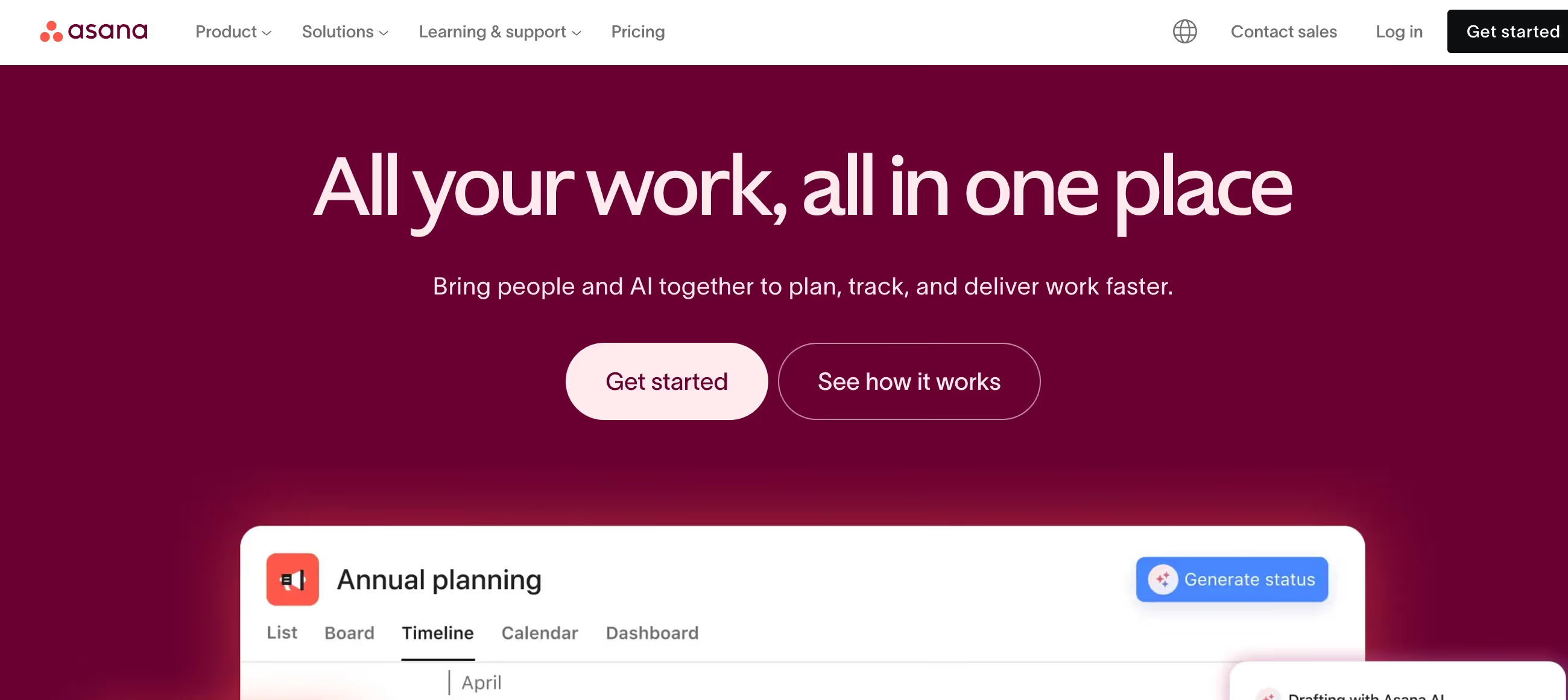
Is Asana Right for You?
A Software Finder user describes Asana as "an incredibly flexible platform" that helped them "adopt a much more deliberate, nuanced method for structuring and prioritizing" their projects — making planning "feel more intentional."
On the other side, the same user acknowledged feeling "overwhelmed because Asana seemed to offer an abundance of tools and options and I honestly wasn't always sure how to leverage all of them efficiently."
We scored it 8.2/10: the interface strikes a balance between capability and clarity, the Workflow Builder turns repetitive processes into automated sequences, the AI features (including AI Teammates) are among the most forward-looking in PM, and the integration library (200+) connects Asana to virtually any tech stack.
But it's more expensive than ClickUp for comparable features, time tracking and portfolios require the $24.99 Advanced plan, the free plan now limits to just 2 users (down from 10), and the minimum 2-seat purchase on paid plans means even a solo user pays for two.
⚠ Main limitation: The pricing is aggressive compared to ClickUp ($10.99 vs $7/user for first paid tier, $24.99 vs $12 for the tier with time tracking and portfolios). Time tracking — a basic PM need — requires the Advanced plan at $24.99/user/month. Portfolios for multi-project oversight are also Advanced-only. The free plan's reduction to 2 users (from the previous 10) makes it essentially a personal tool rather than a team starter. And the minimum 2-seat purchase means solo consultants pay double.
✔ Get it if: You want a polished PM experience that balances features with usability, you need AI-powered risk reports and smart status updates, you manage portfolios of projects and need cross-project visibility (Advanced plan), or you're in a regulated industry that needs enterprise security features.
Structured work management platform. Minimum 2 seats on paid plans. 200+ integrations (Slack, Teams, Google Workspace, Salesforce, Jira, Tableau). SOC 2 Type II certified.
You manage cross-functional projects where clarity of ownership, dependencies, and timelines matters more than raw feature count. Your team needs a PM tool that people actually use because it's intuitive rather than overwhelming.
You want maximum features per dollar (ClickUp includes more at every price point), you need a generous free plan for a small team (ClickUp offers unlimited users free), you're a solo user who doesn't want to pay for 2 seats…
Why Asana?
Asana was built by Dustin Moskovitz, Facebook's co-founder, who experienced firsthand how coordination overhead kills productivity at scale. His thesis: knowledge workers spend roughly 60% of their day on "work about work" — status meetings, email chains, searching for information — rather than the skilled work they were hired for.
Asana exists to compress that coordination tax. And according to Forrester's 2025 Collaborative Work Management Wave, it's working — Asana earned the highest strategy score among all evaluated vendors.
Structure That Guides Rather Than Constrains
Asana's design philosophy prioritizes clarity: every task has an owner, a due date, and a place in the project structure. Dependencies show what's blocking what. Timelines reveal the critical path. Dashboards surface progress without requiring status meetings.
The experience feels guided — Asana suggests how to organize work rather than presenting a blank canvas. For teams that struggle with PM tool adoption because previous tools were too open-ended, Asana's opinionated structure gets people working consistently faster.
AI That Manages Proactively
Asana's AI features go beyond content generation. AI Teammates (beta) let you collaborate with agentic AI that can take on coordination tasks. Smart Status generates project updates highlighting risks and obstacles automatically. AI risk reports surface potential problems before they escalate.
Smart Editor suggests clearer writing for task descriptions and comments. Smart Chat answers project-related questions and identifies next steps. These aren't gimmicks — they address the coordination overhead that Asana was founded to eliminate, using AI to do the status-chasing and risk-scanning that project managers do manually.
The Integration Ecosystem
200+ integrations with the tools teams already use: Slack for messaging, Google Workspace for documents, Salesforce for CRM data, Jira for engineering handoffs, Tableau for BI visualization, Zoom for meeting links, and hundreds more.
Asana positions itself as the coordination layer that connects your existing tools rather than replacing them. For organizations with established tech stacks, this integration-first approach means adopting Asana doesn't require abandoning anything — it connects everything.
The Verdict: Our Assessment
8.2/10 — Asana is the project management tool for teams that value structure, clarity, and polish over raw feature count. The Forrester Leader recognition reflects genuine enterprise capability. The Workflow Builder with unlimited automations (Starter) eliminates the action-cap frustration that plagues Monday.com's Standard plan. The AI features — particularly AI risk reports and Smart Status — address real coordination pain rather than being cosmetic additions. And the integration ecosystem means Asana enhances your existing tools rather than replacing them.
But the pricing premium over ClickUp is significant ($10.99 vs $7, $24.99 vs $12), the feature gating puts essentials like time tracking behind the expensive tier, and the 2-user free plan makes the entry point tighter than competitors offer. It's the right tool if you value polish and structure; it's the wrong tool if you're counting features per dollar.
Criteria | Score | Verdict |
|---|---|---|
Interface & Usability | 9/10 | Clean, guided interface that balances capability with clarity — easier to learn than ClickUp, more capable than Trello |
Workflow Automation | 9/10 | Unlimited automations on Starter (no monthly cap) with visual Workflow Builder — solves the action-limit frustration of competitors |
AI Features | 8/10 | AI Teammates, risk reports, Smart Status, and Smart Chat address real coordination overhead — among the most purposeful AI in PM |
Integration Ecosystem | 9/10 | 200+ integrations connecting Asana to virtually any tech stack — Slack, Salesforce, Jira, Google Workspace, Tableau, and more |
Value per Dollar | 5/10 | More expensive than ClickUp at every tier — $10.99 vs $7 for starter, $24.99 vs $12 for advanced features like time tracking |
Free Plan | 4/10 | Limited to 2 users (down from 10) — effectively a personal tool, not a team starter; competitors offer unlimited free users |
Feature Gating | 5/10 | Time tracking, portfolios, goals, and resource management all require Advanced ($24.99) — basics that competitors include at $7-12 |
⚠ Trade-offs: Polished structure and purposeful AI at premium pricing. The sweet spot is the Starter plan for teams of 5-20 who need automated workflows without the Advanced tier's extras.
✔ Best for: Marketing and operations teams managing structured, repeatable workflows. Organizations with existing Slack/Google/Salesforce stacks wanting a PM layer that integrates seamlessly. Managers who need cross-project visibility through portfolios and goals (Advanced). Teams in regulated industries needing enterprise security and HIPAA compliance.
⚠ Skip if: You want maximum features at the lowest per-user cost (the value leader wins). You need whiteboards, docs, and chat built into your PM tool. You're a small team that needs a generous free plan. You want hour tracking without paying $24.99/user/month.
Fit by Business Type
Strongest for marketing teams and structured operations; weakest for budget-conscious teams and agile-heavy engineering.
Strong Fit
✔ Marketing teams (9/10) — campaign planning, content calendars, approval workflows, and creative request forms are Asana's sweet spot; integration with creative tools enhances the workflow.
✔ Operations and project management offices (8/10) — portfolios, goals, and resource management (Advanced) provide the cross-functional visibility that PMOs need to coordinate across departments.
✔ Enterprise organizations in regulated industries (8/10) — SAML SSO, SCIM provisioning, HIPAA compliance (Enterprise+), and audit logs meet strict security and compliance requirements.
Moderate Fit
◑ Creative agencies (6/10) — task management and approvals serve agency workflows, but no built-in time tracking on Starter forces agencies to choose between the $24.99 tier or a separate time tracking tool.
◑ Small teams of 3-10 people (6/10) — Starter provides solid PM capabilities, but ClickUp offers more features at a lower price; the value proposition depends on how much you value Asana's polish over ClickUp's depth.
Poor Fit
✗ Software engineering teams running deep agile (4/10) — no sprint velocity, burndown charts, or code repository integration; Jira remains the purpose-built choice for engineering workflows.
✗ Budget-conscious startups (4/10) — at $10.99-24.99/user, Asana is one of the most expensive mainstream PM tools; ClickUp provides comparable functionality at roughly half the per-user cost.
✗ Solo freelancers (3/10) — the 2-user free plan works for personal tracking, but paid plans require buying 2 seats minimum even if you work alone.
What Users Say: Reviews & Verified Experiences
User ratings: 4.5/5 on G2 (13,500+ reviews), 4.5/5 on Capterra (13,500+ reviews). The review volume is among the largest in PM software — over 27,000 combined reviews provide a statistically robust picture.
The consensus: users love the interface and task management but consistently flag pricing and feature gating as friction points. Asana's G2 score (4.5) trails Monday.com (4.7) and ClickUp (4.7), reflecting the pricing pressure.
What Users Love
✩ Intuitive interface: "Most Asana reviews praise its intuitive interface, customizability, and collaboration features. Reviewers like how easy it is to get started without training." The guided structure means teams adopt Asana faster than more open-ended tools. Visibility into tasks and workflows is consistently cited as a core strength (G2, Capterra, Softwareadvice).
✩ Task clarity and accountability: Single-task-owner design forces clear accountability — everyone knows who's responsible for what. Dependencies and timeline views make the critical path visible. For teams that previously relied on email threads and spreadsheets for project tracking, Asana provides immediate clarity improvement (G2, Capterra).
✩ Workflow automation: The Workflow Builder earns praise for turning manual handoffs into automated sequences. Unlimited automations on Starter (no monthly cap) is specifically noted by users who've experienced the frustration of hitting automation limits on competing platforms (independent reviews).
Common Complaints
⚠ Pricing relative to alternatives: "Key features are locked behind higher-tier plans." Users consistently compare Asana unfavorably to ClickUp on price: time tracking, portfolios, and goals all require the top paid tier. The 2-seat minimum on paid plans doubles the cost for solo users. Teams that evaluated both platforms often choose ClickUp for value (G2, Capterra, independent reviews).
⚠ Feature gating frustrations: Time tracking on Advanced only ($24.99/user) is the most-cited gating complaint. Portfolios — essential for multi-project oversight — are also Advanced. SAML SSO requires Enterprise. Users describe upgrading their entire team to unlock one feature they need, inflating costs far beyond what a single capability should cost (independent reviews).
⚠ Overwhelming for some users: Despite the "intuitive" reputation, a subset of users finds Asana overwhelming: "At times, I felt overwhelmed because Asana seemed to offer an abundance of tools and options." The depth of custom fields, rules, and configuration can create a learning curve that contradicts the "easy to start" narrative for teams with complex needs (Capterra, Softwareadvice).
⚠ Support tiers: Priority 24/7 support is exclusive to Enterprise. Starter and Advanced users get standard support with potentially longer resolution times. For teams on Starter/Advanced dealing with critical issues, the support tier can feel inadequate relative to the price they're paying (independent reviews).
What Asana Users Typically Achieve
Your Team Will Stop Asking "Who's Doing What?"
This is Asana's core outcome. The single-owner task model, visible dependencies, and timeline views eliminate the ambiguity that causes duplicated work and dropped balls.
A marketing team that used to manage campaigns via email threads and shared spreadsheets switches to Asana and suddenly sees who owns each deliverable, what's blocking the design team, and whether the launch timeline is at risk — without scheduling a status meeting. The "work about work" that Asana's research pegs at 60% of knowledge workers' time starts compressing from day one.
Your Repeatable Processes Will Run Themselves
Client onboarding? Create a template with standard tasks, and the Workflow Builder auto-assigns steps to the right people when triggered. Content publishing? Form submissions create tasks with pre-populated fields, route to editors, and notify publishers when reviews complete.
Monthly reporting? Recurring tasks with automated reminders ensure nothing falls through the cracks. For teams with repeatable processes — and most business processes are repeatable — the automation layer transforms Asana from a tracking tool into an execution engine.
You'll Connect Strategic Goals to Daily Work
The Goals feature (Advanced) links company-level objectives to the projects and tasks that achieve them. An OKR like "Increase Q2 pipeline by 30%" connects to the marketing campaign project, which connects to individual tasks like "Launch email sequence" and "Publish case study."
Progress rolls up automatically. Leadership sees goal achievement without asking for updates. Individual contributors see how their daily work connects to company strategy. This alignment — when implemented well — makes prioritization decisions easier because everyone can see what matters most.
Where You'll Hit Ceilings
⚠ The cost ceiling hits when you need features behind the Advanced paywall. Tracking your team's billable hours? $24.99/user. Multi-project portfolios? $24.99/user. Goal tracking? $24.99/user. A 10-person team upgrading from Starter to Advanced adds $1,680/year — for features ClickUp includes at $12/user. The collaboration ceiling shows when you need real-time brainstorming (no whiteboards) or persistent team chat (no native messaging). The agile ceiling means engineering teams running deep scrum ceremonies will outgrow Asana's sprint capabilities and need Jira. And the flexibility ceiling appears for teams that want to customize everything — Asana's guided structure is a strength for some and a constraint for others.
💡 Start on Starter ($10.99/user) and use the unlimited automations aggressively — this is where Asana's value lives. Integrate Toggl or Harvest for time tracking rather than upgrading to Advanced just for that feature. Use templates for every repeatable process.
If you manage 5+ projects simultaneously, evaluate whether the portfolio visibility on Advanced justifies the per-user cost increase for your full team — sometimes upgrading only project managers to Advanced while keeping contributors on Starter is the smarter economics. And leverage Asana's AI features: Smart Status saves 10 minutes per project update, which compounds across a portfolio.
3 Critical Mistakes to Avoid
Mistake #1: Upgrading Your Entire Team to Advanced for One Feature
A 15-person agency needs time tracking for client billing. The project lead discovers it requires the Advanced plan at $24.99/user. They upgrade all 15 users — $374.85/month, $4,498.20/year. The time tracking works, but 12 of those 15 users never touch portfolios, goals, or resource management.
The team is paying $2,520/year more than they would on Starter to access one feature. A standalone time tracking tool like Toggl ($9/user/month for the users who need it) would have cost a fraction of the upgrade.
⚠ The Fix: Before upgrading your entire team, identify which Advanced features you actually need and which users need them. Time tracking can be handled by integrating Toggl, Harvest, or Clockify with Asana — keeping your team on Starter while adding time tracking for specific users at lower cost. If you need portfolios for management visibility, consider upgrading only the 2-3 managers who use them while keeping contributors on Starter. Asana allows mixed plans within an organization — use that flexibility to avoid paying Advanced rates for users who only need Starter features.
Mistake #2: Creating Projects Without Templates and Watching Consistency Collapse
A growing team starts using Asana. Each project manager creates their own project structure — different section names, different custom fields, different status labels. A client onboarding project from Team A has statuses "New / In Progress / Complete." Team B uses "Not Started / Working / Review / Done."
Team C has no statuses at all. Six months later, running a cross-team report is impossible because the data isn't structured consistently. The portfolios and dashboards that leadership bought Advanced for produce meaningless aggregations because the underlying data doesn't align.
⚠ The Fix: Create project templates for every recurring project type before the team scales. Define standard custom fields, statuses, and sections that all teams use. Asana's custom templates (Starter+) let you save a configured project as a starting point for new projects. Standardize first, then let teams add project-specific customizations on top. This way, cross-project reporting works because the foundational structure is consistent — and new team members can start projects that conform to organizational standards without reinventing the wheel each time.
Mistake #3: Using Asana as a Communication Tool Instead of a Coordination Tool
A team decides Asana should replace their Slack channels for project communication. They start having extended discussions in task comments — debates about strategy, brainstorming sessions, casual questions, and general team banter. Task comment threads grow to 50+ messages.
Finding a specific decision requires scrolling through pages of conversation. The task itself — with its assignee, due date, and deliverable — gets buried under communication noise. Asana becomes a messy communication tool instead of a clean coordination tool.
⚠ The Fix: Use Asana for coordination (tasks, ownership, timelines, status, decisions) and keep communication in Slack or Teams (discussions, brainstorming, questions, social interaction). The Asana-Slack integration creates tasks from Slack messages and posts Asana updates to Slack channels — bridging the two tools without merging their purposes. Task comments should capture decisions and context relevant to the deliverable, not host open-ended discussions. When a comment thread exceeds 5-6 messages, move the conversation to Slack and link back the conclusion in Asana. This keeps Asana clean and queryable while maintaining the communication flow your team needs.
Frequently asked questions
How much does Asana cost?
Personal (free): up to 2 users. Starter: $10.99/user/month (annual), $13.49 monthly. Advanced: $24.99/user/month (annual), $30.49 monthly. Enterprise: ~$35/user/month. Enterprise+: ~$45/user/month. Minimum 2 seats on all paid plans. 30-day free trial includes paid features. Nonprofit discounts available on Starter and Advanced annual plans.
Is Asana better than ClickUp?
Asana offers a more polished and structured interface that's easier for non-technical teams to adopt. ClickUp offers more features at lower per-user pricing, a more generous free plan (unlimited users vs 2), and built-in tools Asana lacks (whiteboards, docs, chat). Choose Asana for polish, structure, and enterprise compliance. Choose ClickUp for maximum features per dollar.
Does Asana have time tracking?
Yes, but only on the Advanced plan at $24.99/user/month. This is one of Asana's most criticized feature gates — time tracking is a basic PM need that competitors like ClickUp include at $7/user. Workaround: integrate Toggl, Harvest, or Clockify with Asana on the Starter plan to add time tracking without upgrading.
Does Asana have AI features?
Yes — Asana's AI suite includes AI Teammates (beta, agentic AI for coordination tasks), Smart Status (auto-generated project updates highlighting risks), AI risk reports (proactive issue surfacing), Smart Editor (writing assistance), and Smart Chat (project Q&A). These are included on Starter and above, not a separate paid add-on like ClickUp Brain.
How many users can use Asana for free?
The free Personal plan supports up to 2 users — down from the previous limit of 10. This makes Asana's free tier one of the most restrictive in PM. ClickUp offers unlimited free users. Monday.com limits free to 2 users but with 3 boards. For teams larger than 2 people, Asana requires a paid plan starting at $10.99/user/month.
Is Asana good for agile teams?
Asana supports basic agile workflows with board views, sprint-like projects, and task dependencies. However, it lacks native sprint velocity, burndown charts, and code repository integration that dedicated agile tools like Jira provide. Asana works well for teams running informal or lightweight agile; deep scrum teams will find it insufficient.